
Clueso Alternatives: Which Tool Should Your Team Use for Guides, Videos, and Training?





You recorded the walkthrough. Now it has to become something people will actually watch, read, or follow, and that's where the Clueso question starts.
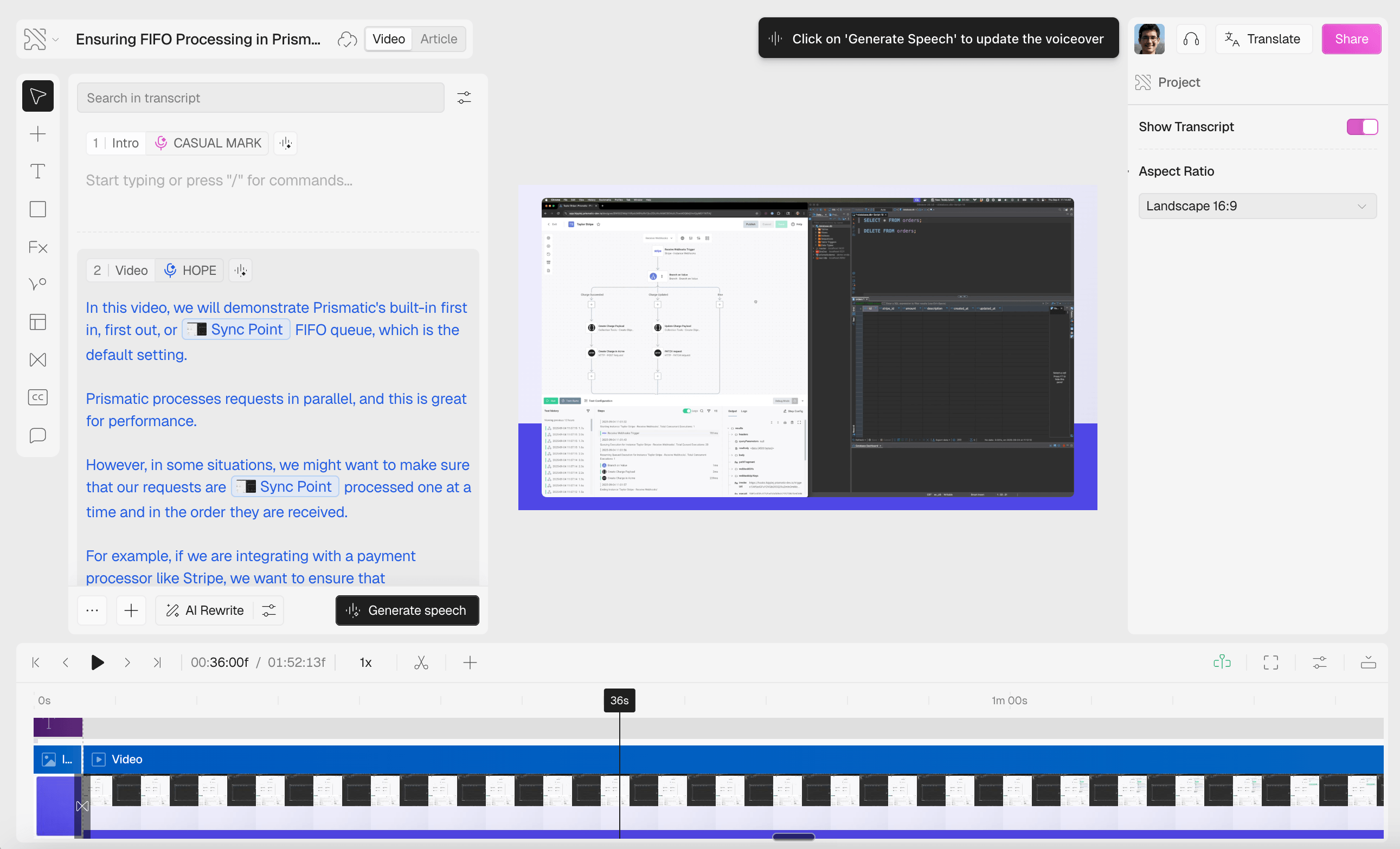
Clueso is built for polished product videos. It turns a rough screen recording into a branded video with AI voiceover and clean scenes, which is why teams reach for it on product demos and customer education. It handles training and help articles too, but video is the headline.
The catch is fit. If you only need demos, some tools give you more control or charge less. If that same recording also has to become documentation that stays current, in-app guidance, or a real training system, the best pick changes again. Here are the top Clueso alternatives, and the exact situation each one wins.
The quick answer
- Trails: Best for guide + video documentation from one workflow.
- Trupeer: Best for AI-polished product videos and docs from one recording.
- Guidde: Best for video-first documentation with stronger enterprise governance.
- Scribe: Best for quick screenshot guides and lightweight SOP capture.
- Tango: Best for in-app workflow guidance and contextual process support.
- Loom: Best for async video explanations and quick team communication.
- Trainual: Best for SOP and training management with accountability.
- Screen Studio: Best for polished standalone product demo videos.
- Camtasia: Best for hands-on tutorial video editing and LMS-ready exports.
How we evaluated
We tested each tool on the job most people have when they find Clueso: turn a screen recording of a new feature into a polished update video you could send to customers. We recorded a 12-step walkthrough, then asked each tool to produce a clean demo with narration, branding, and a shareable link.
Then we tested the job that follows close behind. Could that same recording become a written guide or SOP, survive a small update, and export cleanly for a help center? We weighed video quality and editing control first, then creation speed, guide quality, branding, sharing, updateability, and pricing at 5, 10, and 25 users.
We make Trails, so this guide has a point of view. We've kept it useful by being specific about where Trails fits and where it doesn't. We'd rather send you to the right tool than sell you the wrong one.
How we chose what to test
We focused on tools that capture a software workflow and turn it into something you can share, from demo videos to SOPs to training content. General video generators, enterprise LMS platforms, and broad knowledge bases didn't make the core category unless they show up often in Clueso comparisons.
A tool made the list when it appeared repeatedly in alternatives pages, G2 and Product Hunt comparisons, user discussions, or our own competitive research, and when it solved a real adjacent job. Scribe, Guidde, Loom, Tango, and Trupeer are the usual names in that set. Trainual, Screen Studio, and Camtasia earn a spot because they answer the three forks most buyers hit: training accountability, lightweight polished demos, and full tutorial editing.
We left out Synthesia, HeyGen, and Descript. They're useful for avatar videos and general media production, but rarely the first choice for maintaining step-by-step software documentation.
Why do customers look for Clueso alternatives?
Clueso gets its core job right. One recording becomes a polished demo or update video with a written article alongside it. People look elsewhere when the workflow, pricing, or output format doesn't match how they need to produce videos or document work at scale.
Across G2 reviews, pricing research, Reddit threads, and alternatives pages, the same reasons come up:
Export limits can feel tight for active content teams
Clueso's Starter plan is built around 6 hours of video exports a year, roughly 30 minutes a month. Growth doubles that to 12 hours. Fine for a small marketing team shipping a few polished videos, tight once CS, product, and enablement are documenting new workflows every week.
Reviews flag this often. The problem isn't that Clueso is expensive. It's that volume-based pricing makes teams ration content when the whole point is to document more.
The video editor can be more production workflow than SOP workflow
Clueso shines when the final asset has to look like a polished video, which means time in a production editor: script cleanup, voiceover, zooms, scenes, captions, rendering.
If you mainly need internal SOPs or quick workflow references, that layer is more than the job requires. A lightweight guide tool, or one where the written steps stay central, fits better.
Documentation may still need a separate home
Clueso can generate articles and host a knowledge base, but its center of gravity is content production. Teams that need library permissions, training assignments, completion tracking, or a long-term SOP system often end up bolting another platform onto the output.
The real question isn't "Can we make this video?" It's "Can 50 people find, trust, complete, and revisit this process later?"
Trails
Best for: guide + video documentation from one workflow
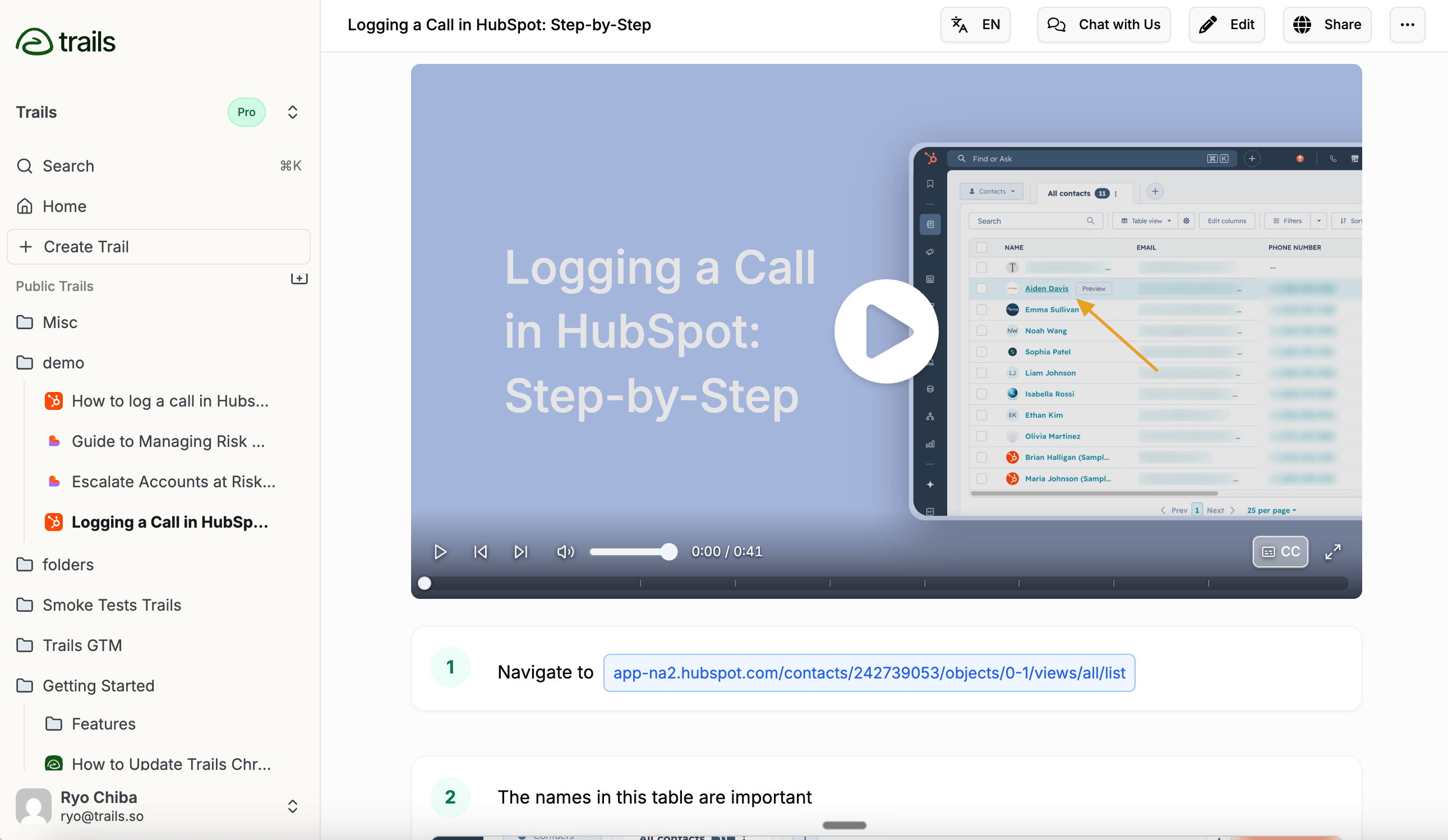
Trails is the strongest Clueso alternative when the job is documentation, not video production. One capture becomes a written guide and an AI-narrated video. Edit the guide text and the video regenerates from the updated script, so the source of truth lives in the document instead of a video timeline.
That matters for customer success, operations, education, and enablement teams. A process can start as a help guide, become a new-hire training asset, then get embedded in a help center or exported to PDF, Markdown, or MP4. Trails is built for that reuse.
Pricing is predictable, which helps for a whole team: $29/month for Creator, $49/month for Team with 5 users, $299/month for Business with unlimited users. Next to Clueso's export-volume model, it's easier to plan around.
Trails won't beat Clueso on cinematic editing. No AI avatars, no deep scene work, no slide-to-video. The tradeoff is simpler upkeep. The guide stays central, and the video follows.
Choose Trails if: you need documentation to double as training content, so one workflow becomes a guide, a video, an embed, and a translated asset without rebuilding it in three tools.
Skip Trails if: you want a highly produced marketing video with avatars, music, and manual control. Clueso, Guidde, or Screen Studio fit that better.
Trupeer
Best for: AI-polished product videos and docs from one recording
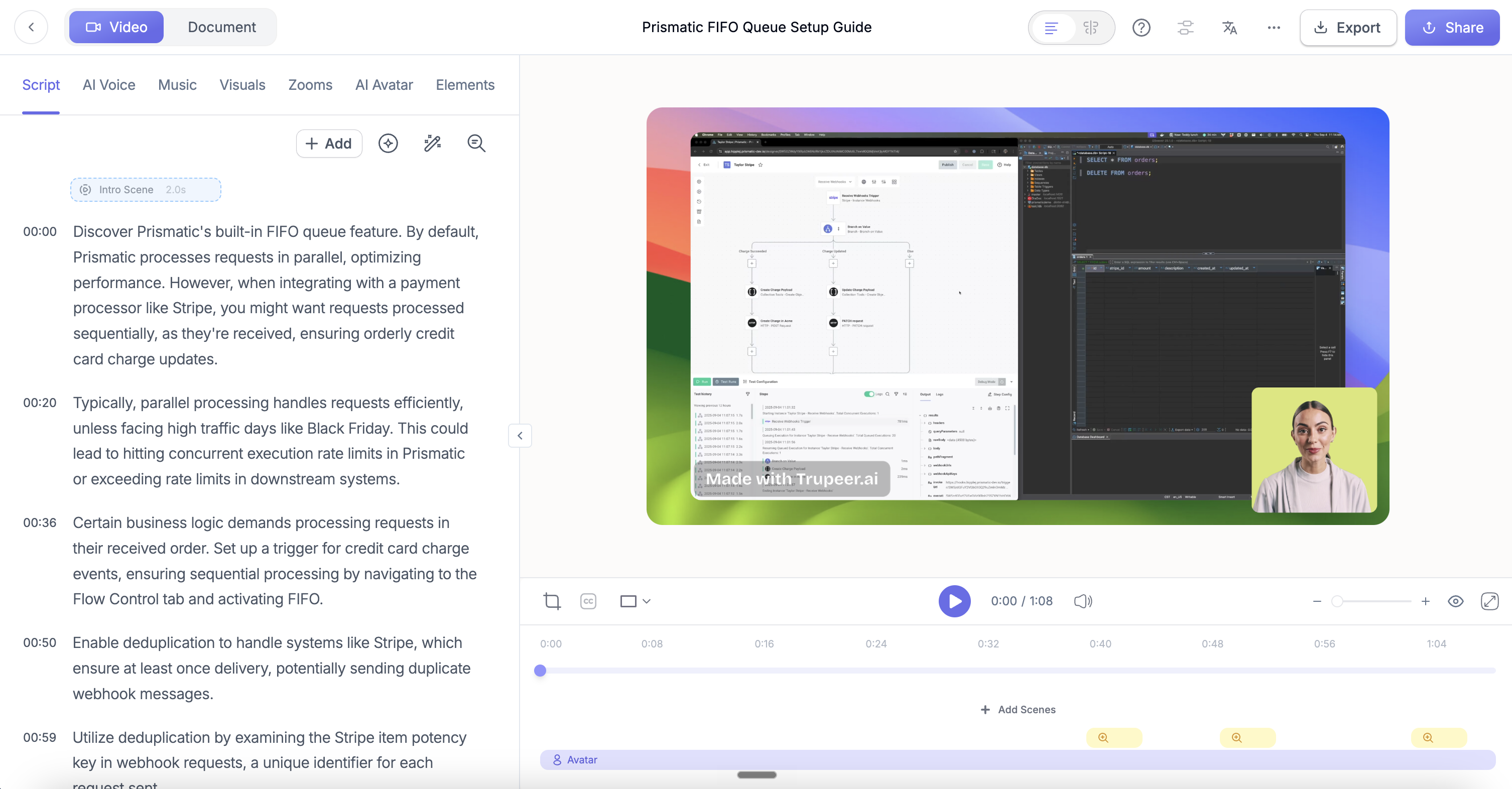
Trupeer is the closest fit if you like Clueso's promise but want more AI production on every recording. One screen recording becomes a polished video with a cleaned-up script, AI voiceover, smart zooms, captions, branded scenes, optional avatars, and a matching written guide.
That makes it a serious option for marketing, sales enablement, and L&D teams whose content needs to look more produced than a quick Loom. It sits near Clueso and Guidde, not Scribe. The guide matters, but video quality, translation, and polished delivery carry the weight.
The tradeoff is usage. Pro runs $49/month with 20 AI video minutes, unlimited guides and exports, and recordings up to 12 minutes. Scale is $249/month with 100 AI video minutes, a 3-editor workspace, custom voices, and branded share pages. Annual billing is cheaper, but those monthly minute caps matter once several teams are producing every week.
There's also a knowledge base add-on with custom branding, a custom domain, and AI search down to video timestamps. Useful for customer education libraries, but it pushes Trupeer toward a content platform and away from a lightweight SOP workflow.
Choose Trupeer if: you want AI to turn rough recordings into polished videos and companion docs, especially for customer education or multilingual product communication. Production value matters more here than fast internal documentation.
Skip Trupeer if: you need broad, repeatable documentation without watching video-minute limits. Trails keeps the guide as the source of truth, Scribe is faster for screenshot SOPs, and Camtasia gives more manual control.
Guidde
Best for: video-first documentation with enterprise governance
Guidde is the closest Clueso alternative for teams that still want video-first documentation. It records workflows, generates narrated video docs with step-based content and branding, and extends into in-app delivery through Guidde Broadcast.
Its edge is the path from creation to governed distribution. Exports cover the formats most teams need, including SCORM, and higher tiers add the governance and privacy controls larger teams require. Broadcast goes beyond making a guide, surfacing guidance inside the software people already use.
Pricing is creator-based: Free for limited videos, Pro around $29 per creator per month, Business around $59, less on annual billing. Broadcast and Enterprise are quote-based. At 10 or 25 creators, that per-seat math becomes a real part of the decision.
The tradeoff is complexity. More control over video, voice, governance, and distribution also makes Guidde feel heavier than simpler capture tools.
Choose Guidde if: you liked Clueso's video-first approach but want stronger enterprise controls, SCORM export, or contextual delivery through a more platform-like system.
Skip Guidde if: you mainly need fast, maintainable internal process docs. Trails or Scribe will usually feel lighter, and Loom is still better for quick async explanations.
Scribe
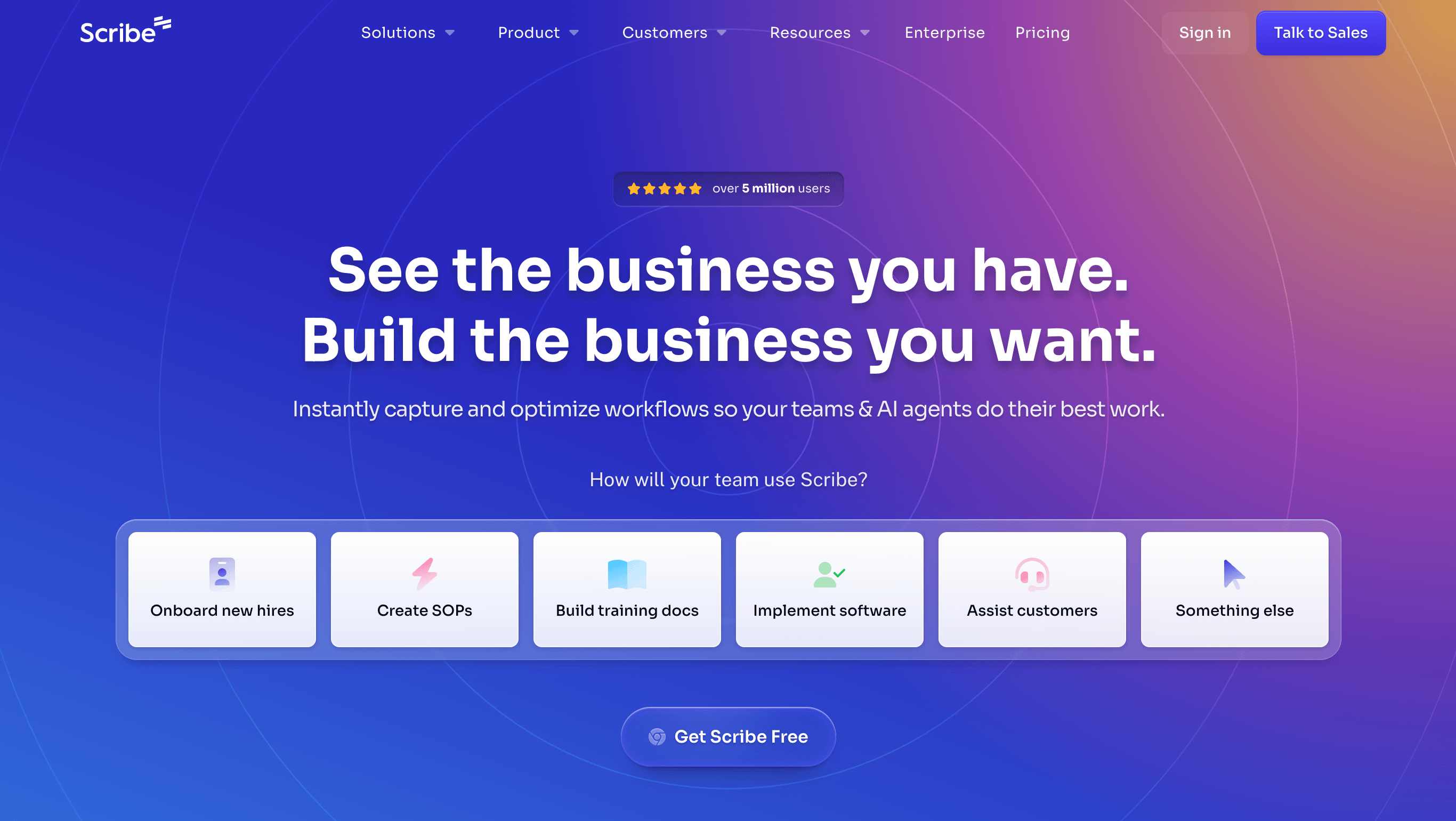
Best for: quick screenshot guides
Scribe is the best fit when the output is a step-by-step screenshot guide. It captures browser or desktop workflows, turns clicks into annotated steps, and makes the result easy to share or export. For internal SOPs, IT help, and onboarding references, it's often faster than a video-first workflow.
It has real enterprise depth too: Pages, Guide Me walkthroughs, Sidekick, integrations with Confluence and Notion, and workflow mining through Scribe Optimize. That's well beyond a basic screenshot extension.
Pricing has a fork. Basic is free, Pro Personal runs about $25 per seat per month annually, and Pro Team about $13 per seat with a 5-seat minimum. Enterprise is custom, and reports point to a much larger jump once you need advanced governance and permissions.
Its main gap against Clueso and Trails is video. Scribe can render steps into a movie-style clip, but that's not a branded, narrated training video built as a first-class output.
Choose Scribe if: you need fast, searchable screenshot guides and don't care much about polished video. It's especially strong for teams that live in SOPs, wikis, and help docs.
Skip Scribe if: your audience learns better from narrated video, or you need one workflow to become both a maintained written guide and training video. Trails or Clueso will fit that job better.
Tango
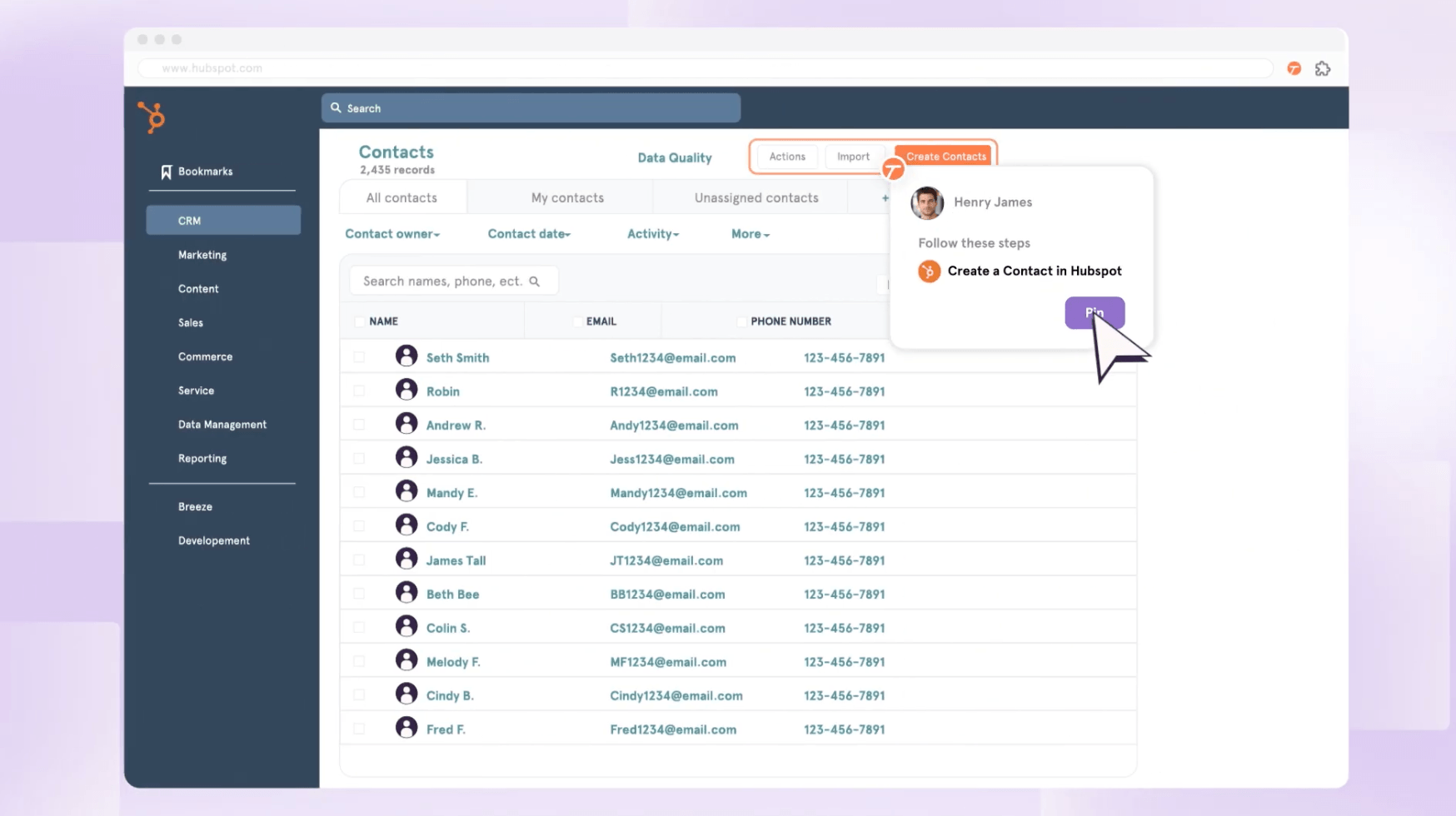
Best for: in-app workflow guidance
Tango isn't really a Clueso replacement. It's a different answer to the same enablement problem: instead of polished videos, it helps people follow the right process inside the tools they already use.
The capture product creates step-by-step guides from browser or desktop workflows. The distinctive layer is in-app guidance: Guide Me walkthroughs, Nuggets pinned to spots in your software, branching workflows, and browser automation on Enterprise.
Pricing is clear at the Pro level: Free for limited workflows, Pro Team around $15 per user per month annually for teams of 3 or more, Enterprise custom. The catch is that Tango's most differentiated guidance and automation features sit in Enterprise.
Tango earns its place when the problem isn't "we need a nicer video," it's "people keep asking how to finish this process in Salesforce or our internal tools." Different job from Clueso's content production.
Choose Tango if: users need process help in the moment, inside the application. It's a strong fit for internal rollouts, RevOps workflows, HR systems, and software adoption programs.
Skip Tango if: you need polished customer education videos, multilingual video output, or a simple guide-plus-video documentation workflow. Clueso, Guidde, or Trails will be closer to that requirement.
Loom
Best for: async video explanation
Loom is the easy call when the job is simple: record your screen, camera, or both, and send a link. It works for bug reports, customer replies, and quick walkthroughs where voice and context matter more than a formal guide.
Since joining Atlassian, Loom has added AI summaries, chapters, meeting recording, and video-to-text. Business runs about $18 per user per month, Business + AI about $24. Starter is free but limited enough that serious team use moves to a paid plan.
The tradeoff is durability. A Loom is easy to make but it's still a timeline-based video. If step 4 changes next week, you re-record. And if someone wants to scan instructions, copy a step, or maintain a training library, the video is the wrong primary artifact.
So Loom works as a Clueso alternative only when you don't need the production layer. Quick explanation, Loom is faster. Durable training content, choose something more structured.
Choose Loom if: you want fast async video communication and do not need formal process documentation. It's the easiest fit for quick explanation, feedback, and lightweight support.
Skip Loom if: the content needs to live as a maintained SOP, help article, or step-by-step training guide. Trails, Scribe, Guidde, or Clueso will be better built for that.
Trainual
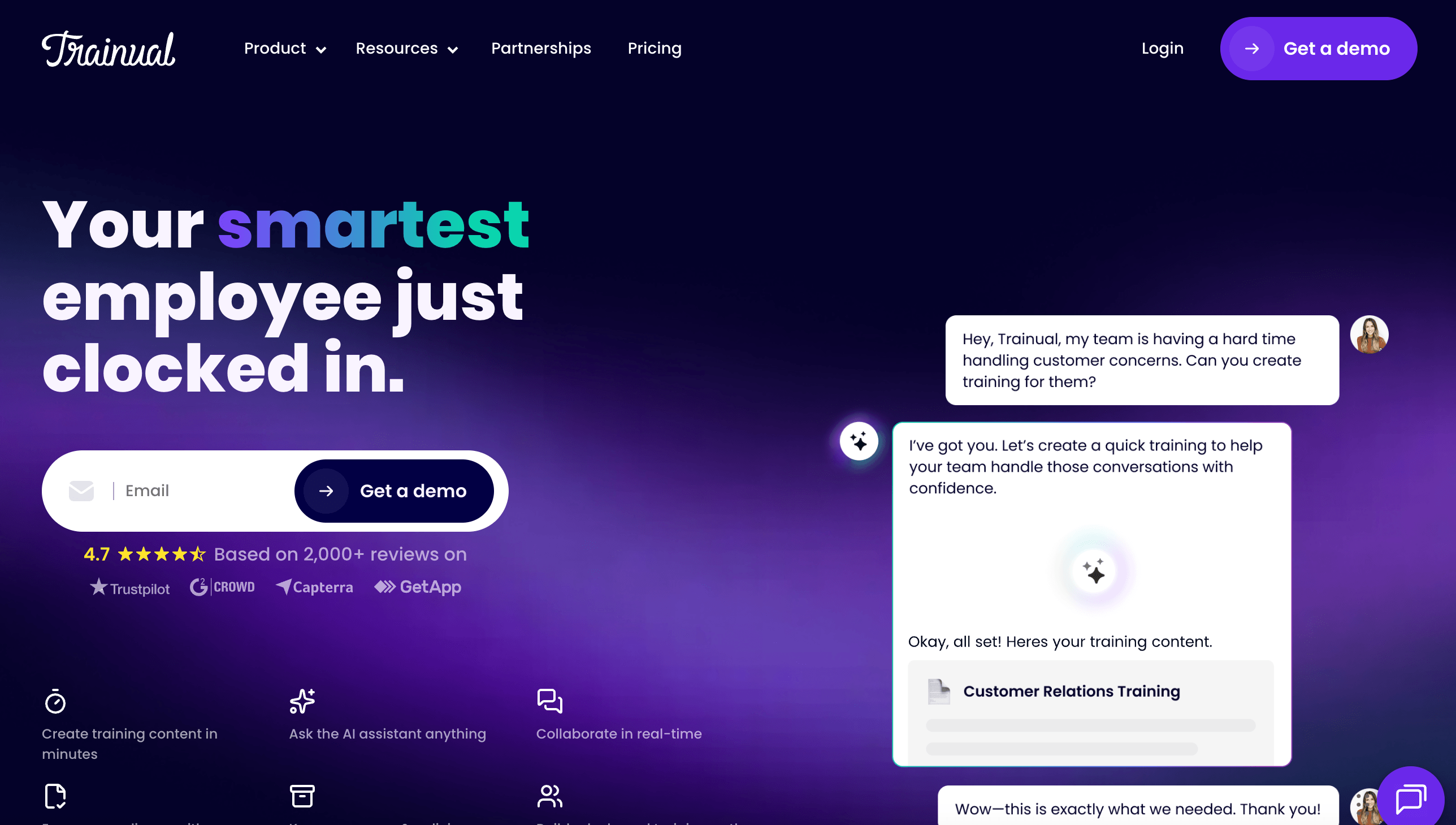
Best for: SOP and training management
Trainual is the right Clueso alternative only if your real problem is training accountability. It pairs SOP documentation with role-based assignments, quizzes, e-signatures, HRIS integrations, and progress tracking. Think lightweight LMS and business playbook, not capture tool.
That makes it valuable for growing SMBs that need to prove training got done. HR, operations, and service businesses care less about a video editor and more about whether every role has assigned training, due dates, and completion records.
The drawback is creation speed. Trainual has AI-assisted writing and a screen recorder, but it isn't built to turn a live software workflow into a polished guide and video. For heavy product or software documentation, a capture-first tool is much faster.
Pricing has gone quote-driven. Third-party figures put Core around $249/month, Pro $319, and Premium $399 for the first 10 seats, plus a $1,000 implementation fee. Confirm current numbers before buying.
Choose Trainual if: you need assignments, quizzes, e-signatures, HR integrations, and training completion tracking. It's a better fit for operational training systems than for fast workflow capture.
Skip Trainual if: you mainly need to document software workflows quickly. Trails, Scribe, Tango, or Clueso will get you from capture to usable tutorial faster.
Screen Studio
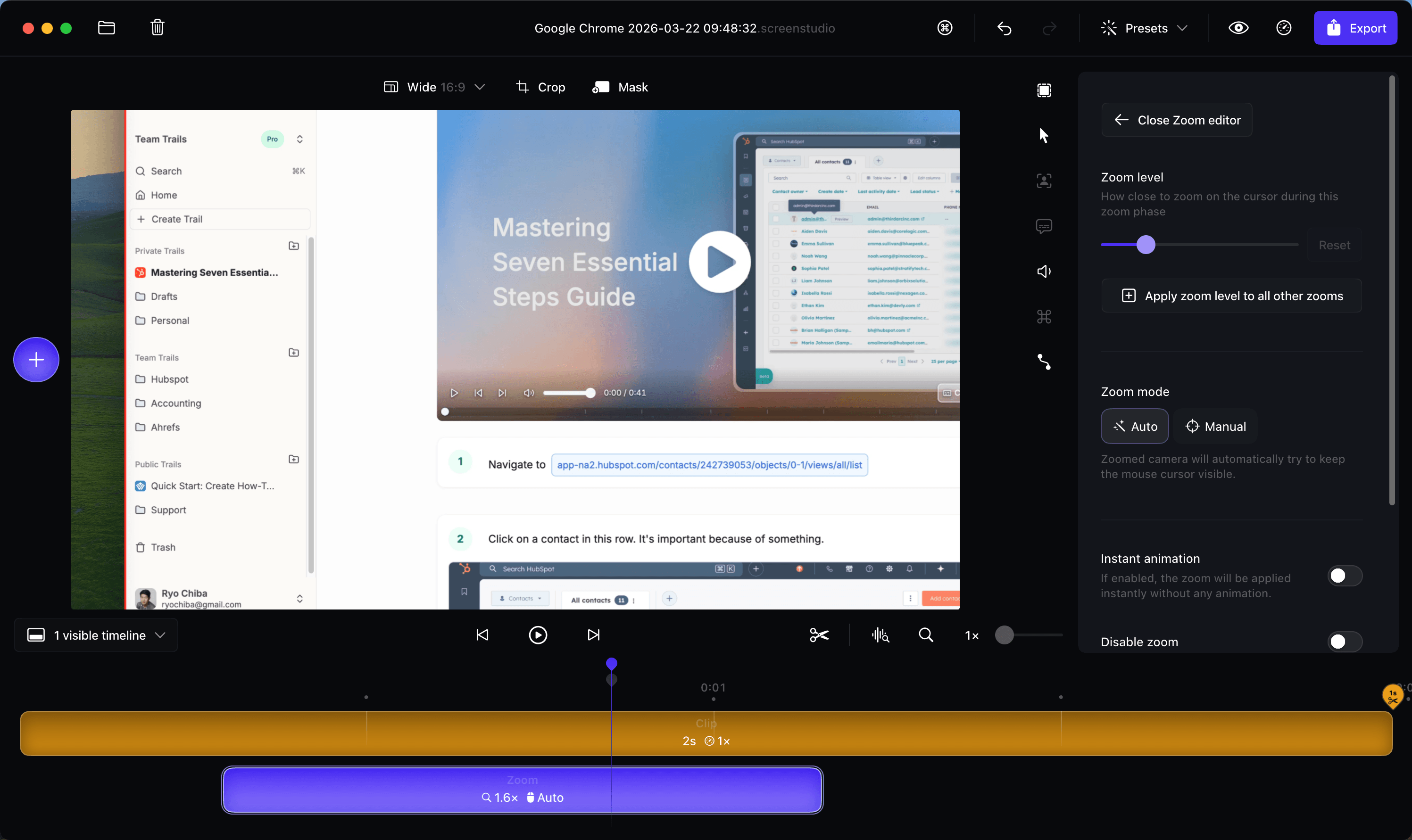
Best for: polished standalone product demo videos
Screen Studio is the best fit when the deliverable is a beautiful screen recording. The Mac-native recorder adds automatic zooms, smooth cursor movement, captions, device frames, and 4K export, making raw footage look deliberate without a heavy editor.
That makes it a real Clueso alternative for marketers, founders, and creators who want polish but don't need help articles or an SOP library. For launch videos, demos, and social clips, it's often the cleaner tool.
Pricing is simple: $29/month, or $9/month billed yearly, with every core feature included. You can try it before exporting, and education discounts exist. Team billing and collaboration lag behind tools built for company-wide documentation.
The limit is scope. Screen Studio is video production software, not a documentation system. No structured SOPs, no training assignments, no guide-plus-video from one source.
Choose Screen Studio if: you want polished product demo videos and your team is Mac-based. It is a sharper choice than Clueso when the article, SOP, and knowledge-base workflow do not matter.
Skip Screen Studio if: you need written guides, reusable training docs, Windows support, team documentation workflows, or AI narration tied to maintainable steps. Trails, Clueso, Guidde, or Scribe will be closer.
Camtasia
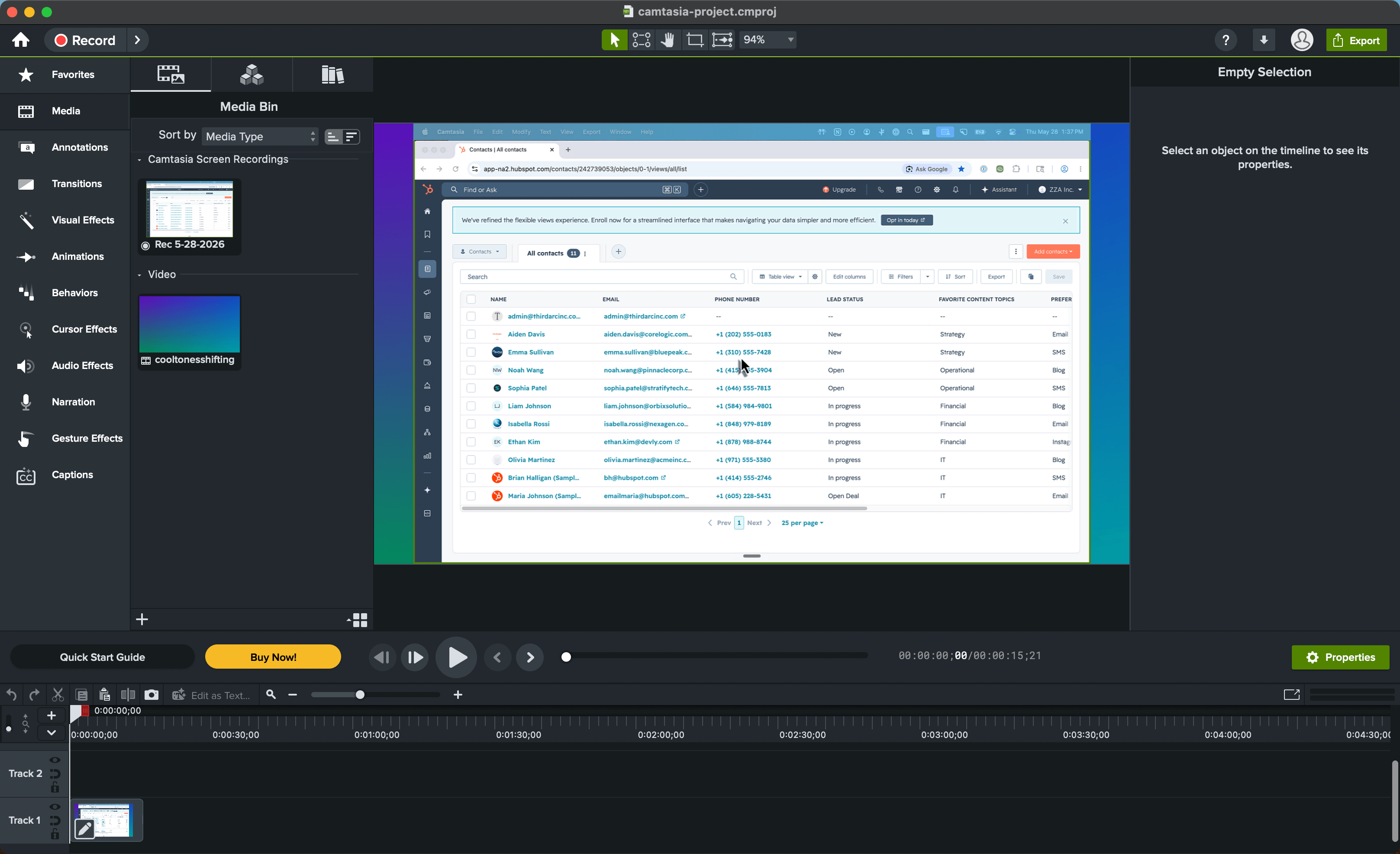
Best for: hands-on tutorial video editing and LMS-ready exports
Camtasia is the better Clueso alternative when the work needs a real video editor, not an automated guide generator. It records screen, camera, and audio, then hands you a multitrack timeline for annotations, zooms, transitions, captions, and cursor path edits.
That makes it strongest for tutorials and training lessons where someone needs to shape the video after recording. It's also the natural fit when LMS delivery matters, with quizzes and SCORM export on its editing plans.
Pricing is annual and suite-based. TechSmith lists Starter at $39/year, but it's mostly capture and exports carry a watermark. Watermark-free editing starts with Essentials at $179.88/year, Create is $249/year for AI features, and Pro is $599/year for scaled production like avatars, script translation, and dubbing.
The tradeoff is maintenance speed. Camtasia gives more control than Clueso, Trupeer, or Screen Studio, and that control means more editing work. Reviewers praise it next to professional editors while still flagging price, performance on large projects, and rendering time.
Choose Camtasia if: you need polished instructional videos with cursor editing, captions, quizzes, and SCORM export. It fits L&D and technical training teams that treat video as the main deliverable.
Skip Camtasia if: you need fast documentation that stays current as processes change. Trails, Scribe, or Tango will be lighter when the output should be a maintained guide or SOP, not a production-edited video.
The bottom line
Clueso's mismatch isn't quality. It's that the product is built for polished video, while many teams searching for alternatives really need maintainable documentation, lower-friction capture, in-app guidance, or training accountability.
If you valued the video polish, choose Trupeer for AI-polished videos and docs, Guidde for video-first documentation with enterprise structure, Screen Studio for standalone Mac demos, or Camtasia for hands-on editing and LMS exports. If you valued quick capture, choose Scribe for screenshot guides or Tango for in-app guidance. If you need completion tracking, choose Trainual.
And if you need documentation to work as training content, choose Trails. It's the best fit when one workflow should become a written guide and a narrated video, then stay easy to update as the process changes.
Frequently asked questions
How much does Clueso cost?
Clueso's public pricing research shows Starter at $120/month billed annually and Growth at $200/month billed annually. Starter includes 2 users and 6 hours of video exports per year, while Growth includes 4 users and 12 hours of video exports per year. Enterprise pricing is custom.
What is the alternative to Clueso?
The best Clueso alternative depends on the output you need. Choose Trails for guide-plus-video documentation, Trupeer for AI-polished product videos and docs, Guidde for video-first documentation, Scribe for screenshot SOPs, Tango for in-app workflow guidance, Loom for async video, Trainual for training management, Screen Studio for polished product demo videos, and Camtasia for hands-on tutorial editing and LMS-ready exports.
Which tool is best for documentation?
For quick screenshot documentation, Scribe is the fastest mature option. For documentation that also needs to become narrated training video, Trails is the better fit. For documentation plus training assignments and completion tracking, Trainual is the stronger system.
How to use Clueso?
Clueso is typically used by recording or uploading a screen walkthrough, letting AI generate a script, voiceover, video edits, captions, and a written article, then editing and exporting the finished content. It fits teams that want polished product education or training assets from raw screen recordings.