
Glossary
Single Sign-On
 ChatGPT
 Perplexity
 Gemini
 Claude
What is single sign-on?
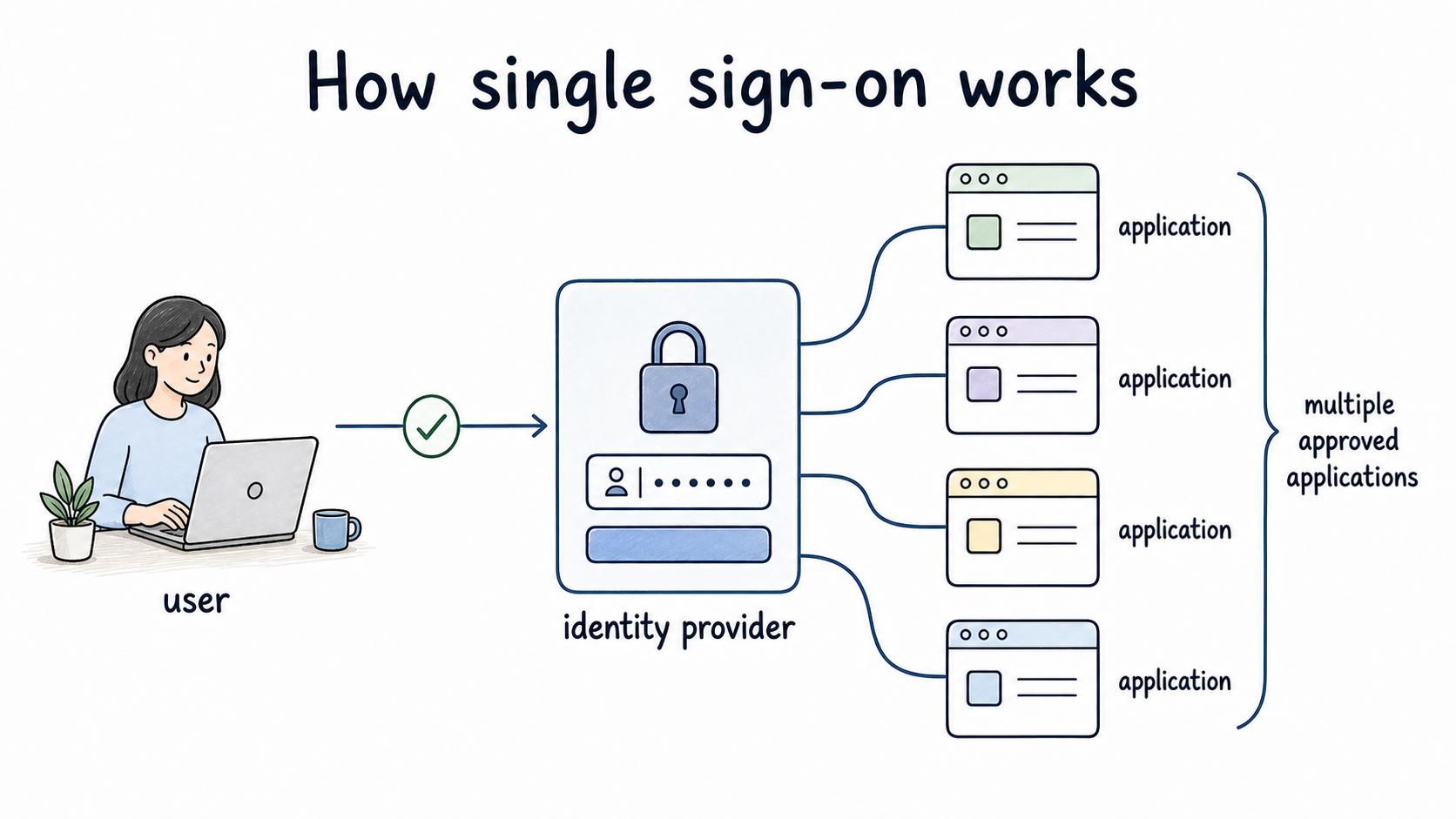
Single sign-on, often shortened to SSO, is an authentication setup that lets a user sign in once through a trusted identity provider and then access multiple approved applications. NIST describes federation as a model where identity providers provide authentication attributes and assertions to separately administered relying parties.1
Instead of maintaining a separate login for every tool, the user authenticates through one central system that connected apps agree to trust.
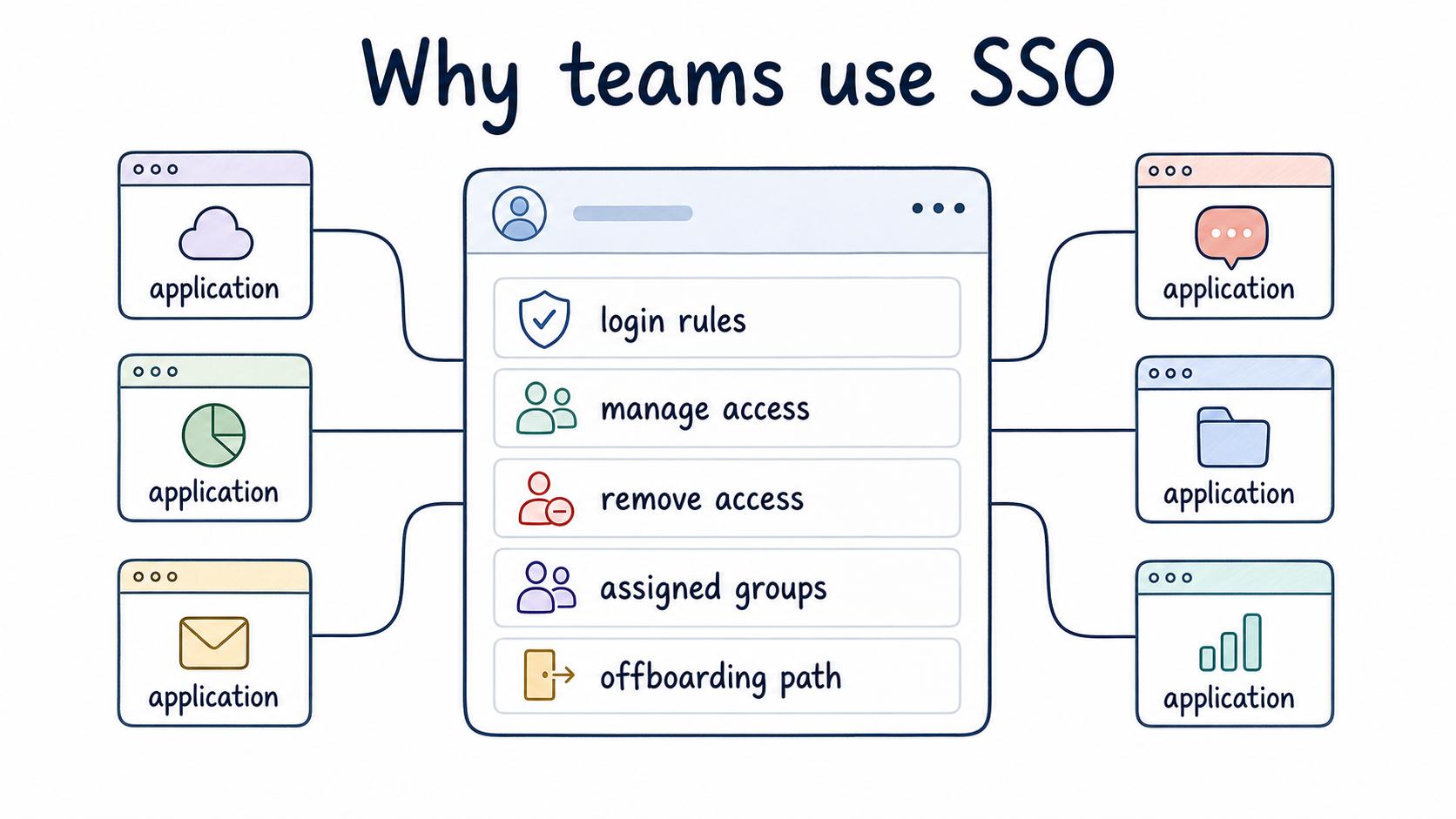
For employees, SSO feels like convenience. For IT, security, and operations teams, the bigger value is control: one place to enforce login rules, manage access, and remove access when someone changes roles or leaves.
How single sign-on works
In a typical SSO flow, a user opens an application and is redirected to the company's identity provider. The identity provider checks who the user is, applies any required policies, and sends a trusted response back to the application. If the application accepts that response and the user has the right permissions, access is granted.
The exact setup depends on the systems involved. Some applications use SAML, some use OpenID Connect, and some use vendor-specific configuration. The OpenID Foundation describes OpenID Connect as an interoperable authentication protocol that verifies identity based on authentication performed by an authorization server.2
The operating principle is simpler than the protocol details: the application no longer makes every login decision alone. It relies on a central identity system.
That centralization is powerful, but it raises the bar for documentation. If user groups, role mappings, or exception accounts are unclear, SSO can make access problems harder to diagnose because more systems are connected.
Why teams use SSO
SSO helps teams reduce login friction and make access management more consistent. The federal Enterprise SSO Playbook frames SSO as a way to centralize application access and establish a foundation for identity federation.3
A new employee can get access through assigned groups. A departing employee can lose access centrally. Login requirements such as multi-factor authentication can be applied more consistently across supported applications.
The operational benefit is fewer disconnected decisions. Without SSO, each application may have its own password rules, admin process, and offboarding path. With SSO, more of that work can route through a shared identity process.
SSO still needs ownership. Someone has to decide which users belong in which groups, which applications are in scope, which exceptions are allowed, and how access is reviewed over time.
SSO vs MFA vs password manager
These controls often appear together, but they are not interchangeable.
| Control | What it does | What it does not do |
|---|---|---|
| Single sign-on | Centralizes login through an identity provider | Prove every user has the right level of app access |
| Multi-factor authentication | Adds another factor to the login decision | Decide which apps or roles a user should have |
| Password manager | Stores and generates strong passwords | Centralize application access governance |
| Access review | Checks whether existing access is still appropriate | Authenticate users during login |
A mature setup usually needs more than one of these. SSO can make MFA and access reviews easier to enforce, but it does not replace the judgment behind them.
What teams should document for SSO
SSO documentation should cover both the technical connection and the operating workflow around it. The most painful failures tend to happen between those layers.
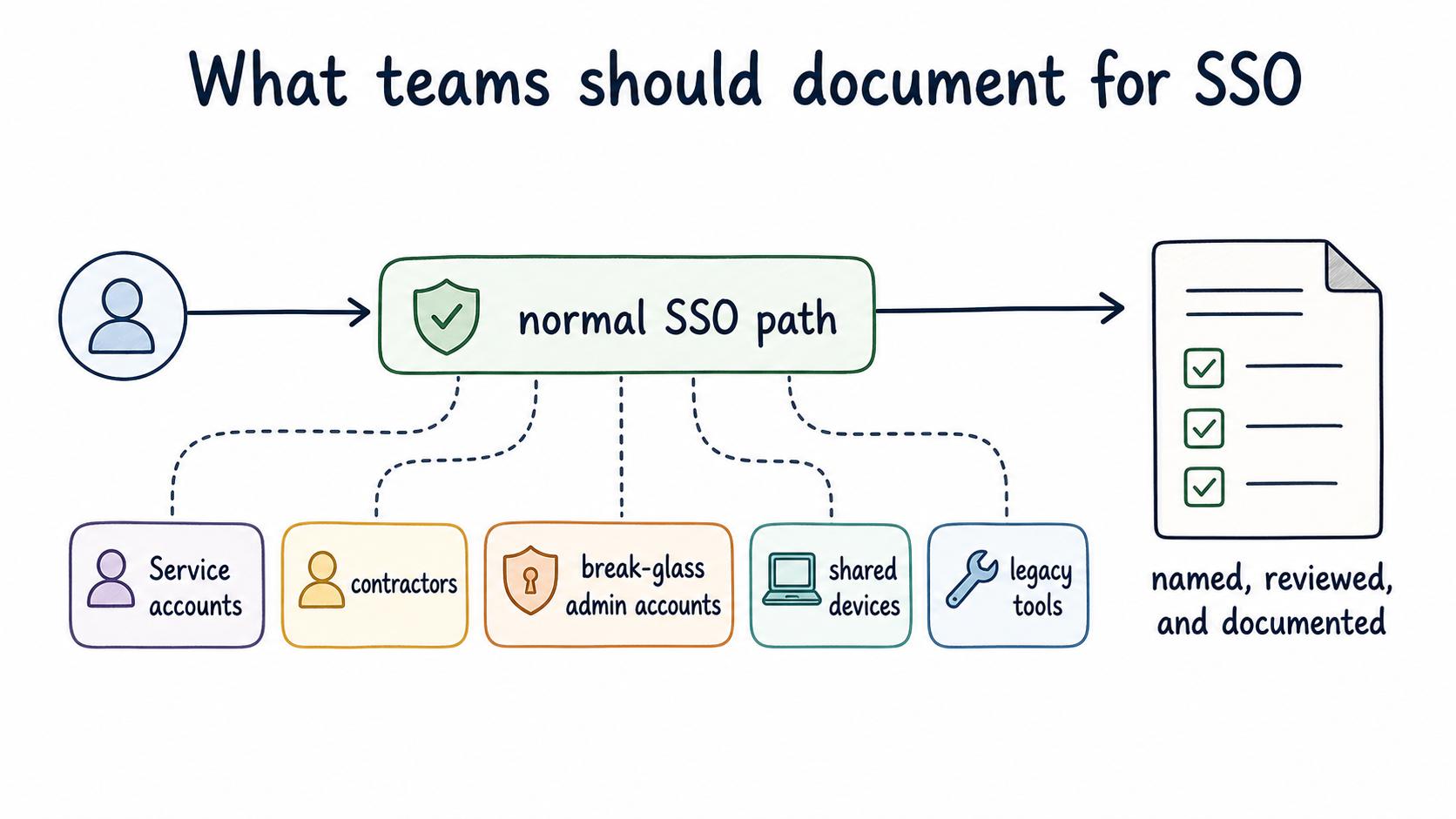
For each connected app, document the identity provider, application owner, user groups, role mappings, login requirements, provisioning process, offboarding process, support path, and emergency-access rules. Make it clear who can approve changes and where admins should update access.
Pay special attention to exceptions. Service accounts, contractors, break-glass admin accounts, shared devices, and legacy tools may not fit the normal SSO path. Those exceptions should be named, reviewed, and documented. An exception that lives only in someone's memory becomes a security and support problem later.
Common mistakes
The first mistake is treating SSO as a checkbox. Enabling SSO for an app is only part of the work. The team still needs clean groups, clear ownership, and a repeatable support process.
The second mistake is vague role mapping. If the identity provider group says `Operations` but the application role grants admin-level access, the label can hide the real permission. Document what each group actually does inside the app.
The third mistake is weak offboarding. SSO is most useful when it is tied to the employee lifecycle. NSA and CISA guidance notes that SSO can centralize authentication and access management, but the same guidance warns that SSO without a strong MFA foundation and secure design can increase attack impact.4
If local accounts, API keys, or exception users remain outside the process, the team still needs a separate removal checklist.
AI-ready SSO documentation prompt
Use this prompt when turning an SSO setup into internal documentation:
## SSO Documentation Prompt

**Glossary term:** Single Sign-On
**Source:** Trails Glossary — trails.so/glossary/single-sign-on

---

### 01. Create internal SSO documentation

"Create an internal SSO documentation page for [application]. Include:
- Identity provider used
- Application owner
- User groups and what access each group grants
- MFA or login requirements
- Provisioning and deprovisioning steps
- Known exception accounts or non-SSO access paths
- Support steps for common login failures
- Access review cadence
- Open questions that need owner decisions

Audience: [IT admins/support team/security reviewers]
Tone: clear, operational, and specific."
The useful output is not just a prettier document. It is a list of access decisions the team can inspect.
Documentation takeaway
SSO is a login architecture, but it becomes an operational process as soon as people depend on it. The team should be able to answer which apps use SSO, who owns each connection, what each group grants, how exceptions are handled, and how access is removed.
If those answers are scattered, troubleshooting and offboarding still depend on tribal knowledge.
How Trails helps
Trails can help IT and operations teams document repeatable SSO workflows, such as adding a new app, assigning user groups, troubleshooting login failures, or removing access during offboarding. A captured workflow can become a step-by-step guide or an AI-narrated video for admins and support teams.
- SAML
- Role based access control
- Team permissions
- Protocol
- SOC 2 compliance
- Technical documentation
- Identity provider
- User provisioning
Sources
- 1
National Institute of Standards and Technology. NIST SP 800-63C, Federation and Assertions. NIST. pages.nist.gov/800-63-4/sp800-63c.html. Accessed July 7, 2026.
- 2
OpenID Foundation. How OpenID Connect works. OpenID Foundation. openid.net/developers/how-connect-works/. Accessed July 7, 2026.
- 3
General Services Administration. Enterprise Single Sign-On Playbook. IDManagement.gov. www.idmanagement.gov/playbooks/sso/. Accessed July 7, 2026.
- 4
NSA and CISA. Identity and Access Management Recommended Best Practices. National Security Agency. media.defense.gov/2023/Mar/21/2003183448/-1/-1/0/ESF%20IDENTITY%20AND%20ACCESS%20MANAGEMENT%20RECOMMENDED%20BEST%20PRACTICES%20FOR%20ADMINISTRATORS%20PP-23-0248_508C.PDF. Accessed July 7, 2026.