
Glossary
Role-Based Access Control
 ChatGPT
 Perplexity
 Gemini
 Claude
What is role-based access control?
Role-based access control, or RBAC, manages system permissions by assigning access to roles instead of hand-configuring every permission for each user. A person receives access because they are assigned to a role such as support agent, finance manager, auditor, or system administrator.
RBAC is common in SaaS products, internal tools, cloud platforms, customer support systems, HR tools, and compliance-sensitive environments. The practical promise is simple: access should follow someone's job responsibilities, not whatever a busy admin remembered during onboarding.
How role-based access control works
RBAC creates a layer between people and permissions. The organization defines roles, assigns permissions to those roles, and then assigns users to the right roles. When someone changes jobs, joins a team, leaves a team, or needs temporary access, the team changes the role assignment instead of editing a long list of individual permissions. The NIST RBAC model formalizes this separation between user-role assignments and permission-role assignments.1
NIST's RBAC project describes the model in practical terms: each user is assigned one or more roles, and each role is assigned one or more privileges permitted to users in that role.2 That definition keeps the focus on work, not names. The better question is not "Does Jordan need this permission?" in isolation. It is "What role is Jordan performing, and what access does that role need?"
Key parts of RBAC
A basic RBAC model has a few moving pieces.
| RBAC element | What it means | Example |
|---|---|---|
| User | The person or account receiving access | Jordan, a new support hire |
| Role | A named responsibility group | Support Agent |
| Permission | An allowed action | View tickets, reply to customers |
| Resource | The protected system, record, or workflow | Help desk workspace |
| Owner | The person accountable for the role | Support operations manager |
The owner is the part teams skip most often. Without an owner, a role becomes a junk drawer: useful in the moment, hard to defend later.
Why RBAC matters
RBAC makes access more consistent. Two employees doing the same job should not have completely different permissions because they were onboarded by different managers. A defined role gives the team a reusable access package.
It also makes reviews easier. Instead of asking why one person has dozens of individual permissions, reviewers can ask whether that person still belongs in a specific role. That is still a serious question, but it is easier to answer with a manager or system owner.
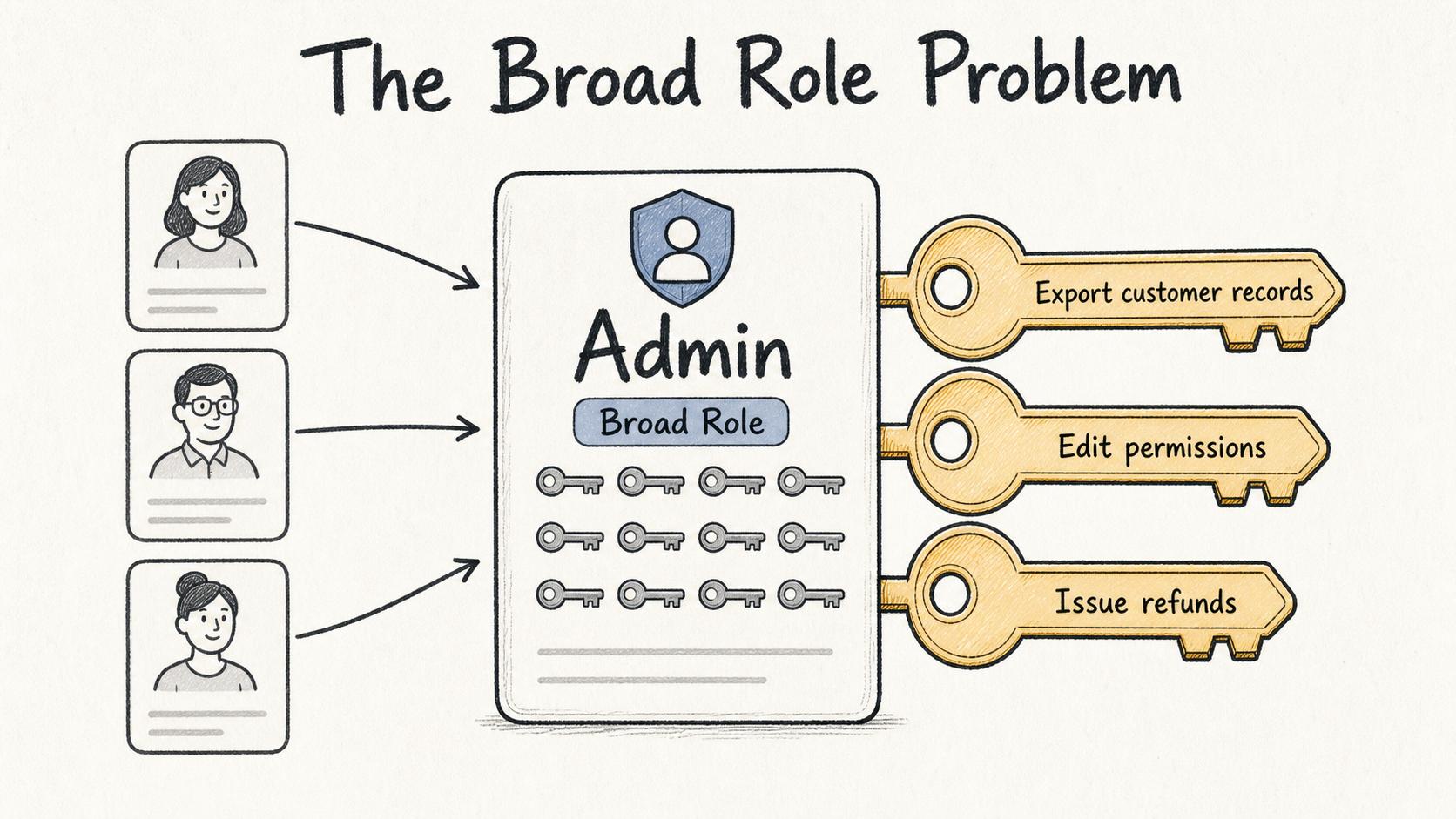
The tradeoff is that RBAC can make bad access look tidy. If the role itself is too broad, everyone assigned to it inherits the problem. RBAC is not the same thing as least privilege. NIST defines least privilege as restricting user or process access to the minimum necessary to accomplish assigned tasks.3 RBAC can help enforce least privilege only when roles are designed and reviewed carefully.
Common RBAC examples
A small company might start with simple roles such as employee, manager, support agent, support manager, finance user, billing admin, read-only auditor, and system administrator.
A more mature setup usually adds scope. A regional manager may see reports for one region, not every customer globally. A contractor may receive temporary access that expires automatically. An auditor may get read-only access but no ability to change records.
A useful role definition is specific enough to prevent guessing: role name, purpose, allowed actions, excluded actions, approval owner, review cadence, and removal triggers.
RBAC vs individual permissions
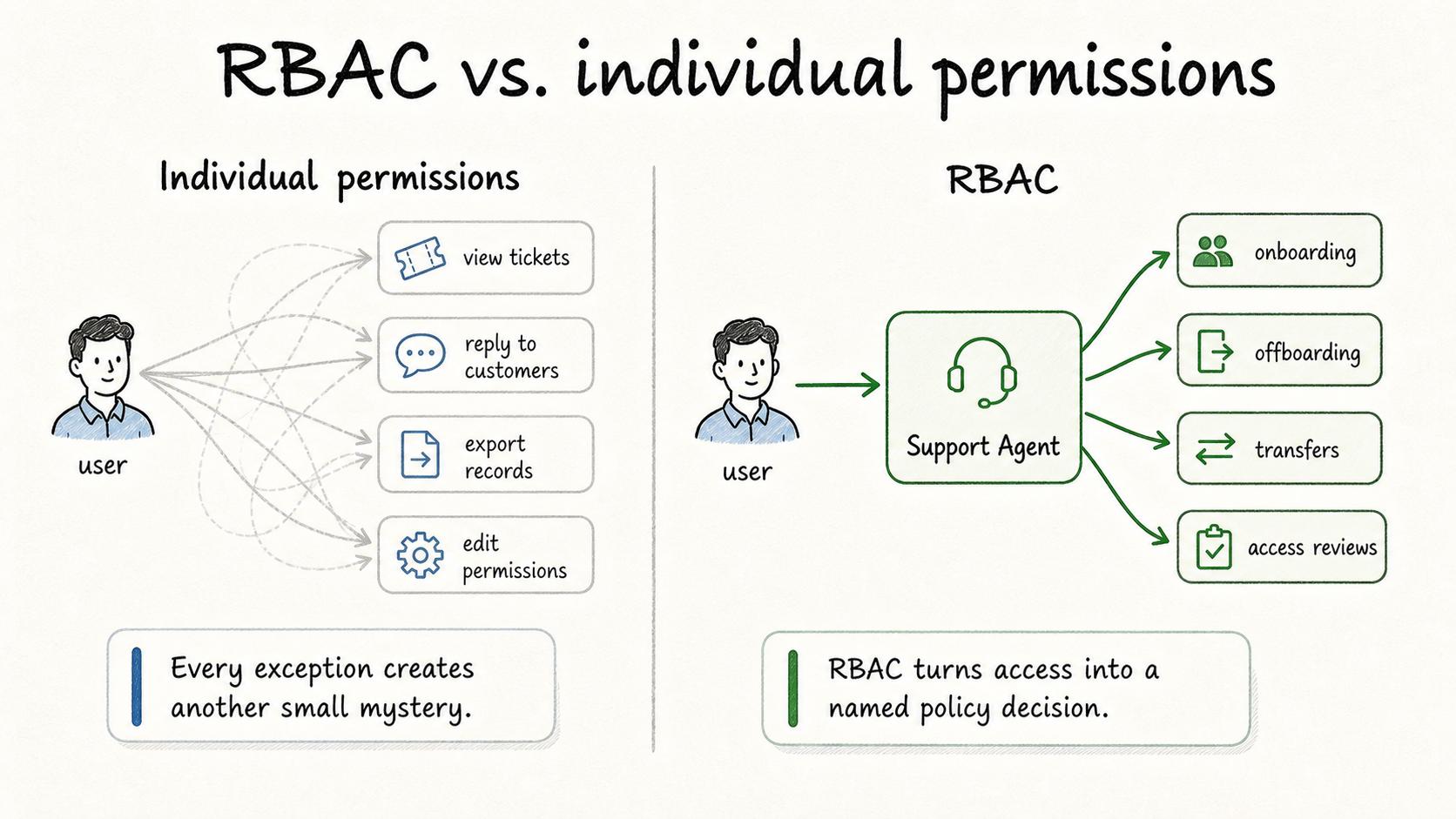
Individual permissions can work for a tiny team, but they become difficult to reason about quickly. Every exception creates another small mystery. RBAC turns access into a named policy decision.
The mistake is treating roles as fixed furniture. Roles should change when jobs change, systems change, sensitive data moves, or compliance requirements shift. If finance exports move to a different workflow, the finance role may need cleanup. If support agents start handling a new customer segment, the support role may need narrower scope rather than more global access.
RBAC works best when it is connected to onboarding, offboarding, internal transfers, contractor management, emergency access, and periodic access reviews.
What to document for RBAC
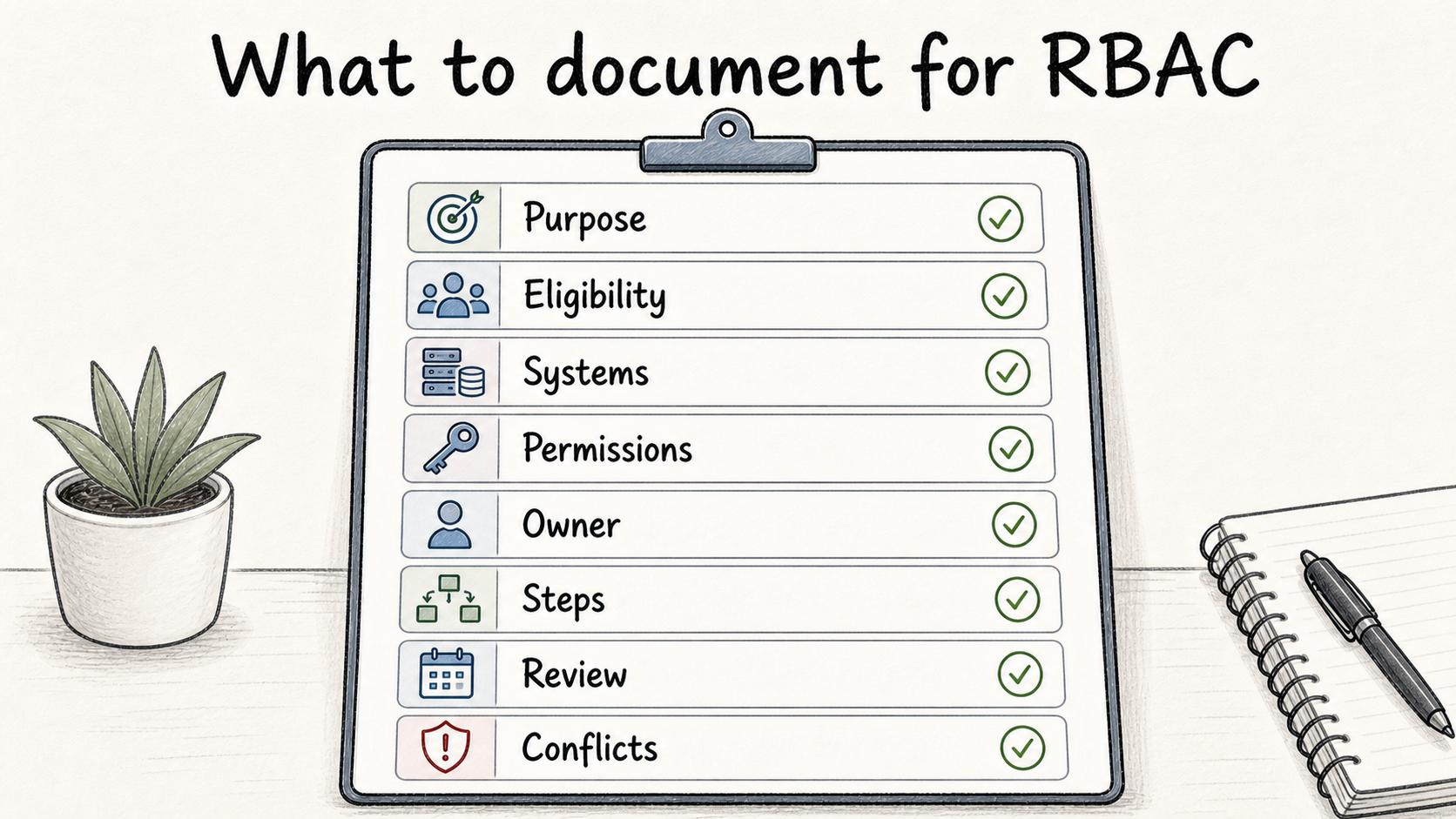
RBAC documentation does not need to be ornate. It needs to be clear enough that an IT admin, manager, security reviewer, and new employee understand what a role means.
For each role, document the role name and purpose, eligible teams or job functions, systems and resources covered, included and excluded permissions, approval owner, provisioning and deprovisioning steps, review cadence, last reviewed date, removal triggers, separation-of-duties conflicts, and emergency access rules.
This is where many RBAC programs drift. The technical permission model may be clean, while the human process around approvals, transfers, and removals is vague. NIST SP 800-53's access-control catalog is a useful reminder that access control is not just role design; it also includes review, least privilege, separation of duties, and account management practices.4
Common mistakes
- Creating too many roles. If every exception becomes a new role, the system becomes harder to manage than individual permissions.
- Making roles too broad. "Admin" is often necessary, but it should not become the default home for every unresolved access request.
- Forgetting removal. RBAC is not just about granting access faster. It should also make access easier to remove when someone's responsibilities change.
Documentation takeaway
Role-based access control is only as good as the role definitions and access workflows behind it. The practical goal is to make access decisions visible, reviewable, and easy to change when the work changes.
If a team cannot explain who qualifies for a role, who approves it, and when that access should be removed, the RBAC model is not finished.
How Trails helps
Trails helps teams document repeatable access workflows such as onboarding, offboarding, role changes, and access reviews. Teams can capture the exact steps an admin performs and turn them into a guide so access changes are easier to repeat safely and review later.
Sources
- 1
National Institute of Standards and Technology. The NIST Model for Role-Based Access Control. NIST. tsapps.nist.gov/publication/get_pdf.cfm?pub_id=916402. Accessed July 9, 2026.
- 2
National Institute of Standards and Technology. Role-Based Access Control project. NIST CSRC. csrc.nist.gov/projects/role-based-access-control. Accessed July 9, 2026.
- 3
National Institute of Standards and Technology. Least Privilege. NIST CSRC Glossary. csrc.nist.gov/glossary/term/least_privilege. Accessed July 9, 2026.
- 4
National Institute of Standards and Technology. Security and Privacy Controls for Information Systems and Organizations. NIST SP 800-53 Rev. 5. csrc.nist.gov/pubs/sp/800/53/r5/upd1/final. Accessed July 9, 2026.