
Trails vs Guidde:
Feature Comparison Guide (2026)

Guidde captures screen workflows and turns them into polished narrated video. Trails captures the same workflows and produces both a step-by-step guide and a branded AI-narrated video from a single recording.

Trails vs Guidde comparison illustration.
Ryo Chibahey it's me
Before you read

I'm a co-founder of Trails and I want you to pick us. That's the bias.

Here's why this is still worth reading. Guidde is genuinely strong when teams need polished tutorial videos, fine-grained editorial control, and in-app delivery via Broadcast. Trails is built for a different job: documentation that stays current as processes change.

I'll tell you where Guidde wins. I'll tell you where Trails wins. And when Trails isn't the right call, I'll say so. I hope you find this guide helpful!

Ryo
Co-founder, Trails

TL;DR

TL;DR: Guidde captures screen workflows and turns them into polished narrated video, with fine-grained editorial control via its timeline editor, enterprise delivery via Broadcast (in-app content surfacing), and the widest range of output formats including SCORM. Trails captures the same workflows and produces both a step-by-step guide and a branded AI-narrated video from a single recording. Edit the guide text and the narrated video regenerates automatically. No video editor required. If your team needs documentation that stays current as processes change, without re-recording or timeline editing, Trails is the more direct path.

Introduction

Both tools solve the same starting problem: screen capture should produce documentation, not raw footage. Where they diverge is in what that documentation looks like and how much work it takes to keep it current.

Guidde optimizes for video polish and enterprise delivery. Trails optimizes for the full documentation workflow: one capture, one guide, one video, one place to update everything. Teams that choose Guidde get more editorial control over transitions, callouts, and animation timing. They also take on a more complex editor and more maintenance overhead when processes change. Teams that choose Trails trade some of that editorial depth for a tighter update loop.

What is Trails?

Trails turns screen recordings into step-by-step guides and AI-narrated videos. One capture produces both formats simultaneously. Built for operations teams, customer success managers, and L&D coordinators who need polished documentation without a dedicated video production workflow.

Four capabilities worth knowing:

  • Chrome extension capture. Record your screen and Trails auto-generates discrete steps with screenshots.
  • AI-narrated video. TTS voiceover synced to steps, styled with your logo, colors, and fonts.
  • Regenerate video. Edit the guide text and the narrated video updates automatically. No re-recording.
  • AI translation. Publish the same guide in 75+ languages with per-language TTS audio.

What is Guidde?

Guidde captures screen workflows and transforms them into narrated how-to videos and written step documentation. Built for training, onboarding, and increasingly for in-app digital adoption via its Broadcast delivery layer.

Four capabilities worth knowing:

  • AI capture and callout generation. Record a workflow and Guidde auto-generates steps, callouts, and narration.
  • Magic Mic. Converts spoken narration during capture into polished AI narration.
  • Broadcast. In-app delivery that surfaces the right guide inside the software users are working in, based on application and page context.
  • Multi-format export. MP4, GIF, PDF, PPTX, HTML, Markdown, and SCORM (Enterprise).

Trails vs Guidde: feature comparison

The simplest way to compare them is by the job your team needs the content to do. Guidde is for polished tutorial videos and in-app delivery. Trails is for reusable documentation that stays accurate when the process changes.

Feature
Trails
Guidde
Do you need both a written guide and a narrated video?
Yes. One capture creates both formats, and they stay connected.Yes, but the product is more video-first. Written steps support the video.
Will the process change later?
Edit the guide text and the narrated video regenerates automatically.Update the content in the timeline editor, then re-export the video.
Do you need fine control over video timing and transitions?
You get clean branded videos without much manual production work.The timeline editor gives more control over callouts, animations, and pacing.
Are you turning existing recordings into documentation?
Upload Zoom clips, Loom videos, screen captures, or rough recordings and turn them into guides.Not built around converting messy existing videos into structured guides.
Will readers need to find one exact step?
They can scan the guide, search the library, and jump to the step they need.They can watch the video or use the written steps, but the experience is still more video-led.
Do you need to deliver guidance inside enterprise apps?
Share guides by link or embed them in tools like Notion, Zendesk, and help centers.Broadcast can surface guides inside apps like Salesforce, ServiceNow, and Workday.
Do you need LMS-ready exports?
Export to PDF, HTML, Markdown, and MP4.Exports to MP4, GIF, PDF, PPTX, HTML, Markdown, and SCORM on Enterprise.
Are you documenting long workflows?
No guide length limit.Free, Pro, and Business plans cap guides at 100 steps.
Does the whole team need to create guides?
Workspace pricing keeps costs predictable as more teammates create documentation.Per-creator pricing gets more expensive as the creator count grows.

Quick rule: choose Guidde when you need production control or in-app delivery. Choose Trails when the content needs to become documentation people can trust, search, update, and reuse.

Create beautiful guides

Get started with Trails

Record your screen, turn it into a polished guide. No design skills needed. Try it free today.

Create a guide
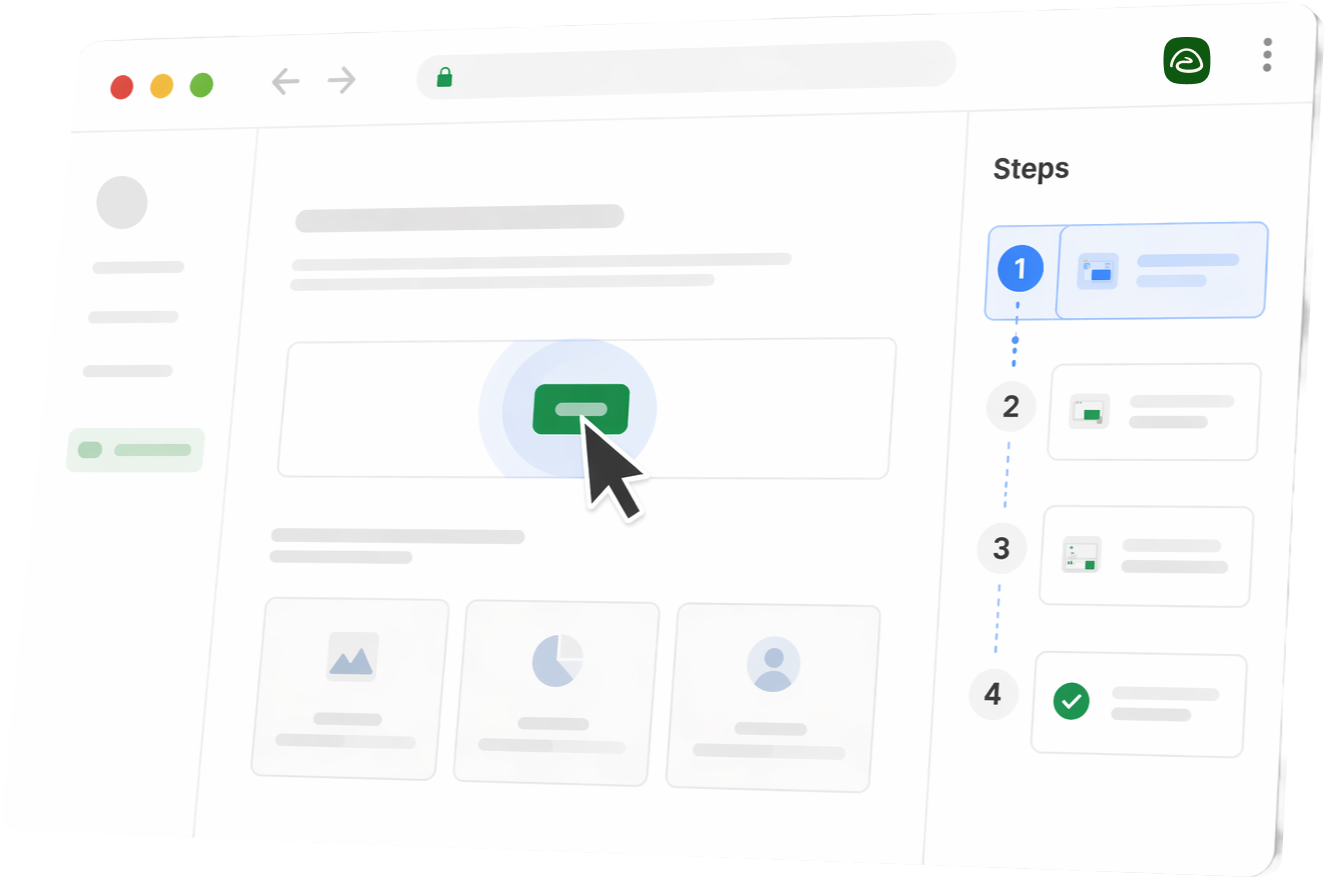
Stylized Trails product UI in a browser window with steps sidebar

Feature deep dive

1. The capture experience

Trails: Open the Chrome extension and record your workflow. Trails breaks the recording into discrete steps with screenshots automatically. Narration during capture is transcribed into step text. The result is a guide and a narrated video, ready to share without post-production work.

Trails can also start from existing video. Upload a Zoom clip, Loom video, screen capture, or even a messy meeting recording, and Trails turns it into a guide. That opens use cases beyond planned SOP capture: turning customer calls, internal training sessions, or rough walkthroughs into reusable documentation after the fact.

Guidde: Open the browser extension or desktop app, select a use-case frame (tutorial, SOP, product demo), and record. Guidde generates steps, callouts, and narration from the capture. Magic Mic converts spoken narration into polished AI narration. The output offers more visual options, but most users spend additional time in the editor to get it to a finished state.

2. Editing and maintenance

This is where the two tools diverge most. When a process changes, someone has to update the documentation.

Trails: Edit the text in the step editor and Trails regenerates the narrated video automatically. The guide and the video stay in sync without any additional work.

Guidde: Changes require going back into the timeline-based editor. For teams that need fine-grained control over transitions, pan-and-zoom, and precise animation timing, that editor is genuinely useful. Even so, the finished videos can feel more traditional in presentation, voiceover, and animation style than the cleaner, more branded output Trails is built to produce. For teams that just need content to stay accurate, it adds friction. Guidde's Free, Pro, and Business plans also cap guides at 100 steps. Longer workflows must be split into separate guiddes and assembled into playlists.

3. Consumption: how the end reader uses the output

Trails: Guides are shareable via link or embed (slide embed, scroll embed, or video embed). Readers can switch languages via a language selector. Public guides can be indexed by search engines. Password protection and email capture are available for gated content.

Guidde: Outputs are shareable via link or embedded as a video player. Guidde's Broadcast product goes further. It delivers content in-context inside the software the user is working in, surfacing the right guide based on application and page location. For enterprise teams doing digital adoption at scale, that is a meaningfully different distribution model than link-based sharing.

Best use cases

When to use Trails

  • Your team needs to ship polished documentation fast and cannot spare time in a video editor. Record once, get a guide and a video, done.
  • Processes change frequently and you need documentation that updates without re-recording the whole thing.
  • You are publishing in multiple languages and need per-language audio without hiring voice talent or manual translators.

When to use Guidde

  • Your team needs production-quality video with fine-grained control over transitions, animations, and visual timing.
  • You are deploying content inside enterprise software (Salesforce, ServiceNow, Workday) via Broadcast's in-app targeting and segmentation features.
  • Your organization requires SCORM export for LMS integration or has SOC 2, SSO, and SCIM requirements mapped to Guidde's Enterprise plan.

Pricing breakdown

Trails prices per workspace. Guidde prices per creator. That distinction changes the total cost quickly at team scale.

Trails

  • Creator: $29/mo. One user, 50 guides per month.
  • Team: $49/mo. Five users included. Additional users at $10/mo each. Unlimited guides.
  • Business: Custom pricing. Unlimited users, multi-language support, and priority support.

Guidde

  • Pro: $29/mo per creator.
  • Business: $59/mo per creator. Adds desktop capture, analytics, and advanced privacy controls.
  • Enterprise: Custom. Adds Magic Redaction, SSO, SCIM, and SCORM export. Broadcast is sold separately on an annual contract with no public pricing.

For a team of 5 creators, Trails Team costs $49/mo. Guidde Business costs $295/mo. The gap widens as your team grows, and Guidde's Broadcast layer carries additional cost on top of that.

Trails
Creator
$29/mo
One user, 50 guides per month.
Team
$49/mo
Five users included. Additional users at $10/mo each. Unlimited guides.
Business
Custom
Unlimited users, multi-language support, and priority support.
  • Trails prices per workspace.
  • For a team of 5 creators, Trails Team costs $49/mo.
  • The gap widens as your team grows.
Conclusion: Workspace pricing keeps costs predictable as more teammates create documentation.
Guidde
Pro
$29/mo per creator
Per-creator pricing.
Business
$59/mo per creator
Adds desktop capture, analytics, and advanced privacy controls.
Enterprise
Custom
Adds Magic Redaction, SSO, SCIM, and SCORM export. Broadcast is sold separately on an annual contract with no public pricing.
  • Guidde prices per creator.
  • For a team of 5 creators, Guidde Business costs $295/mo.
  • Guidde's Broadcast layer carries additional cost on top of that.
Conclusion: Per-creator pricing gets more expensive as the creator count grows.

Create beautiful guides

Get started with Trails

Record your screen, turn it into a polished guide. No design skills needed. Try it free today.

Create a guide
Stylized Trails product UI in a browser window with steps sidebar

Pros and cons

Trails Pros

  • Edit the guide text and the narrated video regenerates automatically. No re-recording when processes change.
  • One capture produces both a step-by-step guide and a branded AI-narrated video.
  • Create guides from existing videos, including Zoom clips, Loom videos, screen recordings, and rough meeting recordings. Everyday recordings become reusable documentation.
  • AI translation with per-language TTS audio. Publish in 75+ languages from a single recording.

Trails Cons

  • Less editorial control over video timing, transitions, and animation than Guidde's timeline editor.
  • No in-app delivery layer comparable to Guidde's Broadcast product.
  • Smaller enterprise feature surface: no SCORM export or SCIM provisioning in current plans.

Guidde Pros

  • Timeline-based editor gives precise control over video transitions, pan-and-zoom, and callout timing.
  • Broadcast delivers content in-context inside enterprise software. A real in-app digital adoption layer, not just link sharing.
  • Wide export range: MP4, GIF, PDF, PPTX, HTML, Markdown, and SCORM (Enterprise).

Guidde Cons

  • AI voiceovers are consistently flagged as robotic by G2 reviewers. Fine-grained TTS control is limited on lower plans.
  • 100-step cap on guides for Free, Pro, and Business plans. Longer workflows must be split across multiple guiddes.
  • Less flexible for turning messy existing recordings into structured guides, since the workflow is centered on capturing and editing new guided recordings.
  • Export is locked behind paid plans and unavailable during the free Business trial or while a guide is in draft mode.

The verdict

Guidde wins when the team needs production-quality video with precise editorial control, or when deploying content inside enterprise software via in-app delivery. It is the stronger choice for organizations with L&D bandwidth to work in a video editor and full digital adoption infrastructure requirements.

Trails wins when the team needs documentation that stays current as processes change, without re-recording or timeline editing. The update loop is the sharpest practical difference between the two tools.

Most teams need both jobs done: accurate documentation and professional video. Buying two separate tools means content lives in two places and goes stale in two places. Trails handles both from one capture.

Why Trails is the better alternative

Both tools solve the "create once" problem well. The harder problem is "update later." When a process changes, Guidde requires manual work in the timeline editor to keep the video current. Teams end up choosing between accurate text and accurate video, and usually let the video go stale.

How Trails outperforms Guidde:

  • Best of both worlds. One capture produces a step-by-step guide and a narrated video. Teams do not have to choose between formats or run two separate capture workflows.
  • AI narration that updates with your content. Edit the guide text and Trails regenerates the narrated video automatically. No re-recording. No re-exporting. Guidde's AI narration is tied to the timeline editor, so a text change means going back in.
  • Magic editing at scale. Add, reorder, or change steps after recording without starting over. Trails' step editor removes the friction that Guidde's timeline editor adds for routine documentation maintenance.
  • Enterprise-ready sharing and embedding. Branded video player, screenshot redaction and blur, embed codes for Notion and Zendesk, AI translation with per-language audio, team roles, org-wide library, and version history. All included.

FAQs

Trails is the closest alternative for teams that want both a step-by-step guide and a narrated video from a single capture, without the overhead of a timeline-based editor. For teams that mainly need written SOP capture without video, Scribe is also worth comparing.

Yes. Guidde's free plan includes up to 25 how-to videos, but export is not available on the free plan. Desktop capture requires the Business plan at $59/mo per creator.

For teams using Guidde primarily for SOP and training documentation, yes. If your team relies on Guidde's Broadcast in-app delivery for digital adoption inside enterprise software like Salesforce or ServiceNow, Trails does not currently offer a direct equivalent to that distribution layer.

Guidde's Free, Pro, and Business plans cap guides at 100 steps. Longer workflows must be split into separate guiddes and assembled into playlists. The cap is removed on the Enterprise plan.

Trails prices per workspace; Guidde prices per creator. For a team of 5 creators, Trails Team is $49/mo. Guidde Business is $295/mo. The gap grows as your team scales.