
Snagit Alternatives: Which Capture and Documentation Tool Should Your Team Use?





Snagit is still one of the cleanest tools for a familiar job: capture the screen, mark it up, record a short video, and send it to someone who needs context. It excels at desktop capture, precise annotation, and quick visual explanations.
The search for an alternative usually starts when that workflow has to carry more weight. A screenshot becomes an onboarding guide. A one-off capture becomes a process people still follow six months later. That is where a capture tool starts to feel like the wrong system of record.
If your main deliverable is a narrated walkthrough, compare video tutorial software to see which tools fit quick recordings, edited lessons, and tutorials that change with your process.
The right alternative depends less on which product has the longest feature list than on what you need people to do after they see the capture.
The quick answer
- Trails: Best for guide and video documentation from one workflow capture.
- Zight: Best for Snagit-style visual communication with cloud sharing.
- Scribe: Best for quick screenshot-based process guides.
- Tango: Best for in-app workflow guidance.
- Guidde: Best for AI-narrated video documentation.
- Loom: Best for async video explanations.
- ShareX: Best free option for Windows screenshot power users.
How we evaluated
We tested each tool against the same workflow: documenting a 12-step customer support process, from finding an account to redacting customer data to publishing the result for teammates. It is small enough to build quickly and realistic enough to expose the difference between a capture tool, a guide creator, and a video-first training product.
We weighed creation speed, editing burden, visual clarity, the quality of any training video, how easily content updates after a product change, sharing, branding, and pricing at small-team scale. We make Trails, so this guide has a point of view. It is still meant to be useful: we say where Trails is the wrong fit and recommend other tools when they match the job better.
How we chose what to test
We focused on tools that turn screen work into visual documentation: screenshots, recordings, guides, narrated walkthroughs, and reusable training. This list is not only about screenshot editors. It is about the broader job Snagit gets pulled into once teams use it for SOPs, onboarding, and support.
A tool made the list when it surfaced repeatedly in alternatives research and comparisons and had enough public review signal to judge fairly. Zight and ShareX sit closest to Snagit's capture roots. Scribe, Tango, Guidde, Loom, and Trails show where teams go once capture has to become documentation.
We left out full LMS platforms, pro video editors, and demo automation tools as primary picks. They can be right for a narrower job, but they solve a different problem than replacing Snagit day to day.
Why do customers look for Snagit alternatives?
Snagit gets a lot right. G2 lists it at 4.7 out of 5 across more than 5,800 reviews, with consistent praise for its capture, annotation, and documentation. People look elsewhere not because Snagit fails at capture, but because their workflow has moved past it.
Across G2, Capterra, TechSmith's own pricing pages, and Reddit, the most common reasons are:
Reason #1: Step Capture is useful, but it is not a living training system
Snagit now has AI Step Capture and PowerPoint export, real progress for visual guides. The gap shows when teams need written instructions, narrated video, translations, and embeds to stay connected over time. Snagit produces and polishes capture assets well. It is less suited to maintaining a guide and its training video as one reusable object.
Reason #2: Reviewers still flag performance, video editing, and library friction
G2's summary praises Snagit heavily, but its recurring complaints cluster around expense, slow performance, and capture glitches. Capterra shows the same split: users love the documentation workflow, while some cite laggy video editing, crashes, or limits next to Camtasia. That gap matters most for teams scaling Snagit from a personal capture app into shared documentation.
Trails
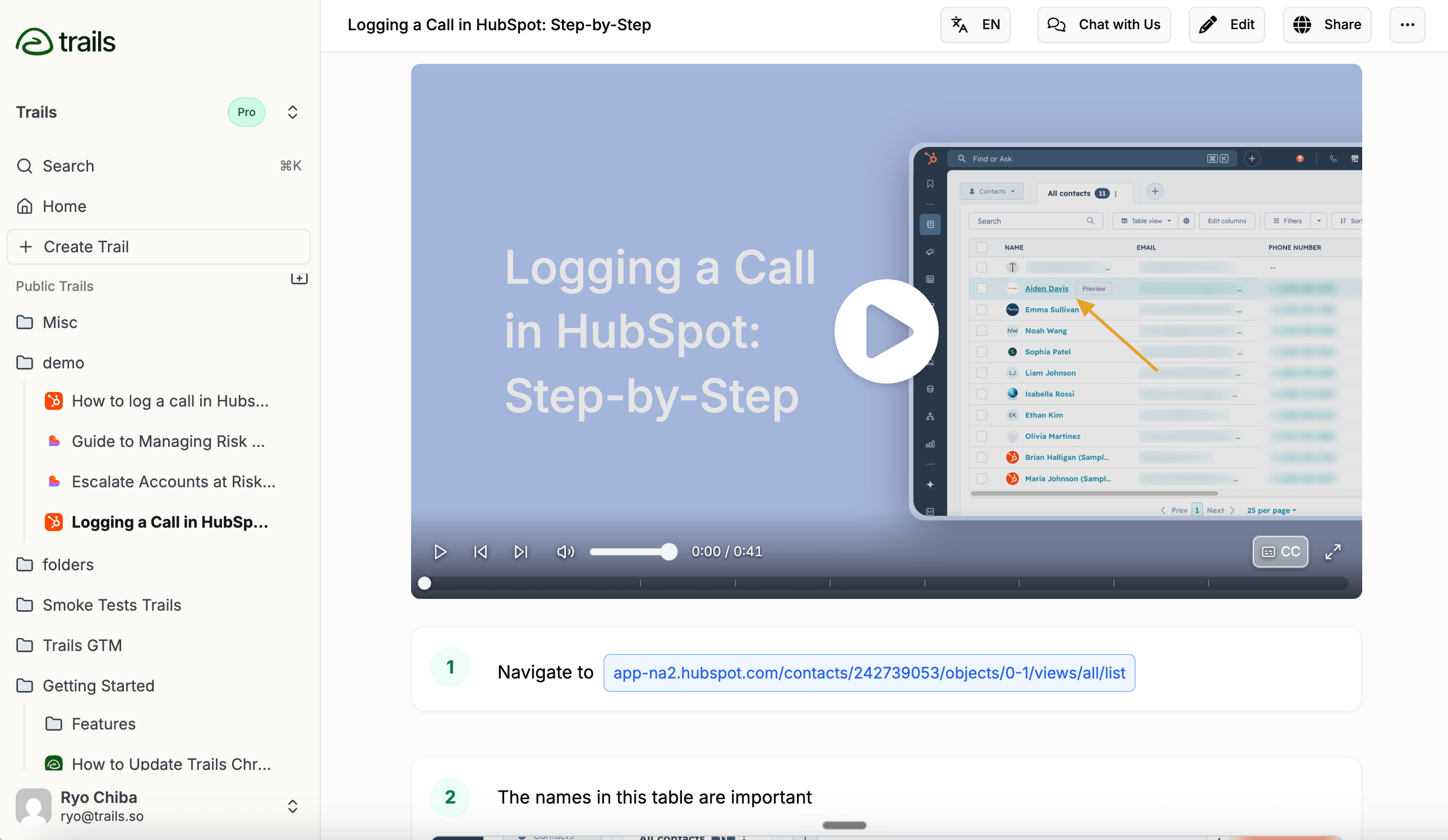
Best for: Guide and video documentation from one workflow capture
Trails is the best alternative when the output needs to become training content, not just a marked-up capture. You record a workflow, and Trails turns it into a step-by-step written guide with screenshots and an AI-narrated video. The two stay tied together: edit the guide and regenerate the video instead of re-recording it.
That suits onboarding, customer education, SOPs, and any team that has to keep documentation current as products change. It also handles redaction, version history, role-based access, public and team sharing, embeds, and exports to PDF, HTML, Markdown, and MP4. Translation comes with the Business plan.
The tradeoff is capture scope. Snagit is still better for desktop-wide capture, deep annotation, and one-off visual communication. Trails has a desktop app, but its strength is process capture that becomes documentation, not replacing every corner of Snagit's image editor.
Pricing runs $29 per month for Creator, $49 for Team (five users, then $10 each), and custom Business pricing for unlimited users. Team fits a small department that needs reusable guides and video; Business is built for company-wide access.
Choose Trails if: your team keeps explaining the same process twice, once as a guide and again as a video. Trails wins when documentation has to train customers or staff, stay editable, and publish in multiple formats from one source.
Skip Trails if: you mainly need a personal screenshot editor, pixel-level cleanup, or broad desktop capture across non-browser apps. Snagit, Zight, or ShareX fit that better.
Zight
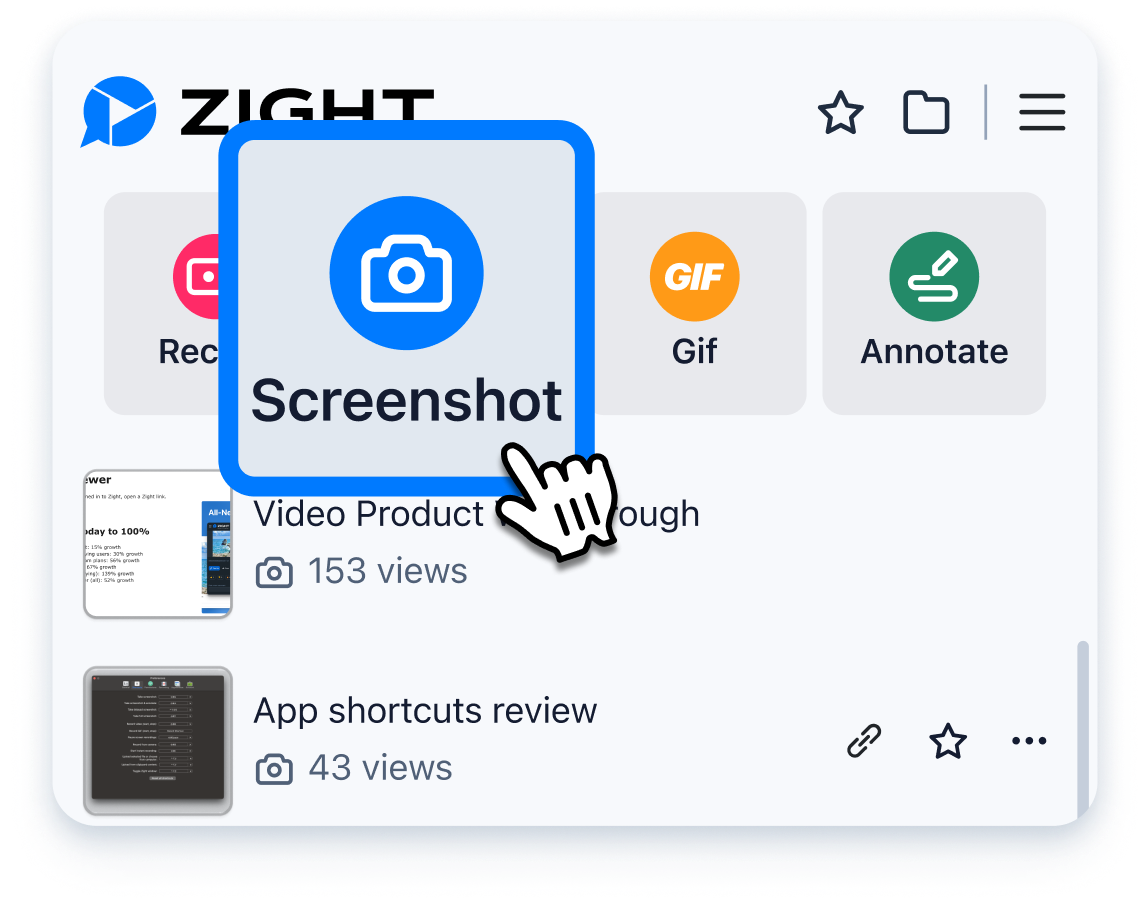
Best for: Snagit-style visual communication with cloud sharing
Zight is the closest match if what you like about Snagit is the capture habit itself: screenshots, recordings, GIFs, and fast sharing. The difference is distribution. Zight is cloud-link first, built for teams that record, upload, and send a link rather than manage local files.
That makes it useful for support, customer success, and bug reports. Its Request Video workflow lets a customer or teammate submit a recording with technical context, and its AI can turn recordings into titles, transcripts, summaries, guides, and SOPs.
Zight is moving to four plans: Share (free), Create ($12.95 per month, or $9.95 billed annually), Collaborate ($15 per user, or $12 annually), and custom Scale. Because the plans are in transition, verify the final price at checkout.
The limit is that Zight is a visual communication product first. Its AI guides are useful, but they are outputs from recordings, not a source of truth. If you need a maintained guide and training video to stay in sync, Trails fits better. If you need in-app guidance, Tango goes further.
Choose Zight if: you want a cloud-native Snagit replacement for screenshots, recordings, and support workflows. It fits when fast visual context matters more than a formal documentation library.
Skip Zight if: your real pain is stale SOPs or training that has to stay current after product changes. It creates assets well, but it is not as documentation-first as Trails, Scribe, or Tango.
Scribe
Best for: Quick screenshot-based process guides
Scribe is the best-known way to turn a workflow into a screenshot guide quickly. You start a capture, do the task, and Scribe builds a step-by-step guide with screenshots, click targets, and written instructions. It is far more purpose-built for process documentation than Snagit, especially when you want a clean guide rather than an edited screenshot.
The free plan covers browser-based capture. Paid plans add desktop capture, exports, redaction, branding, and team collaboration. Pricing splits into Pro Personal and Pro Team, with Team at $59 per month for five users and $12 for each additional user. The billing views vary, so confirm the checkout price before budgeting.
Scribe's advantage over Snagit is speed from process to written guide. Its weakness is format: it is still screenshot-and-text documentation. It offers movie-style viewing and strong embeds, but it does not match Trails' narrated video workflow, where editing the guide regenerates the video.
It can also get pricier and more governed as teams grow. Advanced redaction, custom domains, SSO, and approval workflows sit higher in the packaging. That is fair for enterprise buyers, but smaller teams may feel the jump once they outgrow the simple guide workflow.
Choose Scribe if: your team needs fast, clear, screenshot-based guides for SOPs, support docs, or onboarding, and video is secondary. It shines when you want to document a workflow while doing it and publish quickly.
Skip Scribe if: your audience needs narrated video as much as written steps, or you want to turn existing recordings into guide-plus-video content. Trails or Guidde will match better.
Tango
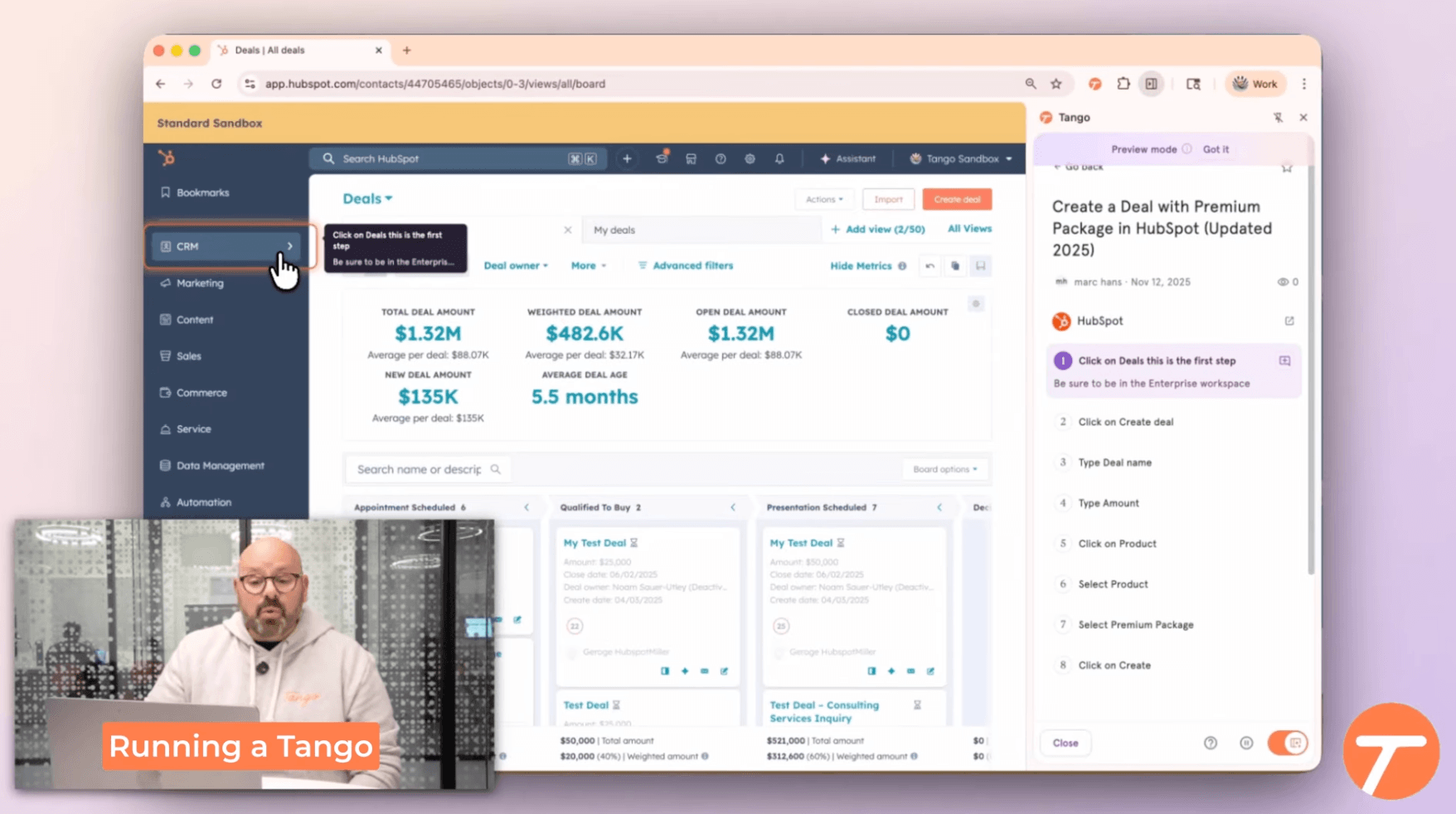
Best for: In-app workflow guidance
Tango is the right alternative when the problem is not just creating documentation but getting people to follow the process inside the software they use. Like Scribe, it captures a workflow and turns it into a step-by-step guide. Its real edge is what happens after capture: Guide Me, workflow branching, and automation layers that push Tango toward a lighter digital adoption platform.
That is a real difference from Snagit, which explains a screen after the fact. Tango guides a user through the workflow while they are in the app, which suits CRM, ERP, and internal software rollouts where repeated mistakes and questions are the real cost.
The free plan covers up to 5 shared workflows and 10 admins. Pro runs $22 per user per month for one or two members ($26 monthly) and $15 per user for three or more ($20 monthly). Enterprise is custom and unlocks more of the in-app guidance, automation, and governance.
The tradeoff is scope. If you just need a screenshot tool, Tango is too specialized; if you need narrated training video, Trails or Guidde fit better. Tango is strongest when adoption inside a business app matters more than image editing or video.
Choose Tango if: you need users to complete a workflow correctly inside software, not just read a guide somewhere else. It is a strong fit for internal enablement, software rollouts, and process adoption.
Skip Tango if: you mainly need a Snagit replacement for screenshots, annotations, short videos, and desktop capture. Zight or ShareX will map more closely to that workflow.
Guidde
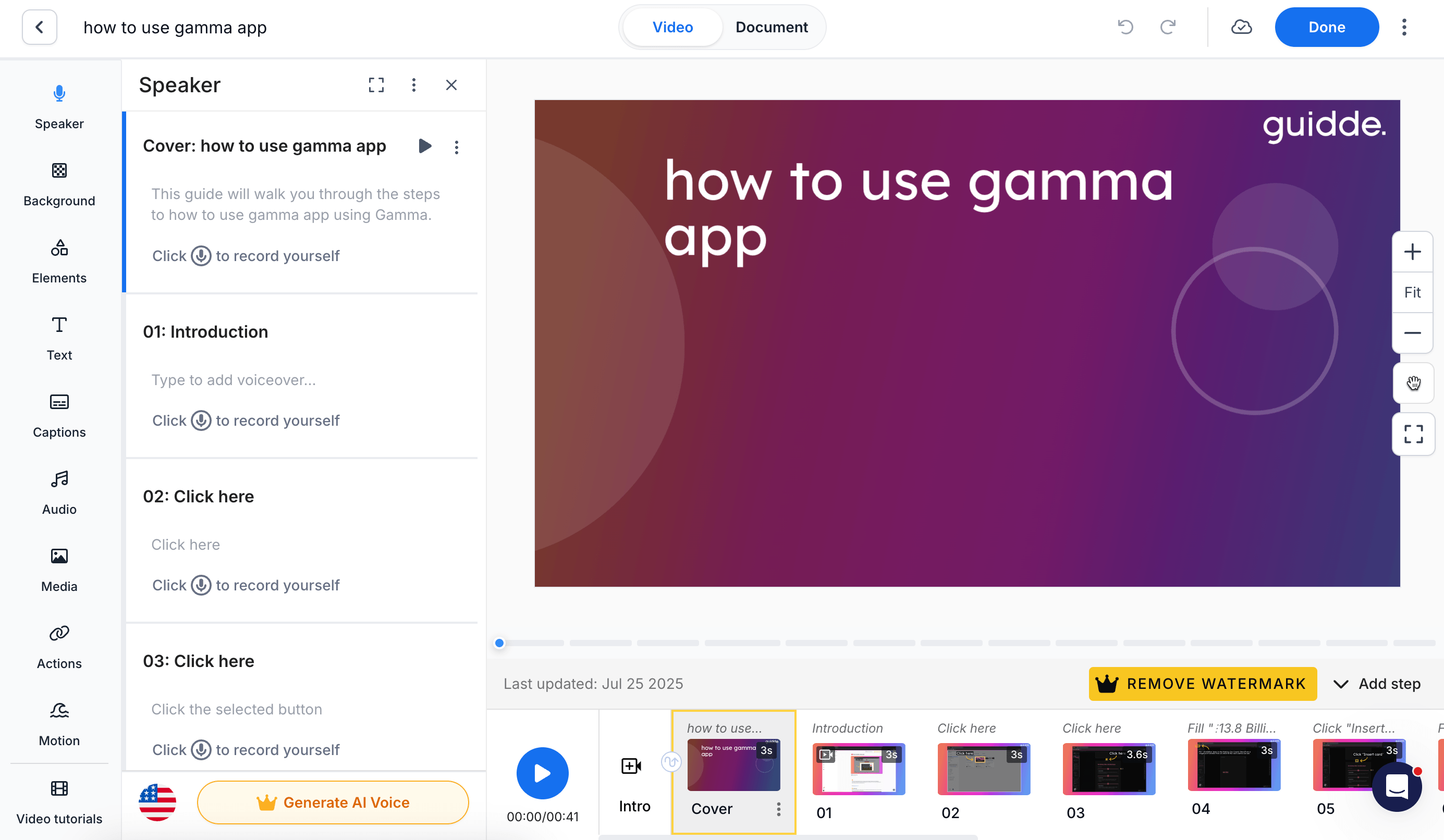
Best for: AI-narrated video documentation
Guidde is a strong alternative when Snagit feels too manual for training videos. It captures workflows and turns them into AI-narrated video documentation with steps, captions, and brand controls. It can also build content from PDFs and slide decks, a broader authoring surface than a simple recorder.
Compared with Trails, Guidde is more video-first, with more room to polish narration, styling, and distribution. Broadcast adds in-app delivery for larger deployments, and Enterprise adds governance like SSO and PII redaction. For teams that care about video quality, that is a real strength.
Pricing runs Free (up to 25 how-to videos), Pro at $29 per creator per month ($19 annually), and Business at $59 ($39 annually), which adds desktop capture, analytics, and privacy controls for up to five creators. Broadcast and Enterprise are sales-led.
The tradeoff is editing weight: more video control means more post-production decisions. Trails is lighter if you want the simplest path from workflow to guide and video. Guidde is better if you want a video-centered asset with voice, branding, and governed distribution.
Choose Guidde if: video documentation is the main deliverable and you need AI voice, branded output, translation, and analytics. It fits enablement and customer education teams that want training assets, not just screenshots.
Skip Guidde if: you want the fastest written guide with minimal cleanup, or simple capture and annotation. Scribe is lighter for screenshot guides; Zight and ShareX are closer to Snagit's capture utility.
Loom
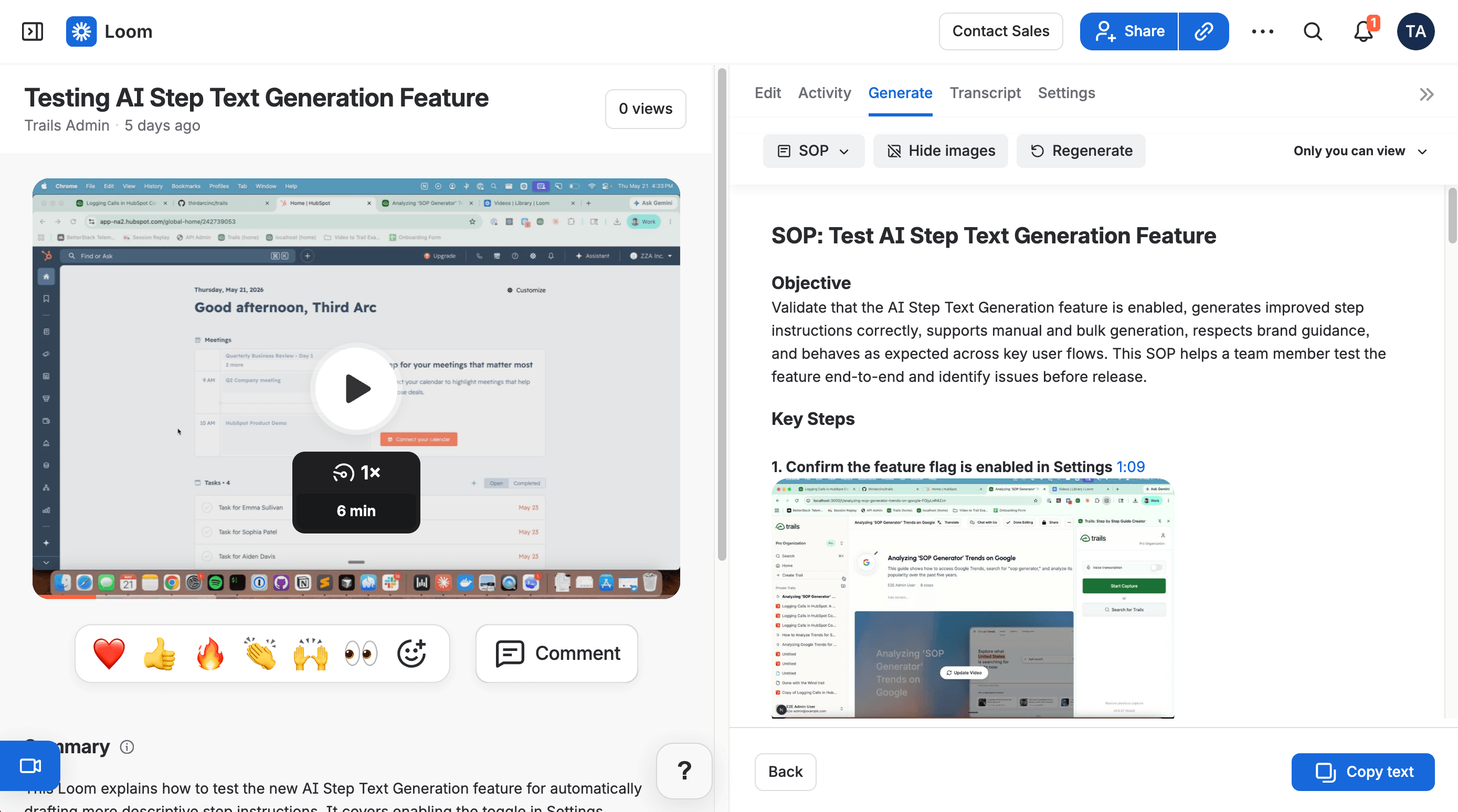
Best for: Async video explanations
Loom is the best alternative when the real job is explaining something with voice, motion, and human context. It is built for fast recording and sharing: screen, camera, or both. That suits bug reports, sales follow-ups, support replies, and internal updates that would take too long to write.
Loom has moved beyond simple recording. Its Business + AI plan generates titles, summaries, and video-to-text workflows that turn recordings into docs or issues. For teams on Atlassian, its Jira and Confluence connections are especially convenient.
Starter is free with 25 recordings and a 5-minute limit. Business is $18 per user per month for unlimited videos, and Business + AI is $24, adding AI enhancement and video-to-text automation. Enterprise is custom.
The downside is the medium. Video is great for context but weak for durable documentation. Viewers scrub a timeline, transcripts are not structured steps, and updates usually mean recording again. Loom explains well; it is not built to maintain an SOP library.
Choose Loom if: you want fast async video and your team already communicates that way. It is a strong replacement for quick Snagit videos, especially when voice and personality help the explanation land.
Skip Loom if: the output needs to be searchable, skimmable, editable process documentation. Trails, Scribe, Tango, or Guidde will produce artifacts that are easier to maintain.
ShareX
Best for: Free Windows screenshot power users
ShareX answers one common Snagit frustration: paying for a capture utility when you only need screenshots, GIFs, recording, OCR, and uploads on Windows. It is free, open source, ad-free, and actively developed.
The feature set is deep, from scrolling capture and GIF recording to OCR, custom upload destinations, and after-capture automations. For power users wiring capture into a specific personal workflow, it can beat a polished commercial app.
The tradeoff is the flip side of that power. ShareX is not a team documentation platform: no shared guide library, no narrated training video, no managed workflows. It is also Windows-first, a practical blocker for mixed Mac and Windows teams.
ShareX is free, so the price comparison is simple. The real cost is setup, learning, and deciding where the captures live afterward.
Choose ShareX if: you need a free Windows tool for screenshots, GIFs, uploads, OCR, and custom capture workflows. It is the best pick when cost matters and the output is still a file or link, not a maintained training asset.
Skip ShareX if: your team needs polished documentation, role-based sharing, searchable process libraries, or video training that non-technical users can maintain. Use Trails, Scribe, Tango, Guidde, or Zight instead.
The bottom line
Snagit's mismatch is not capture quality. It is that teams reach for it on jobs that need more than capture: onboarding, SOPs, customer education, and reusable training.
If you valued Snagit for screenshots and quick sharing, start with Zight. For the free Windows path, use ShareX. For quick process guides, choose Scribe. If the guide has to appear inside the software while people work, choose Tango. For polished narrated video, choose Guidde or Loom, depending on whether you want structured training or quick human explanation. If the real job is heavier tutorial production, compare Camtasia alternatives too.
If one workflow has to become both a written guide and a training video, choose Trails. That is the clearest fork in the road. Snagit captures the work; Trails turns it into documentation people can read, watch, update, and reuse.