
ScreenSteps Alternatives: Which Process Documentation Tool Should Your Team Use?





ScreenSteps is built for teams with serious operational knowledge to manage: procedures, decision trees, courses, contextual help, and the governance to keep all of it trusted. It earns its keep where a missed step has real cost, like credit unions, contact centers, and regulated support teams.
That same breadth can feel like too much. A team that just needs to capture software workflows or share SOPs may not want per-user pricing, implementation planning, and a full Knowledge Ops rollout.
The right alternative depends on what happens after someone opens the documentation. Do they follow a quick visual guide, watch a training video, complete assigned onboarding, or get help inside the software itself?
The quick answer
- Trails: Best for guide + video documentation from one workflow capture.
- Scribe: Best for finding which processes to optimize.
- Tango: Best for in-app workflow guidance.
- Trainual: Best for SOP and training management.
- Whale: Best for AI-searchable SOP libraries for SMB teams.
- Waybook: Best for accountable onboarding and business playbooks.
- SweetProcess: Best for SOPs, policies, and recurring task accountability.
How we evaluated
We ran the same workflow through every tool: a 12-step customer onboarding handoff that updates a record, adds a support note, assigns the next task, and prepares the process for a new teammate. That gave us a consistent way to judge creation speed, editing burden, screenshot clarity, video output, sharing, branding, and pricing at 5, 10, and 25 users.
We make Trails, so this guide has a point of view. We tried to earn your trust by being specific about where Trails fits and where it doesn't. If you need ScreenSteps-style decision trees and contextual Sidekick guidance, Trails won't replace them. If the job is turning a workflow into guide and video content quickly, Trails is the stronger fit.
How we chose what to test
We focused on tools that help teams capture, organize, share, or train against step-by-step documentation: lightweight capture tools, SOP and training hubs, and internal enablement software. We skipped the knowledge bases and help desk products that pad out directory listings.
A tool made the list when it kept surfacing in ScreenSteps comparisons, process documentation research, and real buyer discussions, and when an SMB operations, success, or training team would genuinely consider it once ScreenSteps starts to feel too heavy.
We left out Guru and livepro, which G2 ranks highly, because they are knowledge management systems rather than capture-and-training tools. We also passed on Zendesk, Document360, and the broader help desk suites, which center on support knowledge bases rather than turning processes into training content.
Why do customers look for ScreenSteps alternatives?
ScreenSteps gets a lot right. It is one of the more mature tools for complex operational knowledge, from decision trees and courses to contextual browser help, certifications, and implementation coaching. The search for alternatives usually starts when that full system is more than a team wants to buy, set up, or maintain.
Across G2, Capterra, and ScreenSteps' own pricing page, three reasons come up most:
Reason #1: The starting price can be too much for a narrow documentation job
ScreenSteps publishes its Answer plan at $15 per user per month with a $300 monthly minimum, and its Guide plan at $20 with a $500 minimum. There is no free version and no single-user license, only a 15-day trial.
That math works for a credit union standardizing critical procedures. It feels oversized for a small team that needs a few guides or SOPs a month, and G2 and Capterra reviewers flag the price for exactly that reason.
Reason #2: Setup and rollout can feel heavier than quick-capture teams need
ScreenSteps points buyers toward a demo and a 30/60/90-day implementation roadmap. That is reassuring if you are buying a knowledge operations program. It is less appealing if you want a tool your team can use this afternoon.
Capterra reviewers echo this. One noted the product works well once configured, but the initial setup is technical enough to need an IT person. Teams that want fast capture tend to prefer Scribe, Tango, or Trails, where the first useful guide arrives with less ceremony.
Reason #3: Large libraries still create maintenance work
ScreenSteps builds structured articles quickly, but more content means more upkeep. One Capterra reviewer put it plainly: a single software UI change can force updates to thousands of screenshots across hundreds of articles.
G2 lists formatting and content-reuse limits as recurring complaints. None of this makes ScreenSteps weak. It just means teams should be honest about whether they need a full knowledge base or a faster way to refresh training assets.
Trails
Best for: guide + video documentation from one workflow capture
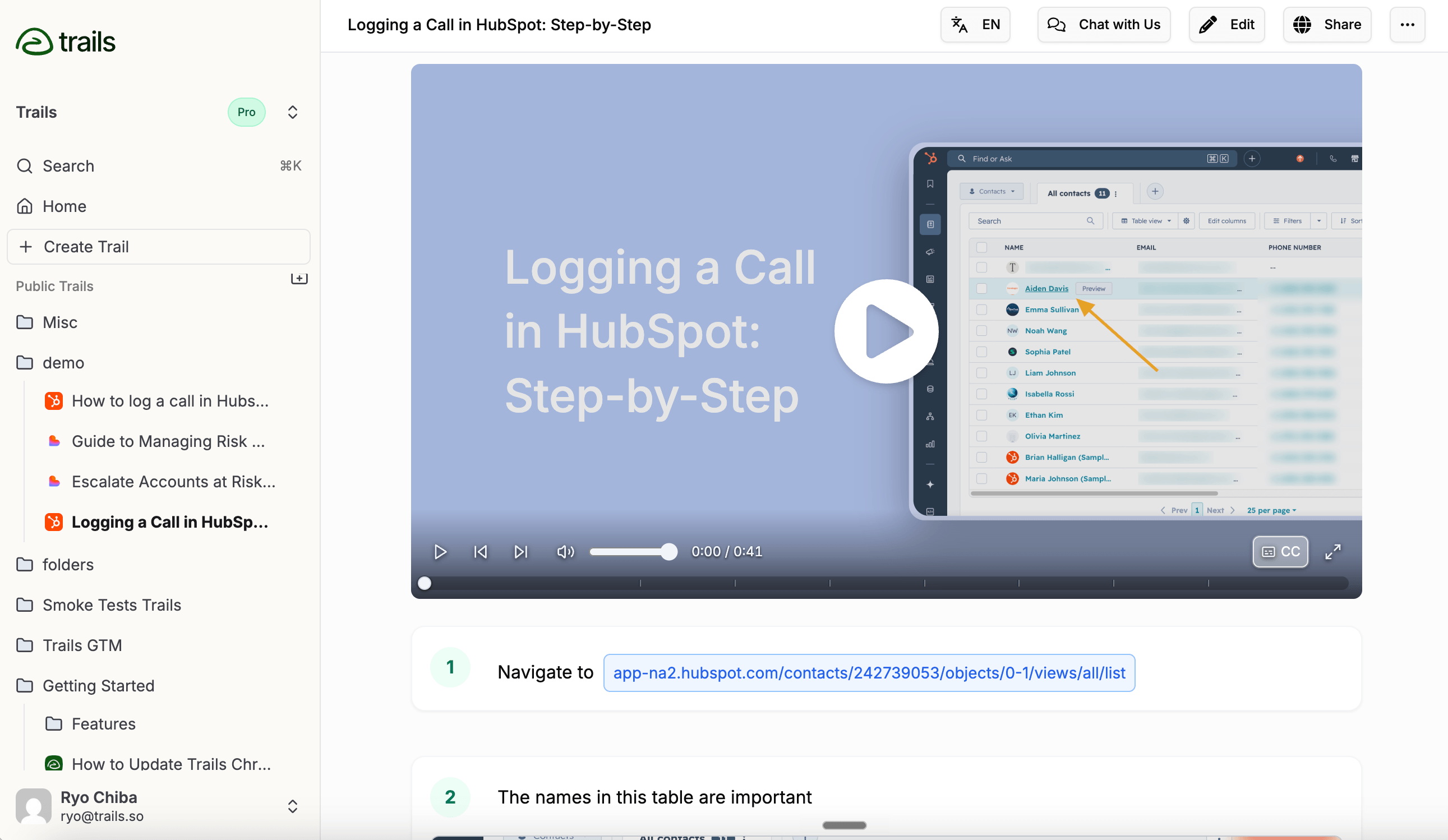
Trails is the best ScreenSteps alternative when you need both a written guide and a narrated training video. Capture a workflow once and Trails builds a step-by-step guide with screenshots plus an AI-narrated video. Edit the text and the video regenerates from the same guide, so nobody rebuilds a video every time a process changes.
That is the real difference. ScreenSteps records and hosts video, but it doesn't keep the guide and the video synced from a single capture. Trails treats one workflow as two training formats by default.
It is also lighter to start. Public pricing lists Creator at $29/month and Team at $49/month, with Business priced by sales for unlimited company-wide access. Paid plans add AI videos, blur and redaction, exports to PDF, HTML, and Markdown, browser and desktop capture, and private or team guides.
The tradeoff: Trails is not a full Knowledge Ops platform. It won't replace ScreenSteps' decision trees, the contextual Sidekick extension, courses, or certifications. If those are why you bought ScreenSteps, Trails will feel narrow.
Choose Trails if: you want software workflows to become polished guides and narrated videos without building the same lesson twice. It is strongest for customer education, onboarding, and SOPs, especially when processes change often enough that re-recording video becomes a tax.
Skip Trails if: you need ScreenSteps' full operational knowledge system, or a true LMS with quizzes, certifications, and learning paths.
Scribe
Best for: finding which processes to optimize
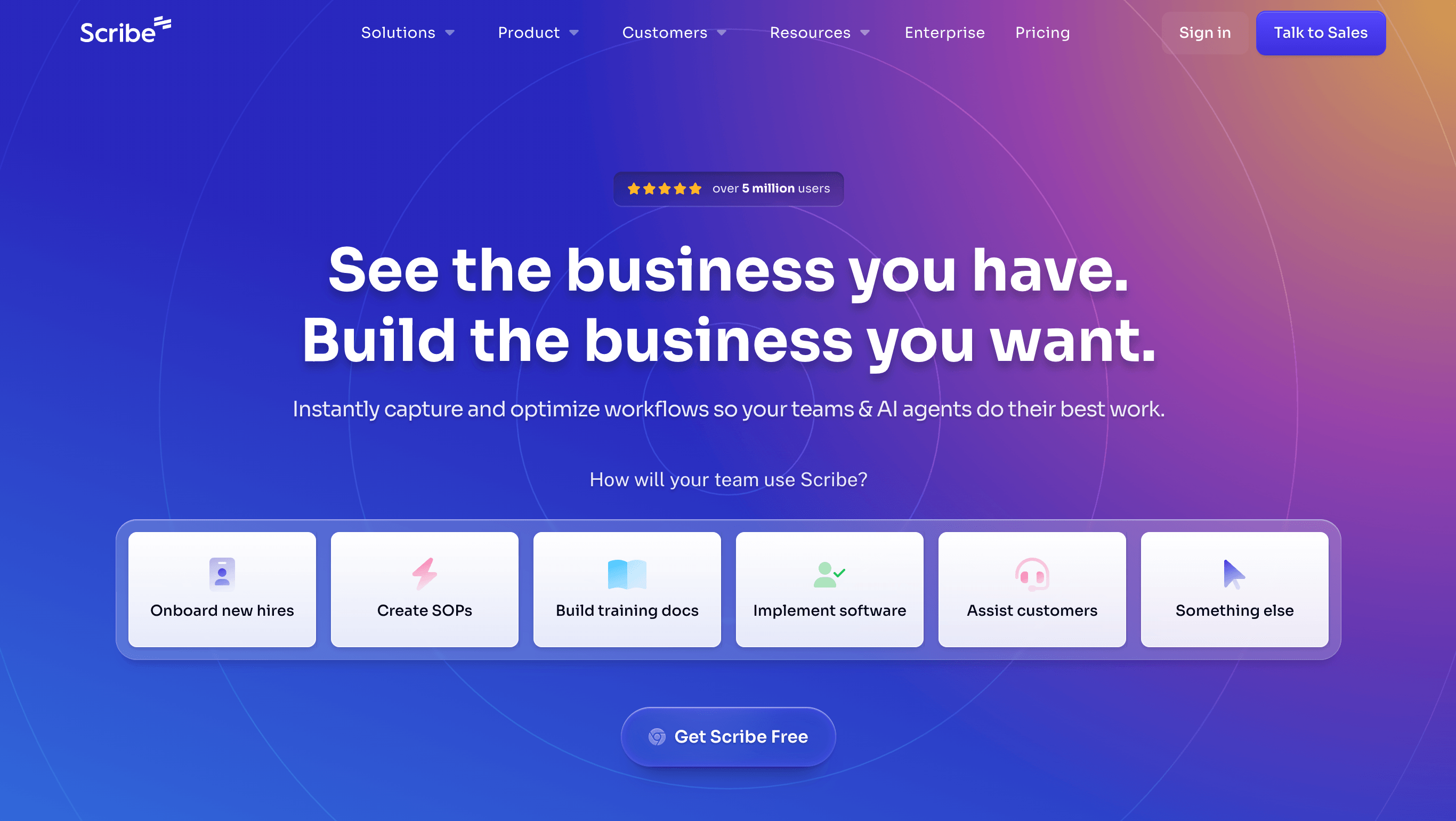
Scribe used to be easy to describe as the fast screenshot-guide tool. That is still true, but it is no longer the most interesting reason to consider it. With Scribe Optimize, the pitch moves up a level: watch how work actually happens, surface bottlenecks, and decide which processes are worth improving, automating, or handing to AI.
That makes Scribe a different kind of ScreenSteps alternative. ScreenSteps helps teams document and govern known procedures. Scribe Optimize is aimed at teams that do not yet know which procedures matter most. It mines workflows across approved apps, turns activity into process maps, and ranks automation opportunities by frequency, friction, time savings, and likely ROI.
In practice, Scribe is strongest when an ops, IT, or transformation team is asking, "Where are people losing time?" rather than, "How do we write another SOP?" The capture product can still turn a workflow into a guide, but Optimize gives leaders the before-picture: which workflows are repeated, where handoffs break, which tools overlap, and where AI or automation would pay off.
Pricing still starts with a free Basic plan for browser capture. Pro Team is $15 per user per month billed annually, with a five-seat minimum, and unlocks desktop capture, Pages, redaction, exports, and branding. But Optimize and the enterprise workflow-mining story sit behind custom Enterprise conversations, alongside SSO, automatic redaction, APIs, MCP, and central management.
The weakness is execution depth after the opportunity is found. Scribe can show where a workflow is inefficient and help document it, but it is not a ScreenSteps-style knowledge operations system with decision trees, courses, certifications, and contextual help for regulated procedures. It is also not Trails' guide-plus-video workflow from one capture.
Choose Scribe if: you need to discover which workflows deserve attention, build process maps from real activity, and make a business case for automation or AI. It fits operations, IT, finance, and transformation teams trying to find the highest-value work to improve.
Skip Scribe if: you already know the exact process you need to teach and want lightweight guide creation, synced guide-and-video training content, or ScreenSteps-style procedural governance.
Tango
Best for: in-app workflow guidance
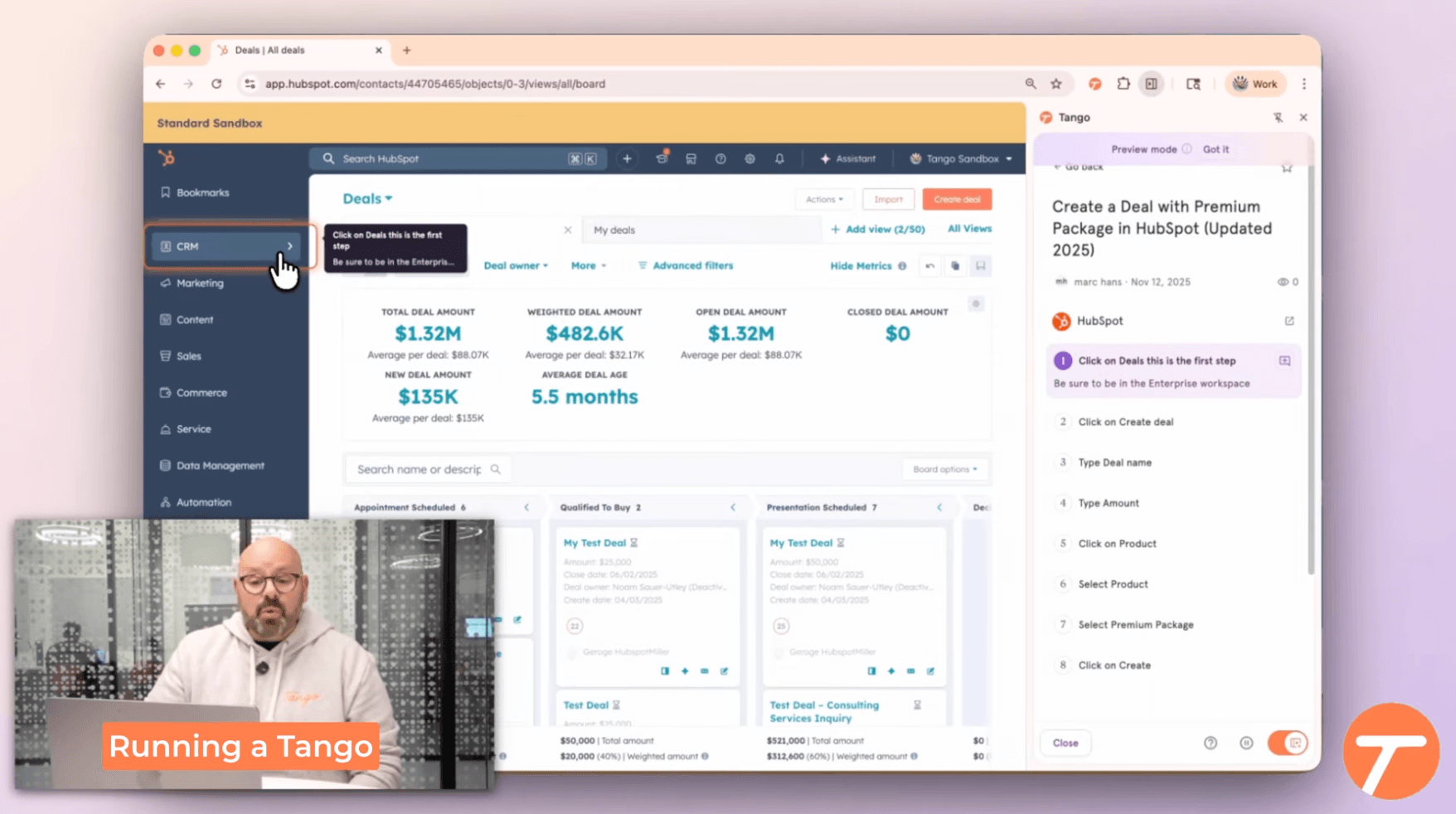
Tango is closest to ScreenSteps when the problem isn't making more documentation, but getting employees to follow the right steps inside the software they already use. Capture creates step-by-step guides, but the real differentiator is Guide Me: in-app prompts, branching, and automation on higher tiers.
That makes Tango an enablement layer more than a guide generator. When people keep asking where to click in Salesforce or an internal web app, a prompt in the flow of work beats a knowledge base article.
The free plan covers five shared workflows for up to 10 users. Pro Team is $15 per user per month billed annually and adds unlimited workflows, branded exports, capture, version history, and exports. Enterprise is custom priced and holds the headline features: Guide Me, Pins, automations, SSO, and audit logs.
That gating is the catch. Tango's most ScreenSteps-like value, guidance in the flow of work, lives in Enterprise. Buy only Pro and you get a polished capture tool, not a contextual guidance system.
Choose Tango if: employees need help inside business software and you want to cut repeated questions and process mistakes. It suits IT, Ops, and enablement teams rolling out complex web apps.
Skip Tango if: you need a reusable documentation library, customer-facing training, or guide-plus-video from one capture. Also skip it if you want transparent pricing on the in-app guidance before talking to sales.
Trainual
Best for: SOP and training management
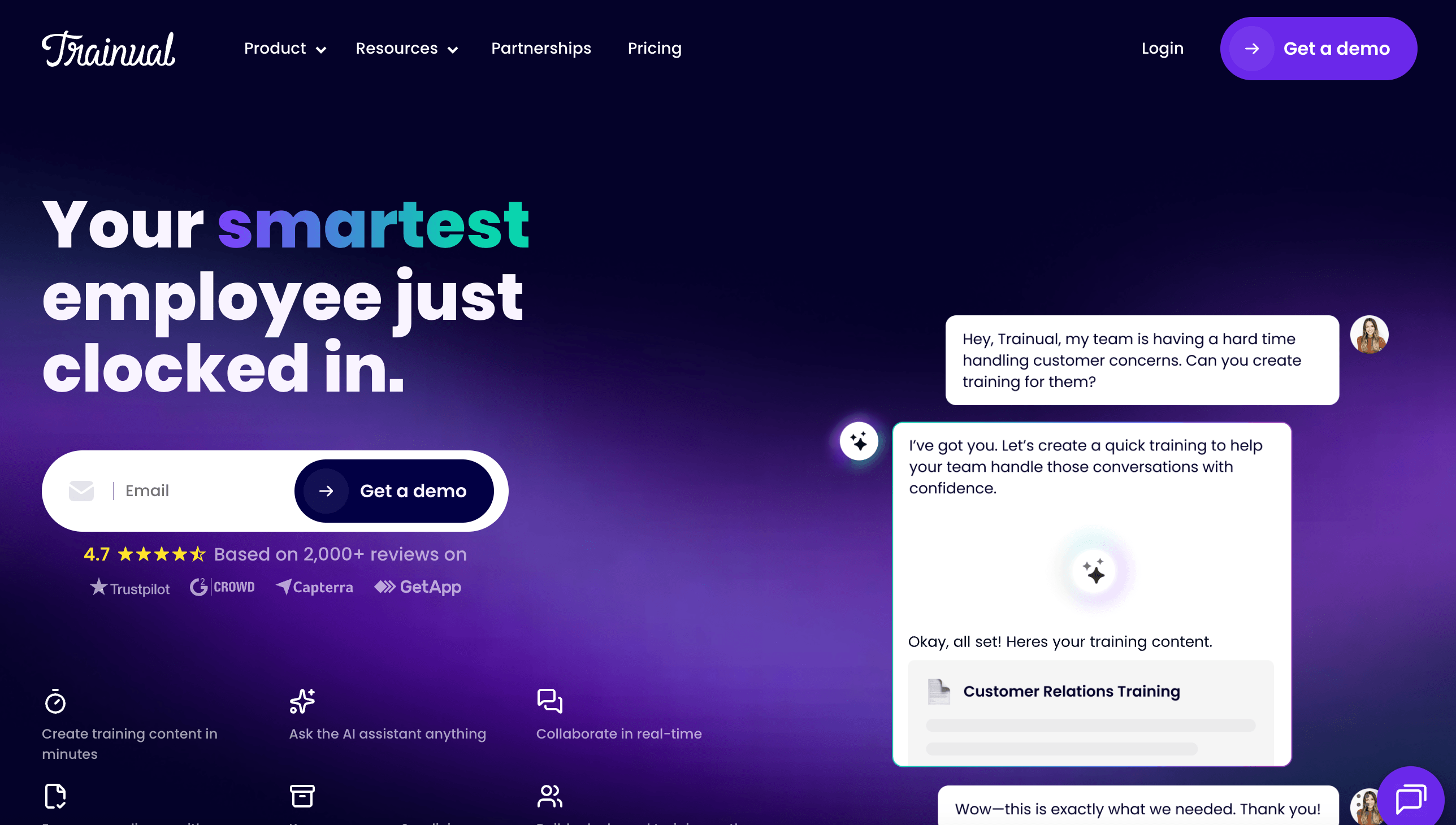
Trainual is not a quick ScreenSteps swap. It is a training and operations platform for companies that document processes, assign training, test comprehension, and tie onboarding to specific roles.
That makes it a fit when the buyer is HR or an operations leader who needs accountability more than in-the-flow guidance. Trainual covers AI-assisted documentation, quizzes, training paths, role-based assignments, an org chart, HRIS integrations, and mobile access.
Pricing has shifted to demo-led, with no public plan amounts, plus a one-time $1,000 implementation fee and required setup help. Trainual says it fits companies with 25 to 1,000 employees.
The weakness is capture speed. It records screens and documents processes, but it isn't built to turn a single capture into polished guide and video output. Trainual shines after the content exists, when the job is assigning, tracking, and governing training.
Choose Trainual if: your problem is onboarding consistency, policy sign-off, or proving employees finished required training. It fits growing SMBs that need an operating playbook tied to HR.
Skip Trainual if: you left ScreenSteps because setup and pricing already felt heavy, or you mainly need quick capture and customer-facing how-to content.
Whale
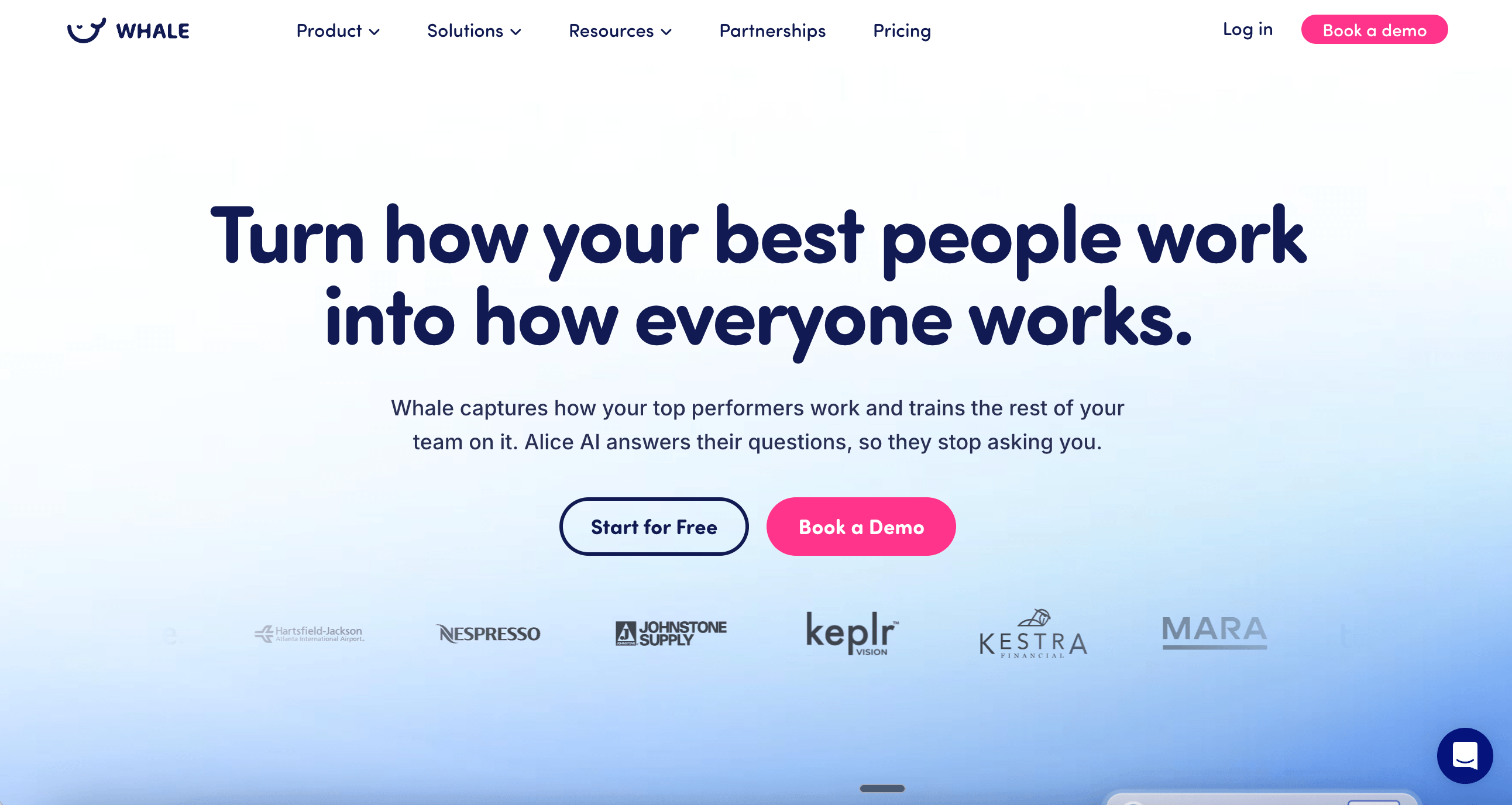
Best for: AI-searchable SOP libraries for SMB teams
Whale is a strong choice for companies that want a central SOP and training hub with an SMB feel. It pairs SOP creation and a step recorder with training flows, quizzes, review cycles, and Alice, an AI assistant that answers employee questions from your own content.
Next to ScreenSteps, Whale cares less about formal Knowledge Ops methodology and more about making SOPs easy to find, maintain, and assign. Alice is the practical differentiator for teams that have written plenty of SOPs but still field the same questions in Slack.
Annual pricing runs from a free plan to Team at $99/month and Scale at $249/month, with higher tiers for more training and controls. Packaging mixes users and creators: Team covers 10 users at $10 each beyond that, while Scale adds unlimited members and three creators at $29 per extra creator.
The watchout is that complexity. Whale looks cheap at first, but the right tier hinges on creators, viewers, AI credits, and controls. It also doesn't match Trails' synced guide-plus-video model or ScreenSteps' contextual Sidekick.
Choose Whale if: you want a modern SOP and training hub with AI search and review cycles, sized for a growing SMB. It fits operations and HR teams replacing scattered docs and repeat questions.
Skip Whale if: you need in-app guidance, decision trees, or formal knowledge operations support, or you want every capture to produce a narrated video tied to the guide.
Waybook
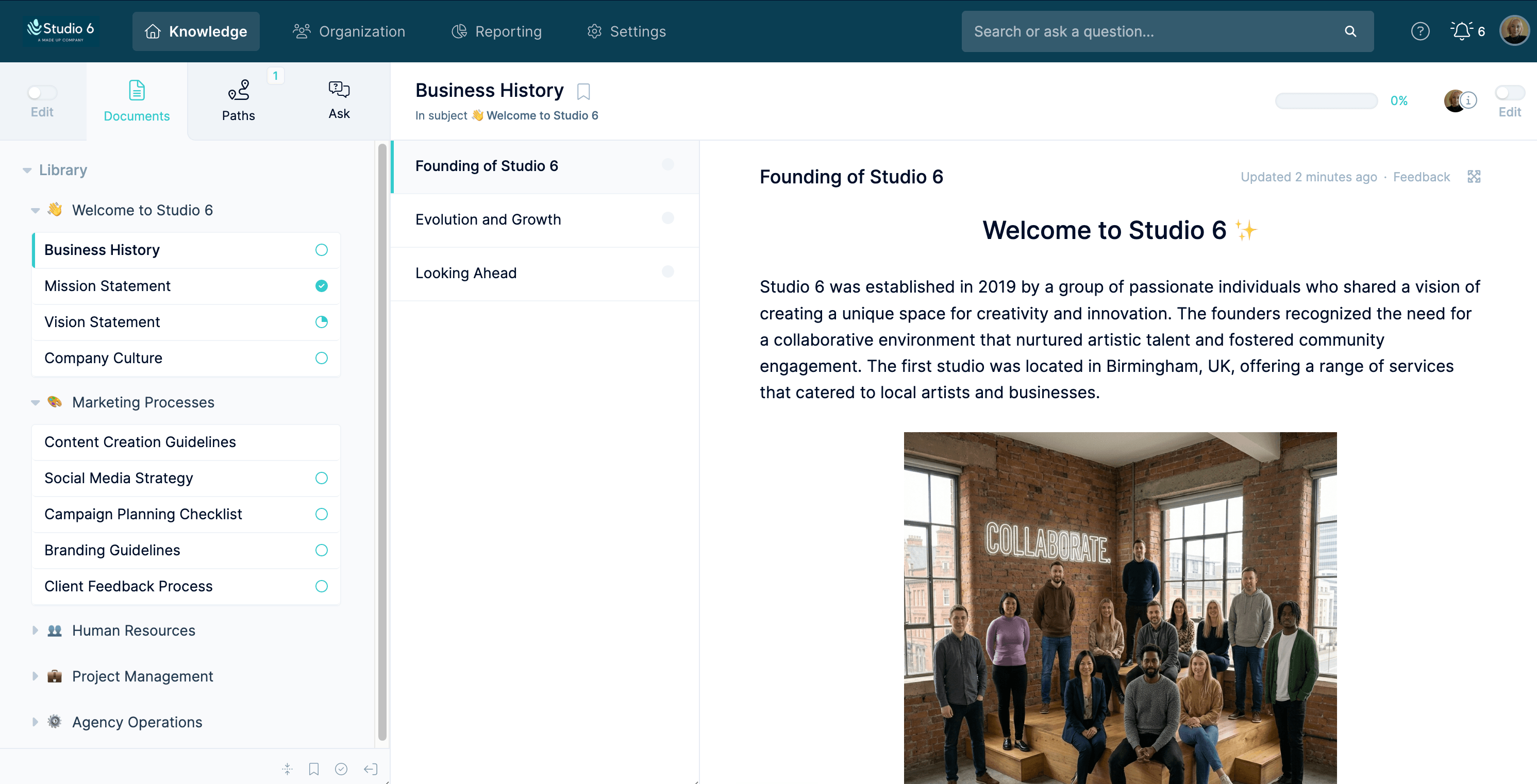
Best for: accountable onboarding and business playbooks
Waybook lives in the same neighborhood as Trainual and Whale: SOPs, onboarding, training, assignments, and progress tracking. It is more structured than a wiki and more training-minded than a screenshot tool.
Its capture layer, Waybook Shots, turns browser workflows into visual SOPs, but the larger product is a governed business playbook. That suits teams that want to centralize process knowledge and prove people have read or completed the right material.
Waybook's pricing is clearer than most. Core is $99/month billed annually with 20 members included and $5 per extra member. Pro is $198/month annually with the same 20 members and $10 per extra. Enterprise is custom, and both paid plans include a 7-day trial and Waybook Shots.
Waybook isn't as mature as ScreenSteps for in-app contextual help, and its public security materials show some certification gaps. It also lacks Trails' synced guide-and-video workflow. The playbook layer is where it earns its place.
Choose Waybook if: you want an accountable playbook for SOPs, onboarding, and training, with clear pricing and enough governance for a growing team. It works well when ScreenSteps feels over-specialized.
Skip Waybook if: you mainly need fast guide and video creation, in-app guidance, or enterprise controls for heavily regulated work.
SweetProcess
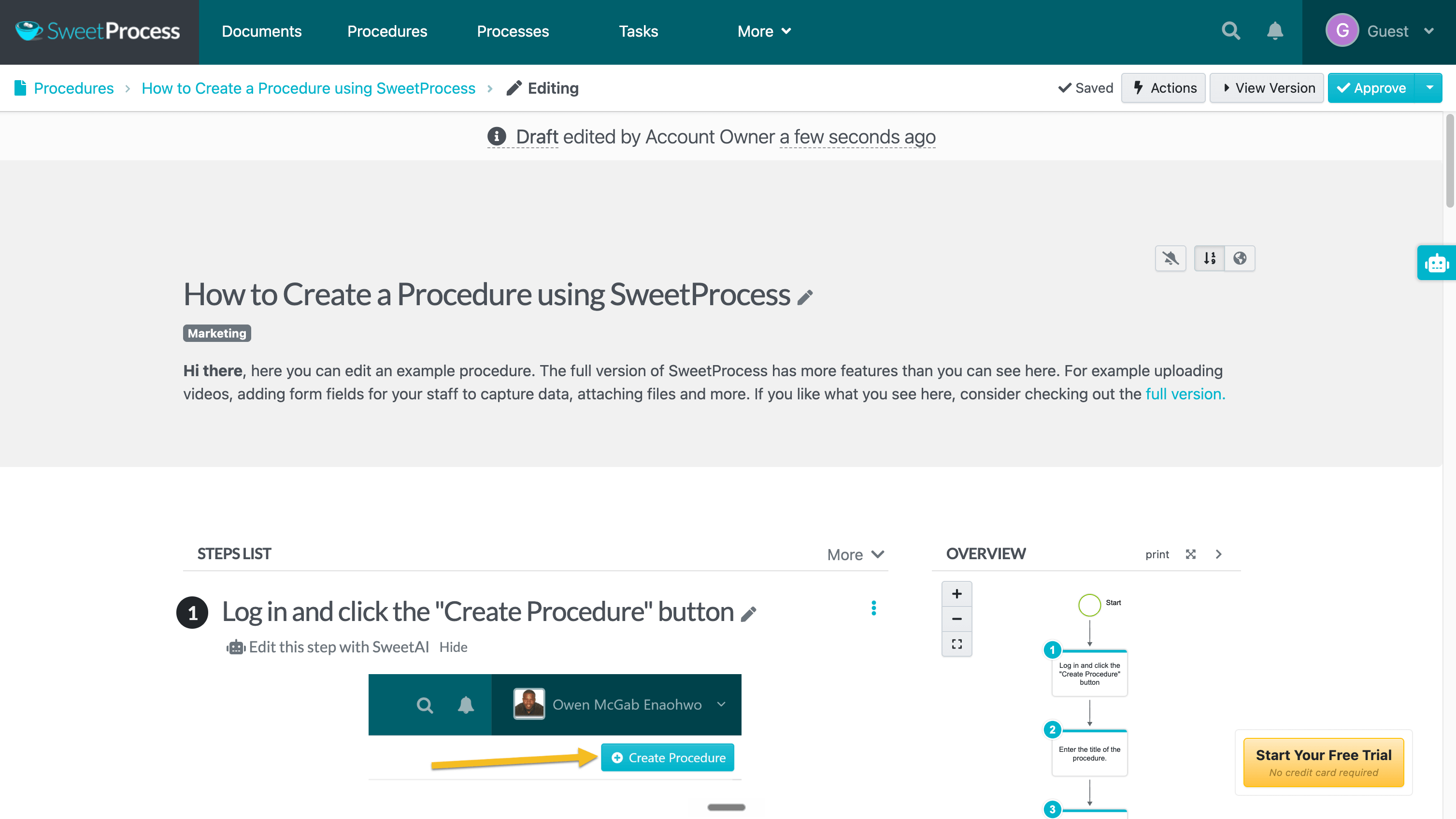
Best for: SOPs, policies, and recurring task accountability
SweetProcess is for teams that think in procedures, policies, and repeatable tasks. It is less flashy than the AI-first tools, but its operating model is clear: document how work should happen, assign it, track completion, and keep it current.
That speaks to ScreenSteps buyers who care less about contextual browser help and more about operational discipline. It covers procedures, policies, process maps, task assignment, approvals, version history, and a Chrome extension for capturing browser steps.
Pricing is a real advantage. It is $99/month or $990/year for up to 10 users, with extra users at $5/month, plus a $495/year small-team plan for up to five. There is a 14-day trial and a 30-day money-back guarantee.
The tradeoff is shape. SweetProcess is broader than a capture tool but lacks ScreenSteps' contextual Sidekick and Trails' synced guide-plus-video output. It also carries far fewer public reviews than Trainual, Scribe, or Tango, so there is less outside evidence to lean on.
Choose SweetProcess if: you want affordable SOP, policy, and process management with task accountability. It fits small operations teams, agencies, and owners trying to reduce reliance on a few key people.
Skip SweetProcess if: you need in-app guidance, narrated training videos, or a deep bench of public reviews before buying. Also skip it if your documentation is mostly software walkthroughs and you want the fastest capture.
The bottom line
ScreenSteps is strongest when operational knowledge is complex enough to need structure, coaching, and governance. If you are replacing it, the question isn't which tool has the longest feature list. It is which part of ScreenSteps you actually valued.
Need to find which processes are worth improving or automating? Choose Scribe. Guidance inside software? Tango. Training accountability? Trainual, Whale, Waybook, or SweetProcess, depending on your budget and how much structure you want. Need one workflow to become both a written guide and a narrated video? Choose Trails.
For many SMB teams, that last call is the decisive one. ScreenSteps is built for Knowledge Ops. Trails is built to turn work into training content fast, then keep the guide and video current as the process changes.