
FlowShare alternatives: which process documentation tool actually fits your team?





FlowShare does one job well. It records Windows workflows and turns them into step-by-step guides you can export almost anywhere. If your team lives in ERP, SAP GUI, or other regulated Windows systems, that local-first approach is a real edge.
The trouble is fit. The setup that feels effortless for a Windows-bound IT team turns into a wall for Mac users, browser-first teams, and anyone who needs polished video or in-app guidance. So before you commit, it's worth knowing what else is out there.
Below are seven FlowShare alternatives, and the kind of team each one is built for.
If you need a home for the documentation as well as a capture tool, our process documentation software guide compares those different jobs.
The quick answer
- Trails: Best for guide plus video documentation from one workflow.
- Folge: Best for privacy-first desktop guides with a one-time license.
- Scribe: Best for quick screenshot guides and broad team sharing.
- Tango: Best for in-app workflow guidance inside business software.
- Guidde: Best for video-first training documentation.
- iorad: Best for interactive tutorial training and LMS-oriented teams.
- Trainual: Best for SOP and training management when accountability matters.
How we evaluated
We ran every tool through the same test, a 12-step customer onboarding workflow that ends with sharing the finished guide with a teammate. We judged each one on what actually matters at work: how fast it captures, how much editing it demands, how the output looks, and what it costs once a whole team is creating.
We make Trails, so this guide has a point of view. We've tried to earn your trust by being honest about where Trails fits and where it doesn't. If you need SAP GUI capture, SCORM export, or a training platform with quizzes and compliance tracking, another tool here will serve you better.
How we chose what to test
We looked at tools built to capture, edit, and share process documentation, including workflow guide builders, tutorial makers, and training platforms. General screen recorders, analytics suites, and enterprise adoption platforms didn't make the cut unless they did the same documentation job.
A tool earned a spot if it kept surfacing in FlowShare alternative searches, targeted similar buyers, and had real review data behind it. That pointed us to Trails, Folge, Scribe, Tango, Guidde, iorad, and Trainual.
We left out Pendo and Userpilot, which G2 lists as alternatives but which really sell product analytics and in-app messaging. Snagit didn't make the main list either. It's great for screenshots, but it isn't a documentation system on its own.
Why do customers look for FlowShare alternatives?
FlowShare gets a lot right. Its pricing page touts Windows browser and desktop capture, SAP GUI support, local software, more than 10 export formats, and unlimited guides, distribution, and views. Capterra backs that up with a 4.6 rating across 37 reviews, with steady praise for ease of use and time saved.
So why do teams go looking? After reading the Capterra reviews, G2 review volume, and FlowShare's pricing, the same three reasons keep surfacing.
Reason #1: The Windows-first model is a strength until your team needs something else
FlowShare is built around Windows desktop capture. For ERP and regulated environments, that's exactly right. For Mac-heavy teams, browser-first shops, or anyone who'd rather not install desktop software, it's friction.
One Capterra reviewer found it worked well for local software but captured less detail over RDP. That's the fit problem in a nutshell. FlowShare shines in the right setup and strains outside it.
Reason #2: Some teams need more flexible output and editing
Reviewers like FlowShare's output, but the same reviews flag limits on formatting, templates, and image editing. One wanted more control over instructions and headlines. Another still reached for Snagit when screenshots needed real editing.
That's not a knock. FlowShare is tuned for fast, standardized guides. If your documentation needs polished visuals, richer video, or custom layouts, look elsewhere.
Reason #3: Pricing and licensing can create friction for wider creator access
FlowShare Professional runs $49 per user, per device, per month, or $44 billed annually. AutoTranslation costs another €9 per user per month, and teams with multiple licenses need it across the board.
That math works when a few authors write for many viewers. It gets expensive the moment every department wants a casual creator. One 2024 Capterra reviewer hit a snag transferring a license, though FlowShare replied publicly that support had sent a new key. Call it one complaint, not a pattern. Still, understand the per-device model before you roll it out.
Trails
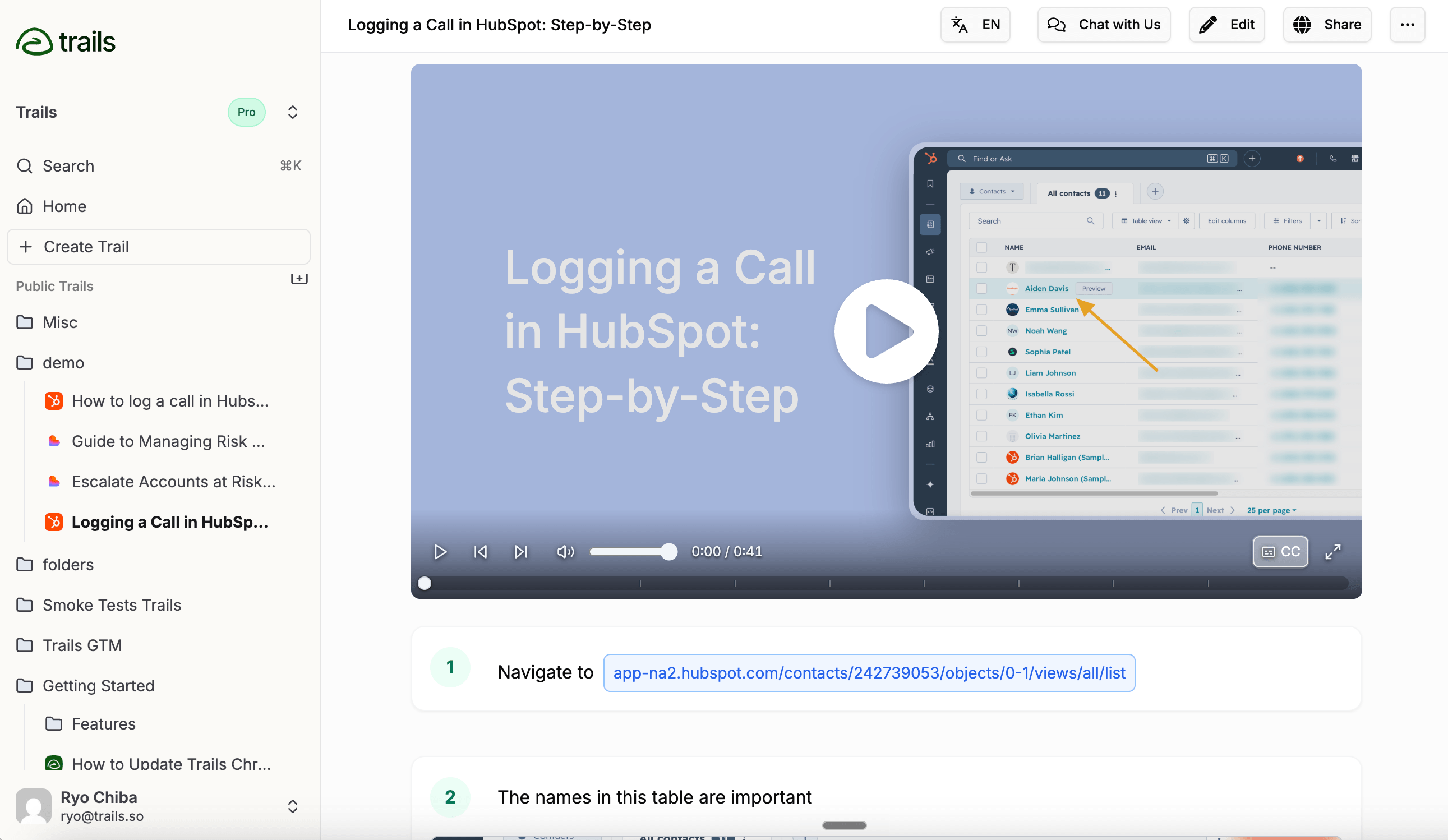
Best for: guide plus video documentation from one workflow
Choose Trails when documentation can't stop at a static screenshot. One capture becomes both a written guide and an AI-narrated video. Edit the guide text and the video regenerates from the new script, so nobody has to re-record every time a workflow changes.
That's the difference for onboarding, customer education, and internal SOPs, where some people want to read and others want to watch. Trails produces both from a single source.
It also handles browser and desktop capture, blurring for sensitive data, and exports to PDF, HTML, Markdown, and MP4, plus embeds, folders, role-based access, version history, and translations on the Business plan. Pricing starts at $29/month for one Creator, $49/month for a Team of five ($10 per extra user), and a contact-us Business plan with unlimited users and priority support.
There's a tradeoff. Trails isn't built for teams that need fully local Windows-only capture, SCORM or xAPI exports, SAP GUI documentation, or in-app overlays. FlowShare, iorad, or Tango do those better.
Choose Trails if: you want one capture to become both a written guide and a narrated video, and that documentation needs to double as reusable training.
Skip Trails if: you need local offline Windows capture, SCORM export, or live in-app guidance. FlowShare, Folge, iorad, or Tango fit those jobs better.
Folge
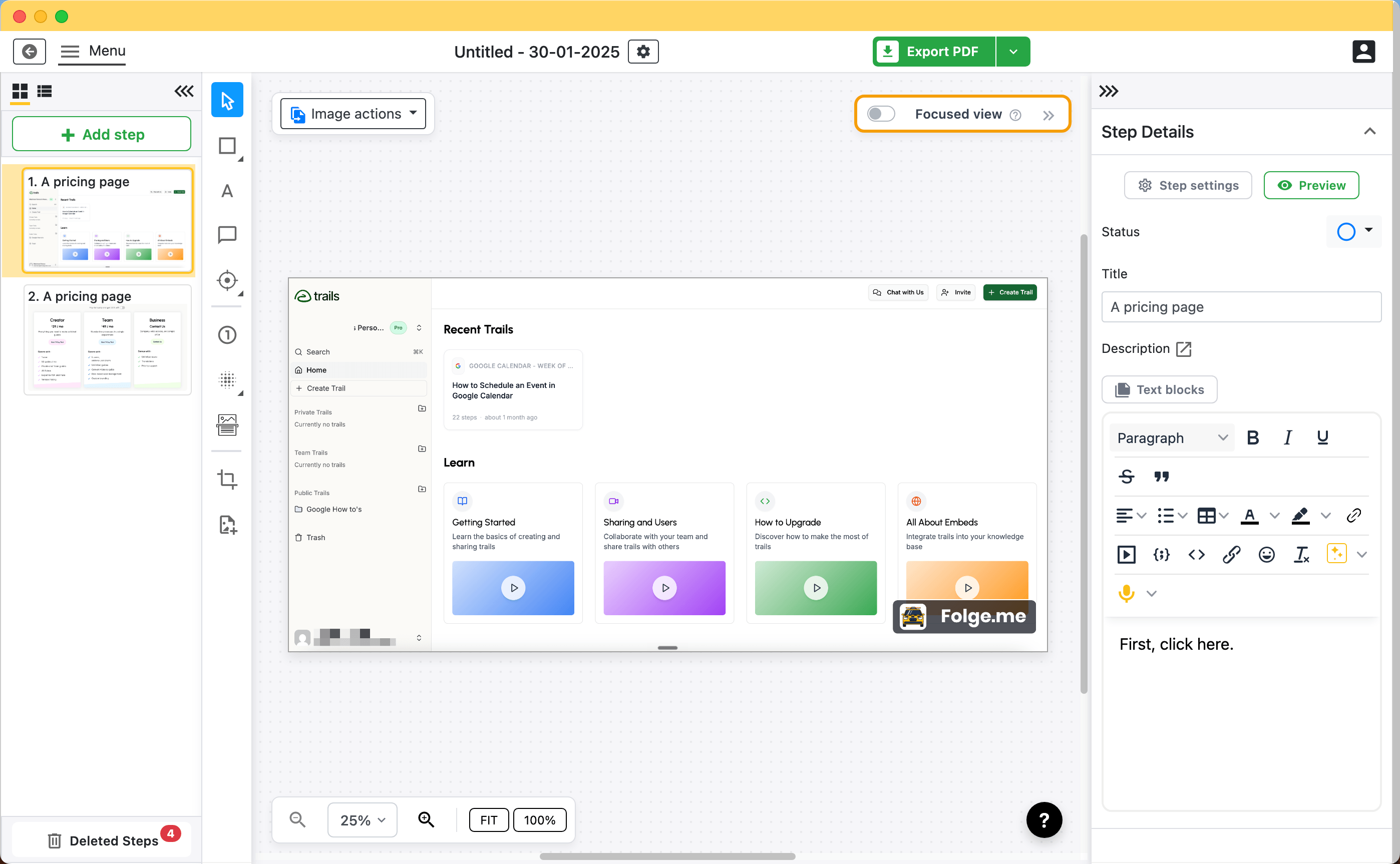
Best for: privacy-first desktop guides with a one-time license
Folge is the closest thing to FlowShare for teams that want desktop-first, local control but on both Mac and Windows, with one-time pricing. It captures screenshots as you click through a process, then lets you edit, annotate, reorder, and export.
Control is the draw. Folge keeps everything local, offers detailed annotation, and exports to PDF, Word, PowerPoint, HTML, Markdown, and more. That suits IT admins, technical writers, and privacy-sensitive teams who don't want screenshots passing through the cloud.
The pricing is refreshingly simple. A free plan covers up to 5 guides, a Personal license is $89 one-time, and a Business license is $155 per seat one-time for both platforms, plus extras like Confluence and Hudu export.
The catch is that Folge is screenshot-first. No AI-narrated videos, no cloud collaboration to rival Scribe or Tango, and its AI helper needs your own key. If you want documentation that doubles as video training, Folge won't get you there alone.
Choose Folge if: you want a local desktop guide builder with strong annotation, broad exports, and no subscription. It's a natural FlowShare swap for Mac users and privacy-sensitive teams.
Skip Folge if: you need narrated video, translated audio, or cloud collaboration. Trails or Guidde fit better.
Scribe
Best for: quick screenshot guides and broad team sharing
Scribe is the best-known tool here because it makes the first draft almost instant. Turn on the extension or desktop app, run the workflow, and Scribe builds a step-by-step guide with screenshots, click targets, and written instructions.
It's a strong pick for repeatable screenshot guides, whether for support, onboarding, or IT. Scribe also reaches further than most lightweight builders, with Pages for stitching guides into longer documents, plus exports, embeds, and enterprise controls higher up.
Pricing starts with a free Basic plan, then Pro Personal at $29 per seat per month and Pro Team at $15 per seat per month with a five-seat minimum. Check the billing toggle before you compare, since the team rate assumes annual packaging.
For a FlowShare buyer, the limit is format. Scribe excels at screenshot guides but won't turn one into a narrated, branded video the way Trails does. Costs also climb as you add creators, especially with Enterprise controls.
Choose Scribe if: you want to create screenshot guides fast and share them widely. It's built for support, IT, and ops teams who need speed over video.
Skip Scribe if: your docs need to become polished video or translated audio. Trails or Guidde fit better.
Tango
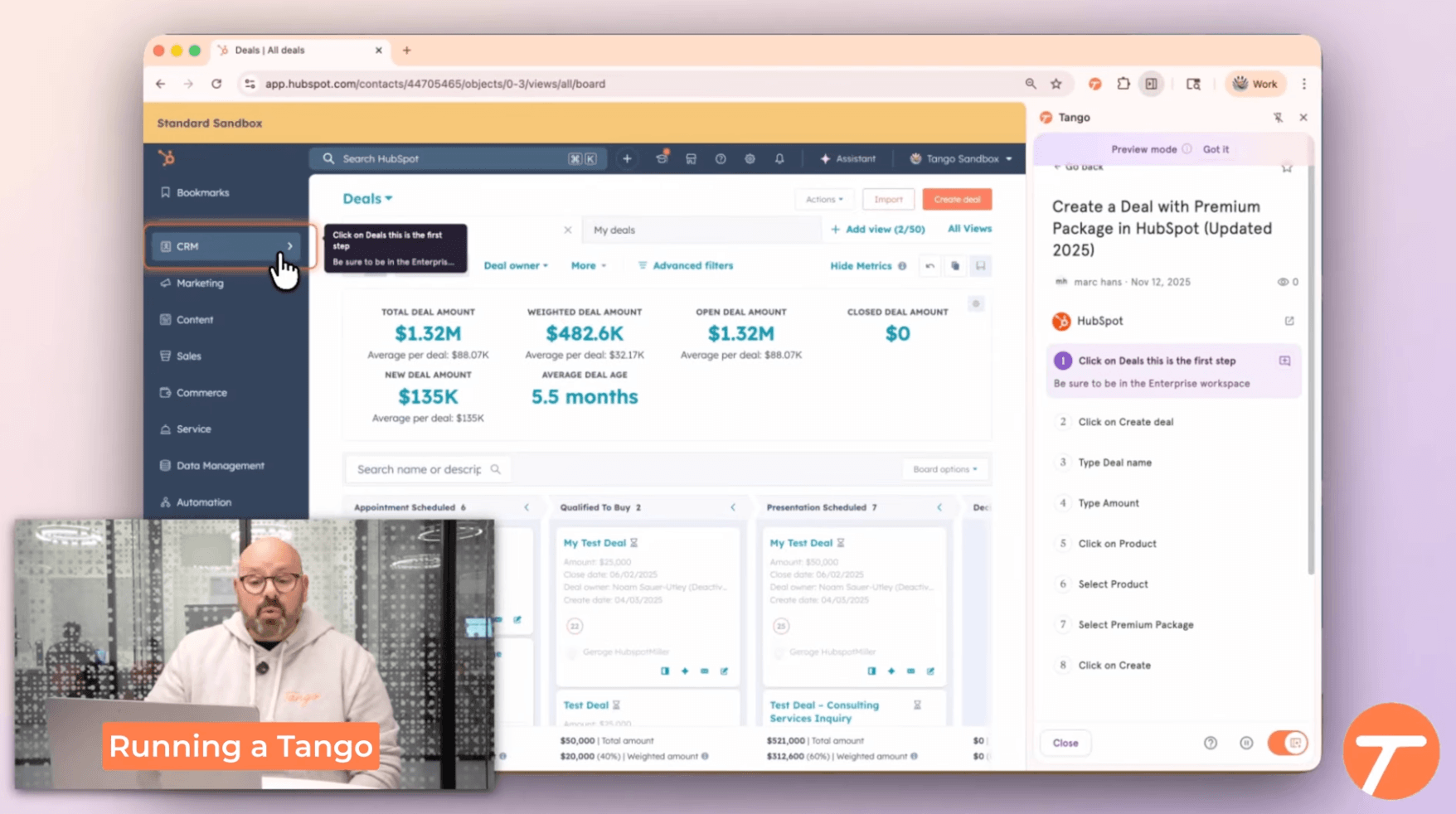
Best for: in-app workflow guidance inside business software
Tango beats FlowShare when the problem isn't writing documentation but getting people to follow the right steps inside the software they already use. Capture is just the starting point. The real draw sits closer to digital adoption, with Guide Me, Nuggets, user groups, workflow analytics, and automation on Enterprise.
For plain documentation, Tango's Pro plan covers unlimited workflows, branded exports, browser and desktop capture, version history, and the usual annotation and blurring. The free plan allows up to 5 shared workflows and 10 users.
Annual pricing is $15 per user per month for Pro Team (three or more users) and $22 for Pro Personal (one to two). Monthly runs $20 and $26. The features that make Tango feel like an in-app enablement layer, from Guide Me to SSO and analytics, live on custom-priced Enterprise.
That packaging matters. Tango Pro is fine for quick documentation. But if in-app guidance is why you're here, expect an Enterprise conversation.
Choose Tango if: your real problem is getting employees to execute processes correctly in tools like CRM, ERP, or HRIS. It's strongest when guidance has to appear where the work happens.
Skip Tango if: you mostly need exportable guides or training videos at a predictable price. Scribe, Trails, Folge, or Guidde are simpler.
Guidde
Best for: video-first training documentation
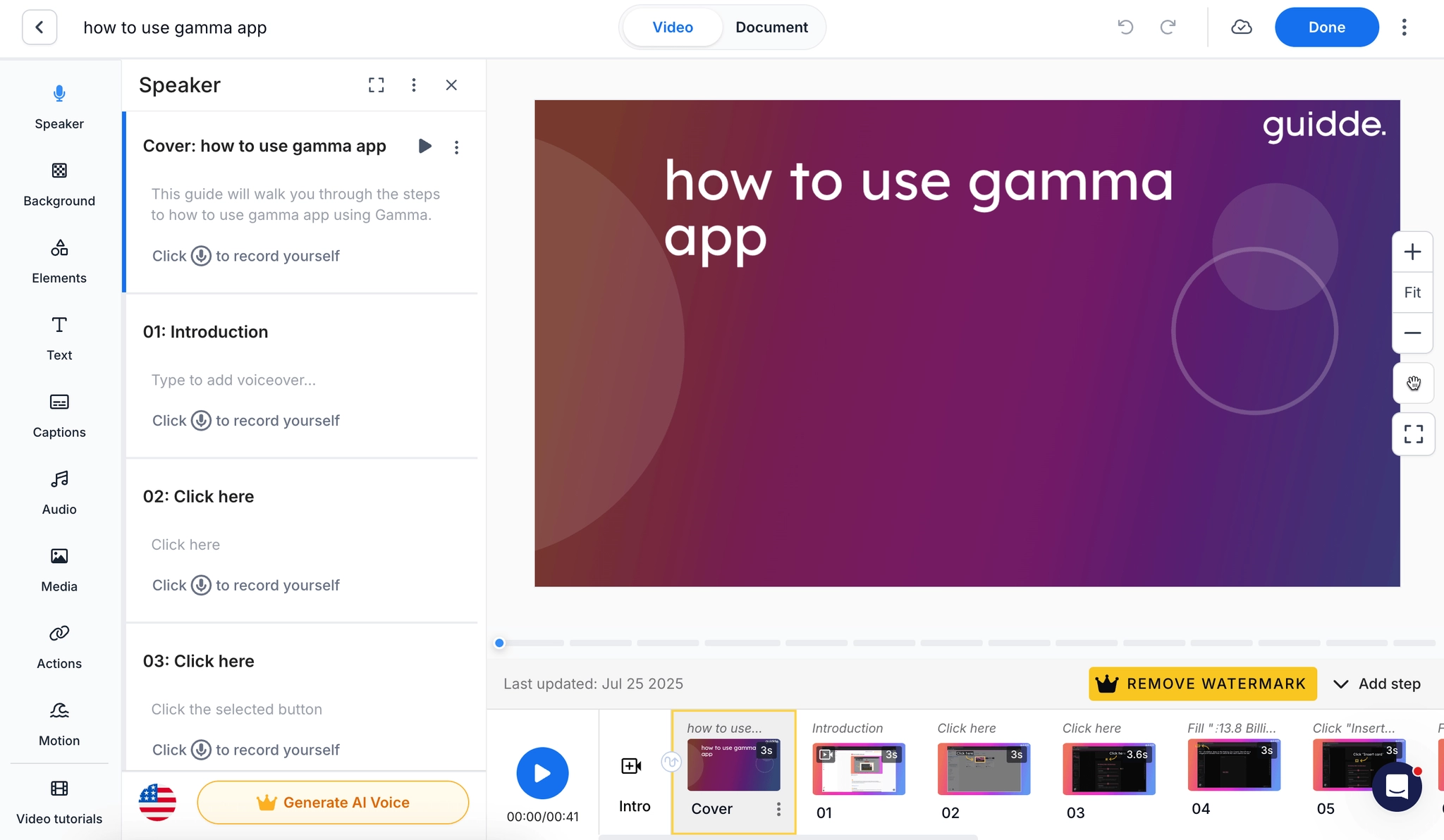
If video quality is what you care about most, Guidde is the strongest pick here. It records a workflow and turns it into a video guide with AI narration, captions, callouts, and branding. It can also build documentation from existing files or videos, which gives it more flexibility than a pure capture tool.
It makes sense for customer education, enablement, and support teams that need guidance to feel polished. Guidde leans harder into video than Scribe, with a more mature editing surface than most screenshot-first builders.
A free plan covers up to 25 how-to videos. Pro is $29 per creator per month ($19 annually) and Business is $59 ($39 annually), adding desktop capture, analytics, and file-to-video creation. Enterprise layers on translation, SSO, and governance.
The tradeoff is complexity and cost. More video power means more editing decisions, and the per-creator pricing climbs as your team grows.
Choose Guidde if: you want video-first training with AI narration, branding, and real editing controls. It fits customer education and enablement teams well.
Skip Guidde if: you mainly need fast static guides, offline capture, or simple company-wide pricing. Scribe, Folge, or Trails are cleaner.
iorad
Best for: interactive tutorial training and LMS-oriented teams
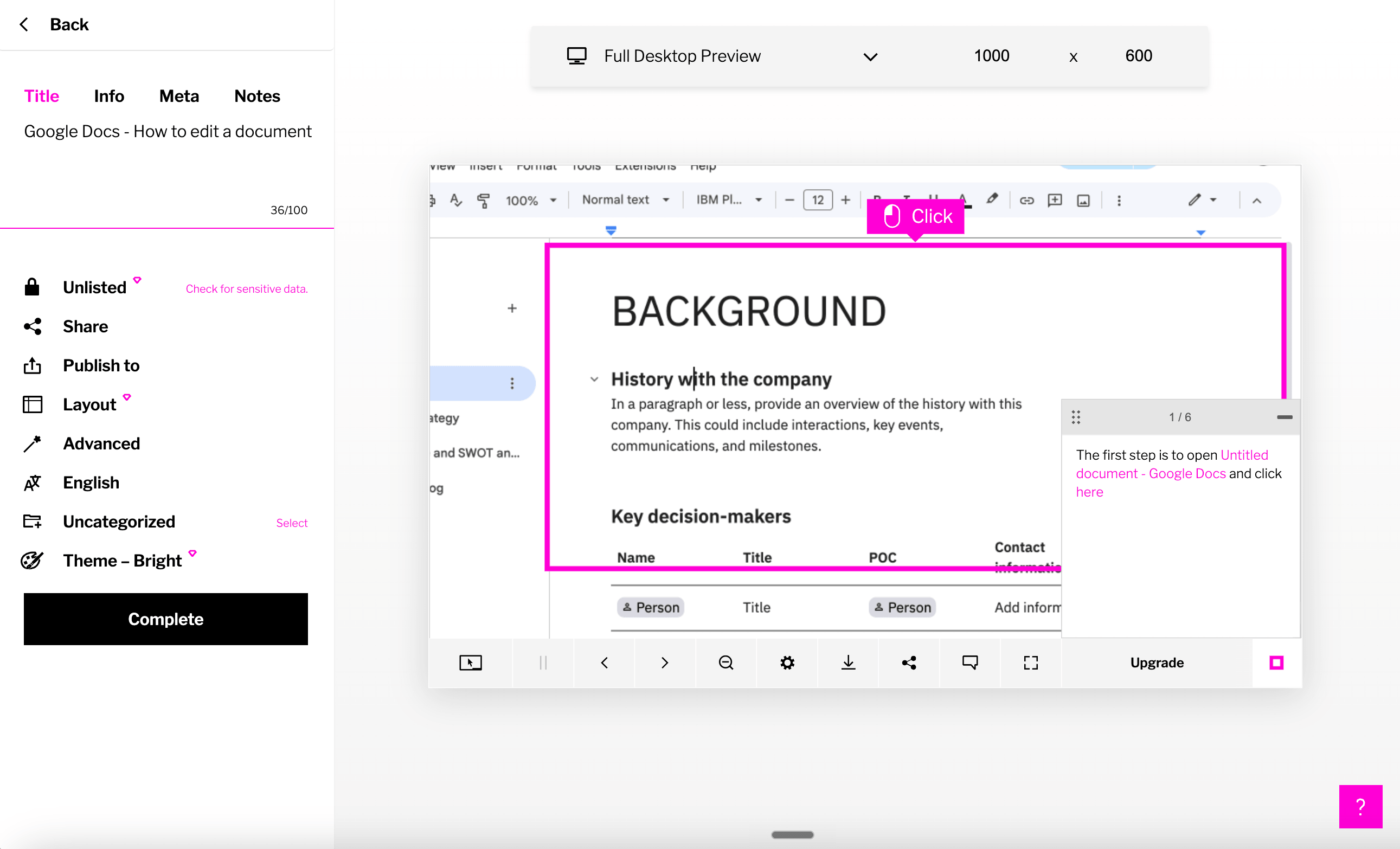
iorad is less a guide creator than an interactive tutorial builder. One capture can become several learner modes, from Try It to Watch It, with in-app Live Mode on Enterprise. That makes it useful for L&D and training teams who want learners to practice, not just read.
It's also built for enterprise training, with masking, premium audio, tutorial libraries, analytics, and SSO on higher plans. Enterprise adds translation in 100-plus languages, offline exports, in-app guidance, and multiple workspaces.
Public pricing is $200/month for a single Individual creator and $500/month for a Team (one seat included, $50 per extra). Enterprise is quote-based. Every plan includes unlimited learners, which helps when a small team trains a large audience.
The obvious downside is price. At small team sizes, iorad costs far more than Scribe, Tango Pro, Folge, or Trails. It earns its keep only when interactivity and training delivery justify the spend.
Choose iorad if: learners need to practice a simulated process, not just read or watch. It's strongest for L&D, customer education, and LMS-heavy organizations.
Skip iorad if: you want many casual creators, low-cost docs, or a fast guide-plus-video workflow. Trails, Scribe, or Folge are usually more practical.
Trainual
Best for: SOP and training management when accountability matters
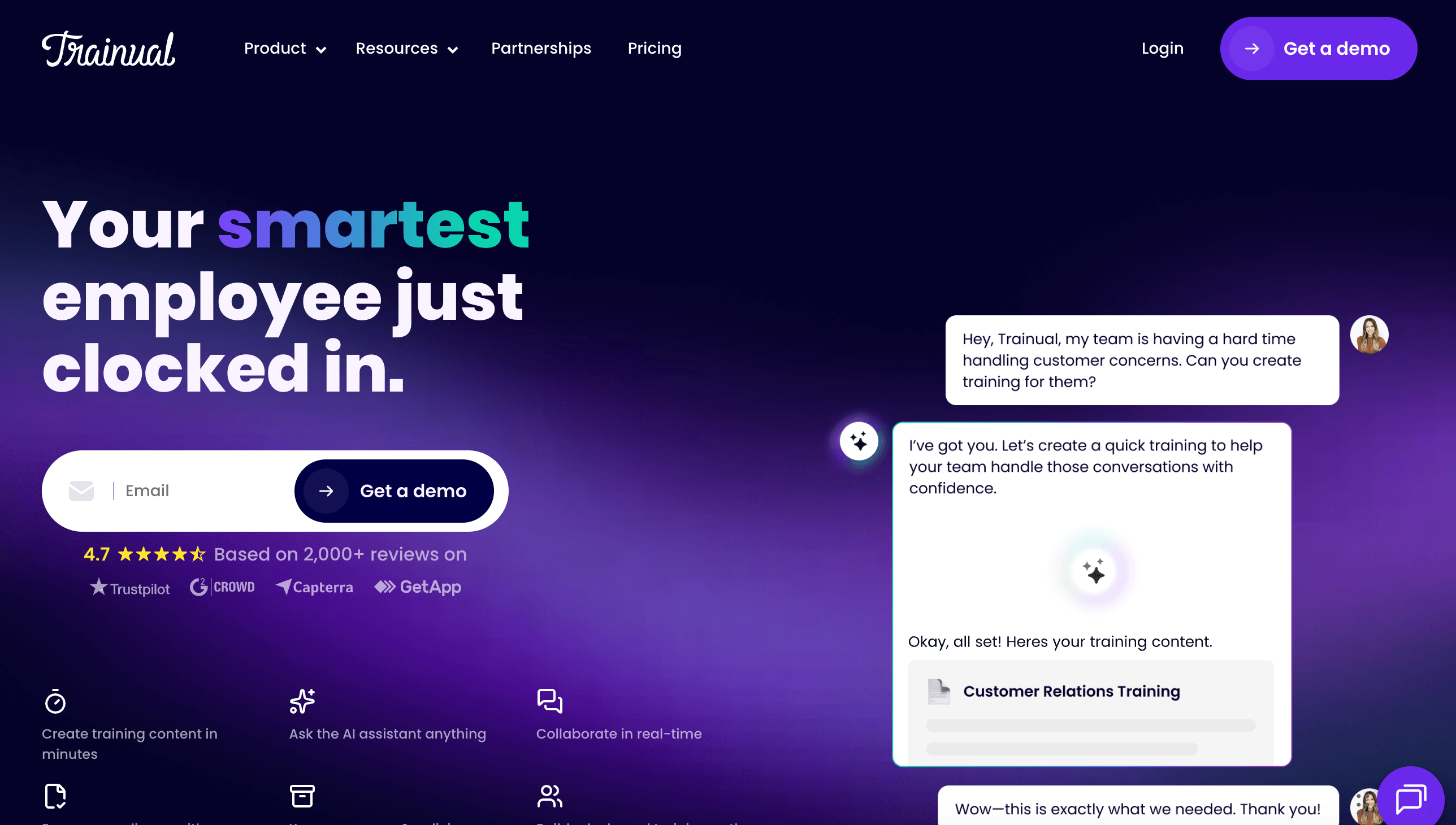
Trainual isn't a replacement for FlowShare's capture workflow. It's a training and operations platform for companies that need to document processes, assign them, track completion, and tie training to roles.
That makes it a strong choice when the problem is bigger than making guides. It bundles AI-assisted documentation, quizzes, completion tracking, training paths, HRIS integrations, and reporting. For HR, operations, and compliance-heavy teams, that accountability can matter more than capture speed.
Trainual's pricing page is now demo-gated. It says cost varies by team size and notes a $1,000 one-time implementation fee. Third-party sources still cite roughly $249/month for 10 seats, but treat current pricing as quote-based until sales confirms.
The tradeoff is authoring speed. Trainual hosts and manages training well, but it won't turn a live workflow into a step-by-step guide as fast as Trails, Scribe, Tango, Folge, or FlowShare. You'll still need to create or import the underlying content.
Choose Trainual if: you need role-based onboarding, completion tracking, quizzes, and a company playbook. It's built for training management, not rapid capture.
Skip Trainual if: the main job is documenting software processes quickly. Use Trails, Scribe, Folge, Tango, Guidde, or FlowShare to capture, then decide whether you also need a training platform.
The bottom line
FlowShare's mismatch isn't quality. It's scope. The tool is strongest for secure, Windows-first capture with broad exports and local control. It's weaker once the job shifts toward cross-platform capture, polished video, in-app guidance, or training accountability.
Liked FlowShare for local desktop capture? Choose Folge. Want fast screenshot guides with a bigger sharing ecosystem? Choose Scribe. Need guidance inside the apps people use? Choose Tango. Training videos the main output? Choose Guidde. Learners who need to practice? Choose iorad. Assigning and tracking company training? Choose Trainual.
And if documentation also needs to become training content, choose Trails. That's the real fork in this category. FlowShare and Folge are best for static guides and exports. Trails is the better fit when a single captured workflow has to become a written guide, a narrated video, and reusable training, without rebuilding the same thing in three different tools.