
Trails vs Tango: Feature Comparison 2026

Compare Trails and Tango across documentation, in-app guidance, maintenance, and pricing so your team can choose the right fit.

Trails vs Tango comparison illustration.
Ryo Chibahey it's me
Before you read

I'm a co-founder of Trails and I want you to pick us. That's the bias.

Here's why this is still worth reading. Tango is genuinely strong when teams need in-app guidance and workflow automation. Trails is built for a different job: fast process documentation that stays easy to update.

I'll tell you where Tango wins. I'll tell you where Trails wins. And when Trails isn't the right call, I'll say so. I hope you find this guide helpful!

Ryo
Co-founder, Trails

TLDR

What Tango is best at: Real-time, in-app guidance and workflow automation. If your product needs guided user journeys or progressive disclosure, Tango is built for that.

What Trails is best at: Fast screen recording plus auto-generated step-by-step guides. If you need living process documentation that teams can maintain without re-recording, Trails wins on speed and simplicity.

The bottom line: Most teams need documentation, not automation. Trails helps you create professional guides quickly and keep them current without re-recording. It also avoids paying for enterprise adoption features when all you need is documentation.

Introduction

There's a real tension in choosing between Tango and Trails. It comes down to one question: Do you need in-app workflow automation, or do you need fast, updatable process documentation?

Tango shines at automation. It guides users through complex workflows inside the app, with contextual tips that appear at the right moment. That can be powerful if your product or process is complex enough to need it. But most internal teams are not optimizing for in-app user guidance. They are solving a simpler problem: how do we document our processes fast and keep those docs current?

That's where the cost and complexity gap opens. Tango's automation features live behind a custom-priced enterprise tier. Trails lives in a different problem space. This guide explains the tradeoff in plain English.

What is Tango?

Tango is a "Software Knowledge Layer," positioned as a modern Digital Adoption Platform (DAP) that captures workflows and embeds in-app guidance. It's built for product and operations teams that need to guide users through processes inside the app. That usually means software onboarding and process rollouts, especially when teams want to reduce support tickets.

Key capabilities:

  • Workflow capture and in-app guidance (Guide Me)
  • Contextual tips and tooltips (Nuggets)
  • Branching workflows for complex, conditional paths
  • Automation and agent-based task orchestration

Tango's core insight is that guidance works best where people are already working. That is a genuine strength for adoption and support. Its 4.7/5 rating on G2 suggests that teams with this use case find real value.

What is Trails?

Trails turns screen recordings into polished step-by-step guides and AI-narrated videos. Record your screen, and Trails automatically creates the written guide with screenshots and voiceover. Then edit without re-recording. When the guide changes, the video updates too.

Key capabilities:

  • One-click screen recording and auto-generated step-by-step guides
  • AI voiceovers that update when you edit text
  • Magic editing: no re-recording needed when processes change
  • Privacy controls and branding, with version history for team edits
  • Export to docs, embed on websites, share as video

Trails solves a different problem. Teams that need external process documentation — internal wikis, customer help centers, onboarding materials, compliance docs — need fast creation and painless maintenance more than in-app guidance. That's where Trails lives.

Tango vs Trails: Feature Comparison

Feature
Tango
Trails
Capture method
Workflow recording with UI mappingScreen recording or upload an existing video file
Video-to-guide conversion
Not availableTurns Zoom clips, Loom videos, and ad hoc meeting recordings into guides
Simplicity and ease of use
More setup. You map workflows, configure guidance, and test the experienceLower friction. Record or upload a video, then let Trails generate the guide
Primary output
In-app guidance, tooltips, branching flowsStep-by-step guides, videos, docs
Editing experience
Rebuild workflows in UI; re-record for changesEdit text, voiceover updates automatically
Automation capabilities
Advanced (agents, conditional logic, task orchestration)Not automation-focused; integrations available
In-app guidance
Core strength; real-time user guidanceNot designed for in-app use
Team collaboration
Role-based accessVersion history plus workspace and access controls
Maintenance on process change
App or process changes can break in-app guidance, so workflows may need remapping, retesting, or re-recordingEdit the guide once; the written guide, voiceover, and generated video update together
Paid plans
$15-26 per user/monthCreator $29/mo; Team $49/mo for 5 users
Company-wide pricing
Custom Enterprise pricingBusiness uses custom pricing

Create beautiful guides

Get started with Trails

Record your screen, turn it into a polished guide. No design skills needed. Try it free today.

Create a guide
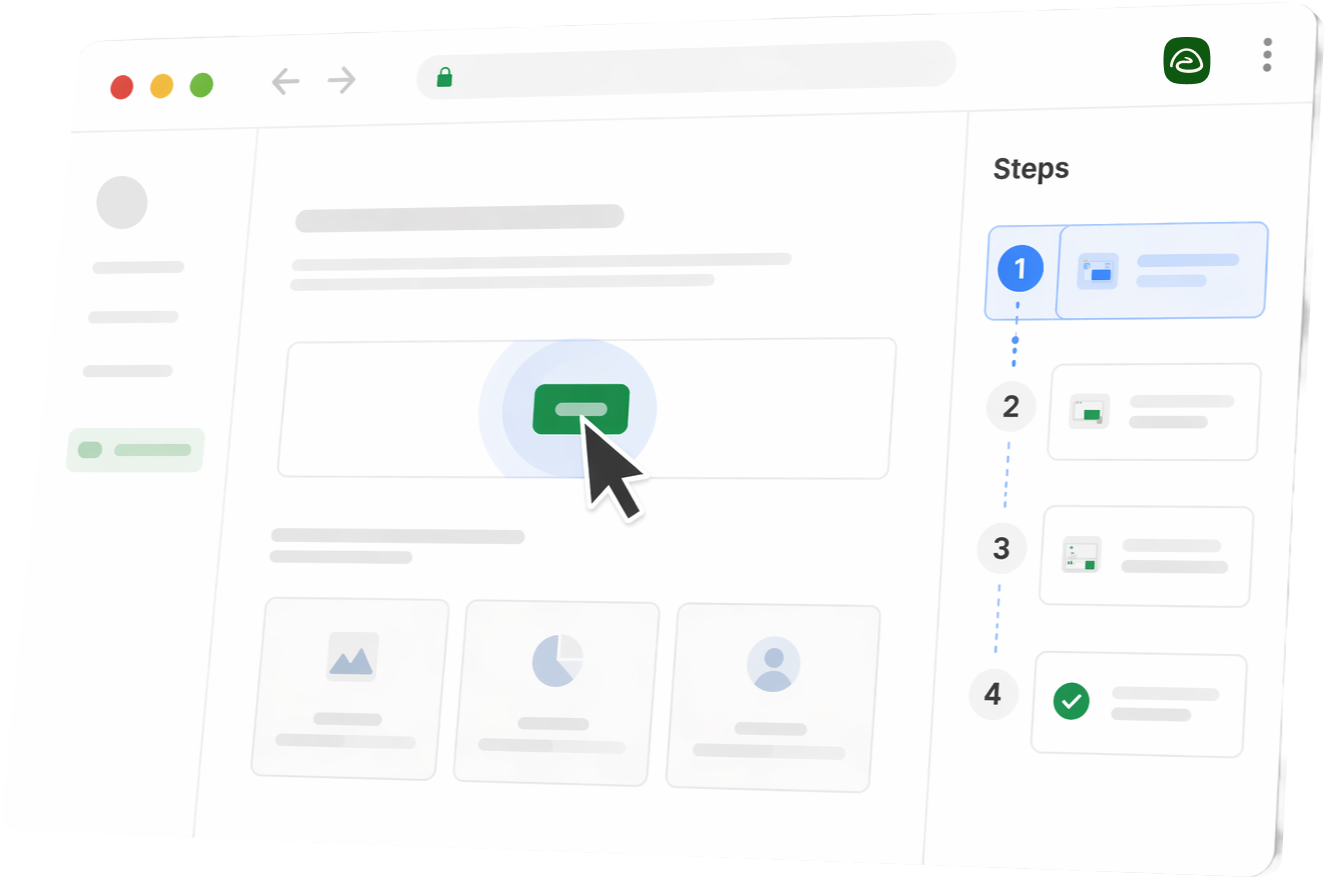
Stylized Trails product UI in a browser window with steps sidebar

Feature Deep Dive

1. The Capture Experience

Tango records your workflow by mapping UI elements and clicks. It captures the "shape" of the process so it can replay guidance in context. This works well when you need in-app guidance, but it takes setup. You have to map the workflow and test that the guidance behaves correctly.

Trails keeps capture simpler. You can record your screen with desktop capture or the Chrome extension. Either way, you capture the process and Trails turns it into a guide. There is no workflow mapping step before you get something useful.

The bigger difference is that Trails can also start from videos you already have. Upload a Zoom clip, a Loom video, or an ad hoc meeting recording, and Trails can turn that file into a step-by-step guide. Tango does not offer that same video-to-guide path.

That matters because process knowledge often already exists somewhere. It might be buried in a support call or a teammate's Loom. Trails turns that raw video into usable documentation, so no one has to record the process again from scratch.

2. Editing and Maintenance

This is where the gap between the two tools is most visible.

Tango: Because Tango guides are tied to in-app guidance, the connection between the guide and the product UI can be brittle. If the app changes, the guidance can break. If the process changes, the team has to update the process and make sure it still maps to the right interface elements inside the app.

That is useful when the goal is real-time product guidance, but it creates maintenance work. A meaningful UI or process change can force the team to remap and retest parts of the flow.

Trails: Trails does not depend on that live connection to the app. You edit the guide directly, and the generated video updates with it. There is no in-app guidance layer to keep in sync, and no need to re-record just because a step changed.

For teams managing living documentation, that difference matters. Trails keeps the guide and video easy to update as the process evolves.

3. Consumption and Distribution

Tango embeds in your app or web product. Users see guidance where they work. It's designed to support in-app engagement and reduce support ticket volume by putting help in context.

Trails exports as docs and shares as video. It also embeds on websites. It's best for documentation that lives outside a product interface, from help centers to compliance docs.

These aren't competing strengths so much as different architectures. Tango for product-native guidance. Trails for external process documentation.

Best Use Cases

When to use Tango

  • Your product or workflow is complex, and users need step-by-step guidance within your app to succeed.
  • You need real-time, contextual tooltips or progressive disclosure, showing help exactly when users need it.
  • You're rolling out major process changes and need to shepherd users through them in context.

When to use Trails

  • You document internal processes or customer-facing help articles.
  • Your processes are stable enough that re-recording edits would be wasteful.
  • Your team needs to maintain guides without becoming video editors.
  • You want one tool that turns guides into shareable video, instead of stitching multiple tools together.

Pricing Breakdown

Tango

  • Free tier: Unlimited captures, limited storage, no team features. Good for testing the tool.
  • Pro Personal: $22 per user per month annually or $26 monthly for 1-2 users.
  • Pro Team: $15 per user per month annually or $20 monthly for 3 or more users.
  • Enterprise: Custom pricing. Unlocks advanced digital adoption, automation, analytics, security, and admin controls.

The pricing tension is real. Tango's automation power lives in the enterprise tier. If you need branching workflows, Pins, Guide Me, or Automations, you're buying a custom-priced digital adoption plan rather than a simple documentation tier.

Trails

  • Creator: $29 per month for 1 user, with AI videos, private and team Trails, and exports.
  • Team: $49 per month for 5 users, with unlimited guides, video-to-guide conversion, role-based user management, and custom branding.
  • Business: Custom pricing for company-wide access, unlimited users, translations, and priority support.

Trails' model maps to the size of the documentation rollout: one creator, a department, or company-wide access.

Trails
Creator
$29/mo
1 user with polished guide creation, AI videos, private and team Trails, and exports.
Team
$49/mo
5 users, unlimited guides, video-to-guide conversion, role-based user management, and custom branding.
Business
Custom
Custom pricing for company-wide access, unlimited users, translations, and priority support.
  • Trails maps cleanly to Creator, Team, and Business plans.
  • Team starts with 5 users and lets teams add users as needed.
  • Business is the company-wide plan for unlimited users.
Conclusion: All paid plans include AI videos, sensitive-info blur, exports, capture, role-based access, and version history.
Tango
Pro Personal
$22-26/user/mo
For 1-2 users. Annual pricing starts at $22 per user/month; monthly pricing is $26 per user/month.
Pro Team
$15-20/user/mo
For 3 or more users. Annual pricing starts at $15 per user/month; monthly pricing is $20 per user/month.
Enterprise
Custom
Adds Pins, Guide Me, Automations, SSO/SCIM, workspace analytics, onboarding, and longer audit history.
  • Every Pro user requires a paid seat.
  • The lowest Pro rate applies to teams of 3 or more on annual billing.
  • Digital adoption and automation capabilities sit in Enterprise.
Conclusion: Tango is more seat-driven at Pro and custom-priced for broader adoption workflows.

Create beautiful guides

Get started with Trails

Record your screen, turn it into a polished guide. No design skills needed. Try it free today.

Create a guide
Stylized Trails product UI in a browser window with steps sidebar

Pros and Cons

Tango Pros

  1. In-app guidance is genuinely useful when the moment matters. Tango's biggest advantage is that help appears inside the product while someone is doing the work. For teams trying to reduce support tickets, improve onboarding, or guide users through a high-stakes workflow, that context matters.
  2. It is built for complex flows. Tango can support branching logic, contextual tips, and workflow automation. If the process changes based on user type, permission level, or previous action, Tango has more depth than a standard documentation tool.
  3. It can improve product adoption. When users get stuck inside a product, they often do not go looking for a help doc. Tango solves that by putting guidance directly into the interface. That can be especially valuable for SaaS teams, customer success teams, and internal enablement teams rolling out new tools.
  4. It is closer to a digital adoption platform than a guide builder. That is a strength if your goal is behavior change inside software. Tango is not just capturing steps. It is trying to shape what users do next.

Tango Cons

  1. It is expensive if you only need documentation. The features that make Tango compelling for automation are also what make it overbuilt for many internal teams. If your real goal is to create SOPs, onboarding guides, or help center articles, you may be paying for a system you do not actually need.
  2. Maintenance can become real work. Because Tango guidance is connected to the product UI, changes to the interface can create follow-up work. Teams may need to remap steps, retest flows, or rebuild guidance after product updates.
  3. Setup takes more thought. Tango is powerful because it asks you to define the experience inside the app. That means deciding where guidance appears, when it appears, and how users move through the flow. For simple documentation needs, that can feel heavier than necessary.
  4. The best features live higher up the pricing ladder. Tango's basic capture features are accessible, but the more advanced automation and enterprise controls are where the product becomes most differentiated. That is also where the price jumps.

Trails Pros

  1. It is fast to create. Record your screen or upload an existing video, and Trails turns it into a usable guide. There is no workflow mapping step before you get value, which matters when a team needs to document dozens of processes quickly.
  2. It is much easier to keep current. Processes change. Screens change. Someone notices a missing detail after the guide is published. With Trails, you can edit the guide directly and the generated video updates with it, so maintenance does not mean starting over.
  3. It works well with messy source material. A lot of process knowledge already exists in Zoom calls, Looms, support walkthroughs, and internal demos. Trails can turn those recordings into structured documentation, which helps teams capture knowledge that would otherwise stay buried in video.
  4. It keeps docs and video together. Written guides are easier to scan. Videos are easier to watch. Trails gives teams both from the same source, so they do not have to maintain one process in two separate tools.
  5. It is a better fit for living documentation. Internal SOPs, customer help guides, onboarding materials, training docs, and compliance walkthroughs all need to stay accurate over time. Trails is designed around that maintenance loop.

Trails Cons

  1. It is not built for in-app guidance. If you need real-time tooltips, guided product tours, or contextual help inside your software, Trails is not the right fit. Tango is stronger for that use case.
  2. It is not an automation engine. Trails documents workflows. It does not orchestrate them. If you need branching logic, task automation, or agent-based workflow execution, Tango has more of that machinery.
  3. It depends on the quality of the underlying process. Trails can make documentation faster and easier to update, but it will not fix a process that is unclear, broken, or constantly changing. The source workflow still needs to make sense.
  4. It is less useful when the only problem is in-product adoption. If users are failing because they need help inside the app at the exact moment of action, a guide or video may not be enough. That is where Tango's embedded guidance has the edge.

The Verdict

Tango wins if: You need in-app user guidance or workflow automation. Real-time, in-context help is the problem you're solving.

Trails wins if: You need fast process documentation that teams can maintain, whether it lives in an internal wiki or a customer help center.

The honest overlap is limited. Tango is a Digital Adoption Platform. Trails is a process documentation and video tool. The "vs" framing exists because teams evaluating Tango often have a simpler documentation need that Trails serves better and cheaper.

Most teams' decision comes down to this: do you need in-app guidance, or do you need docs your team can keep current? If it's the latter, Trails is the straightforward choice. It is easier to maintain and avoids custom-priced enterprise adoption features.

Why Trails is the Better Alternative for Most Teams

Most teams don't need Tango's automation features. They need guides that are fast to create and painless to update when things change. Here's where Trails outperforms:

1. Speed of creation. Record your screen once; guides generate instantly. Tango's workflow mapping is more powerful but slower to set up. If you're documenting 50 processes rather than 5, Trails' speed advantage compounds quickly.

2. Maintenance without re-recording. Tango requires re-recording or remapping when your process changes. With Trails, edit the text and the voiceover updates. For teams managing living documentation, this distinction matters every week.

3. Cost discipline. Tango's Pro pricing is seat-based, and the broader adoption and automation features are custom-priced in Enterprise. Trails' Creator, Team, and Business plans make the documentation rollout easier to understand from day one.

4. One place for guides and video. Trails keeps the written guide and generated video together, so your team does not have to stitch together separate documentation tools.

Who still needs Tango? Teams whose users need in-app guidance to adopt software or navigate complex workflows. If you're documenting for internal teams or external help instead, Trails is the simpler and more affordable answer.

FAQ

Only if your use case is process documentation rather than in-app guidance. Trails handles guides and docs well. If you need contextual tooltips inside your app, Tango is purpose-built for that.

For many documentation-focused teams, yes. Trails has Creator, Team, and Business plans, while Tango Pro is billed per paid user and broader adoption workflows move into custom-priced Enterprise. If you only need guides, Trails is usually the simpler pricing model.

Trails can document complex workflows, but it doesn't automate or orchestrate them. If you need to guide users through a workflow in real time inside your app, Tango is the tool.

Yes. Some teams use Tango for in-app user guidance and Trails for external documentation. It's overkill if you only need one, but it works.

Record your screen (2–5 minutes for most processes) and Trails generates the guide instantly. A typical first guide takes 5–10 minutes end-to-end.

Yes. Trails includes AI voiceovers and exports video-ready guides. Tango does not focus on video. Its strength is in-app guidance.