

Scribe vs Trails: Feature Comparison 2026

Trails is the better fit when your team needs clear SOPs people can create quickly, understand instantly, and keep using without heavy setup.

Trails vs Scribe comparison illustration.
Ryo Chibahey it's me
Before you read

I'm a co-founder of Trails and I want you to pick us. That's the bias.

Here's why this is still worth reading. Scribe is a strong product, especially when the bigger job is enterprise process analysis. Trails is built for a different job: creating SOPs people can read, watch, update, and actually use.

I'll tell you where Scribe wins. I'll tell you where Trails wins. And when Trails isn't the right call, I'll say so.

Ryo
Co-founder, Trails

TL;DR

What Scribe is best at: Enterprise process optimization. Scribe has moved beyond simple screenshot guides with products like Scribe Optimize, which help CIOs and operations leaders analyze workflows across a company and find opportunities to automate them.

What Trails is best at: Fast, simple SOP creation. Trails helps teams turn a workflow into an easy-to-follow guide and AI-narrated video without making process documentation feel like an enterprise software rollout.

The bottom line: Scribe makes sense when a large enterprise wants to study process patterns company-wide. Trails is the better fit when your team needs clear SOPs people can create quickly, understand instantly, and keep using without heavy setup.

What is Scribe?

Scribe started as a process documentation tool that records your screen as you walk through a workflow and automatically generates a step-by-step guide with screenshots and annotations. That core product is still useful, but Scribe's center of gravity has moved upmarket.

Today, Scribe is increasingly positioned for large companies that want to understand how work happens across departments. Products like Scribe Optimize help enterprise teams analyze processes at scale, spot repeated workflows, and identify places where automation could save time.

That is valuable if you are a CIO at a Fortune 50 company trying to improve processes across thousands of employees. It can also be more tool than you need if the job is simpler: create a clear SOP today so someone else can follow the process tomorrow.

Key features:

  • Desktop and web app screen recording with auto-annotation
  • One-click guide generation with formatted screenshots and text
  • Scribe Pages, a web-based workspace for organizing and sharing multiple guides
  • Scribe Optimize for company-wide process analysis and automation recommendations
  • Integrations with Slack, Confluence, Notion, and other common productivity tools

Scribe built a loyal following because it cut the time from "I need to document this" to "the document exists" down to minutes. But the product story is no longer just about quick how-to guides. It is also about enterprise process intelligence, and that shift matters when you are choosing a tool for everyday SOP creation.

What is Trails?

Trails is built for teams that need SOPs people can actually understand. Capture a workflow once, and Trails automatically produces a step-by-step written guide and a polished AI-narrated video from the same recording.

The promise is simple: do the process, get the SOP, share it. No complex implementation. No process mining project. No second video workflow.

Key features:

  • Screen recording that generates a step-by-step guide and an AI-narrated video from one capture
  • Upload existing Loom, Zoom, or other recordings and convert them into structured step-by-step guides
  • Magic editing: edit the guide text or update a screenshot, and the video narration and visuals stay aligned automatically
  • Local smart blur for redacting sensitive information before screenshots are uploaded
  • Workspace organization, version history, team collaboration, and permissions

The core bet Trails makes is different from Scribe's. Scribe optimizes for the moment you capture. Trails optimizes for what comes after: the edits, the updates, the re-recordings you never wanted to do, and the teammates who would rather watch a 90-second narrated walkthrough than skim a 12-step screenshot guide.

Scribe vs Trails Feature Comparison

Decision point
Scribe
Trails
Which one is better
What do you get after recording a workflow?
Record the workflow and Scribe turns it into a step-by-step guide with screenshots.Record the workflow and Trails creates a guide plus a narrated video from the same capture.Scribe for screenshot-only documentation. Trails when the output also needs to teach.
Will people need to learn the process, not just skim it?
Readers follow annotated screenshots and written steps.Readers can scan the written guide, watch the AI-narrated video, or use both together.Trails
Will the process change later?
You can update the written guide, but video training stays separate if you use it.Edit the guide and keep the synced video aligned without managing a second asset.Trails
Do you already have Looms, Zoom calls, or walkthrough videos?
Those recordings usually need to be turned into guides manually.Upload the recording and turn it into a structured step-by-step guide.Trails
Are you trying to improve processes across a large enterprise?
Scribe Optimize is built for analyzing workflows at scale and finding automation opportunities.Trails is focused on creating and maintaining the SOP itself.Scribe
Will readers include new hires, field teams, customers, or people outside the core team?
Good when a written screenshot guide is enough.Better when people need flexible formats, including video, mobile-friendly walkthroughs, and clear steps.Trails
Does the workflow include private customer or internal data?
Blur tools are available after capture.Local smart blur helps redact sensitive information before screenshots are uploaded.Trails
Will the SOP library grow over time?
Useful for building a guide library, especially inside larger enterprise systems.Built for teams that need guides, videos, edits, version history, and collaboration in one place.Trails

Quick rule: choose Scribe when the bigger job is enterprise process analysis. Choose Trails when the bigger job is creating SOPs people will actually use.

The short version: Scribe is stronger when operations leaders want to study how work happens across the company. Trails is stronger when teams need clear, reusable SOPs with both written steps and video from one workflow.

Create usable SOPs

See magic editing in action.

Try Trails free. No credit card required.

Try Trails free
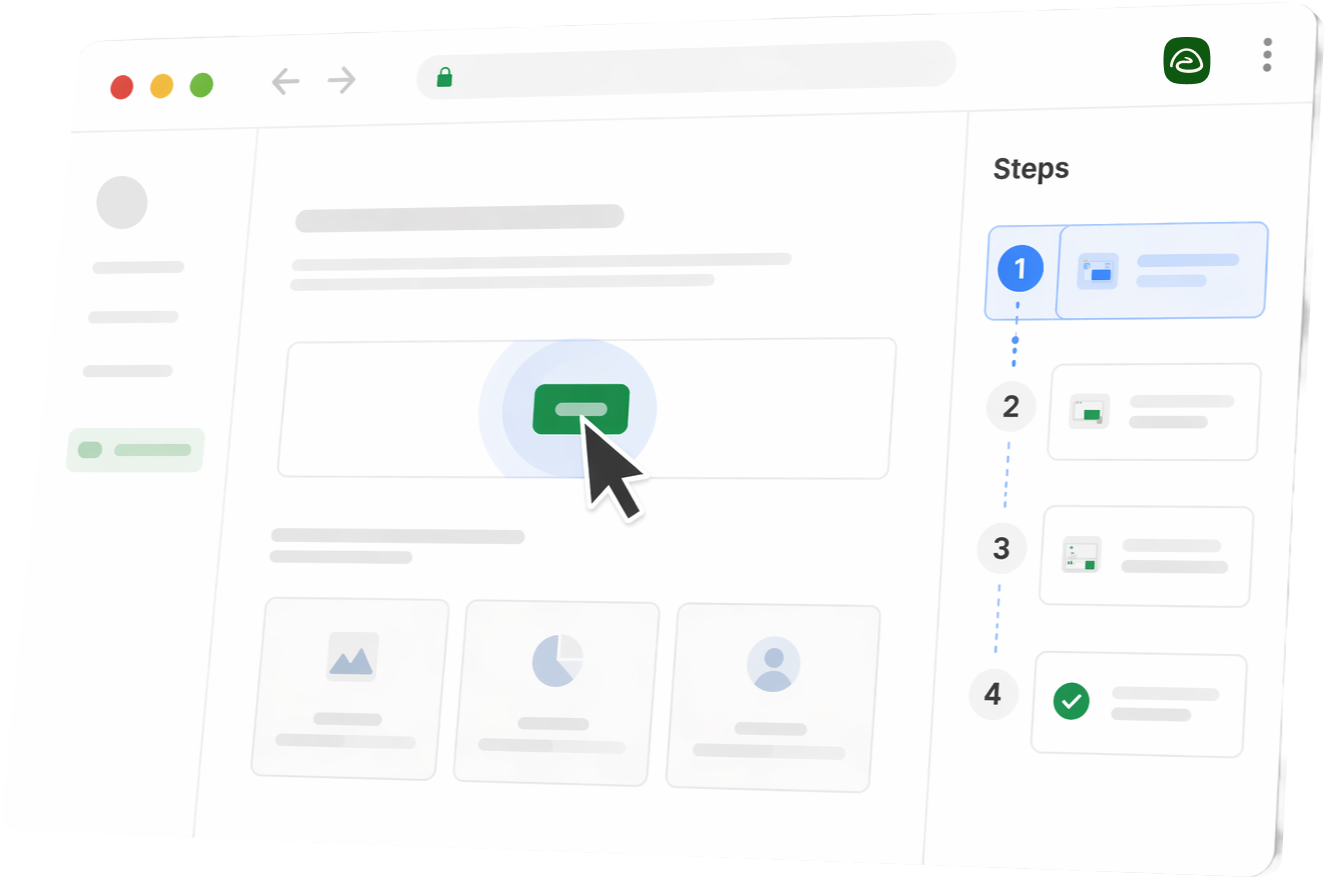
Stylized Trails product UI in a browser window with steps sidebar

Feature Deep Dive

1. The Capture Experience

Both tools let you record a workflow and turn it into a step-by-step guide. Install the extension, start recording, complete the workflow, stop. Scribe annotates clicks and keystrokes and assembles the guide automatically. Trails does the same, then adds a polished AI-narrated training video from the same capture.

That difference matters. A screenshot guide is useful when someone wants to scan. A video is useful when someone needs to see the workflow happen. Trails gives you both without asking the creator to make two pieces of content.

Advantage: Trails for teams that want guides and training videos from one pass.

2. Ease of Use

Scribe is becoming a more complex enterprise system. That is not a criticism if you need enterprise process analysis. CIOs and process leaders may want a tool that can look across hundreds or thousands of workflows and suggest where the business should automate.

But most SOP work is not that strategic. A support rep needs to document a new account setup flow. An operations teammate needs to show a new hire how to close out a task. A field manager needs a clear walkthrough that works on a phone.

For those use cases, the best tool is the one people will actually use. Trails keeps the flow focused: capture the workflow, get the guide, get the video, and share the SOP.

Advantage: Trails for teams that want the fastest path from process knowledge to a usable SOP.

3. Editing and Maintenance

Both Scribe and Trails give teams ways to update guides after they are created. The difference is not that one tool can keep guides current and the other cannot. The difference is what else you get from that maintenance work.

With Scribe, you are maintaining the written guide.

With Trails, you are maintaining the written guide and the synced training video at the same time. Change the guide, and the video stays connected to the same source. That means the video does not become a separate asset someone has to re-record, rename, upload, and manage later.

For a team building training content, that is the important shift. Trails does not just help you keep documentation updated. It helps you keep richer documentation updated without adding a second workflow.

Advantage: Trails because the video adds value without adding maintenance overhead.

4. Consumption: How the End Reader Uses the Output

A Scribe guide is strongest as a written, step-by-step reference. The reader scrolls through annotated screenshots, which works well for quick lookup and simple processes.

Trails gives the reader more ways to learn. They can skim the written guide, watch the narrated video, or move between both. That flexibility matters for training. Some people learn by reading. Some need to watch the sequence end to end. Some are on a phone, away from a desk, or following instructions in the field. In those moments, a video can be easier to follow than a long screenshot guide.

The point is not that one format is always better. The point is that Trails does not force one format.

Advantage: Trails for distributed teams, field teams, customer onboarding, and mixed learning styles.

5. Repurposing Existing Videos

Most teams already have process knowledge trapped in Looms, Zoom recordings, onboarding calls, sales walkthroughs, and support demos. Scribe is primarily built around capturing a process into a guide. Turning an existing recording into structured documentation is still more manual.

Trails lets you upload a video and generate the step-by-step guide from it. If you have 20 onboarding recordings sitting in a shared folder that nobody searches and everyone recreates from scratch, Trails gives you a path out of that loop.

Advantage: Trails for teams with existing video libraries.

6. Privacy and Redaction

Both tools offer blur functionality for sensitive information. Scribe's blur tools operate after capture. Trails offers local smart blur, meaning sensitive information is detected and redacted on-device before screenshots are uploaded. For teams documenting internal systems, customer accounts, or workflows that include emails, account numbers, or personal data, the order of operations matters, especially for organizations with data handling requirements.

Advantage: Trails for teams documenting systems with sensitive or personal data.

Best Use Cases

When to use Scribe

  • You are a CIO, operations leader, or process excellence team at a large enterprise
  • You want to analyze workflows across departments and identify automation opportunities
  • You have enough process volume that company-wide optimization is worth the added complexity
  • Your documentation program is part of a broader enterprise transformation or automation initiative
  • Your team already uses Scribe and is comfortable with its broader product surface

When to use Trails

  • You need to create easy-to-understand SOPs quickly
  • You want the simplest path from "I know how this works" to "now everyone can follow it"
  • You need both a watchable video and an editable step-by-step guide from one capture
  • You want training content that works for readers, watchers, mobile users, and people in the field
  • You have existing Loom, Zoom, or other recordings that should become searchable, structured documentation
  • You document internal tools, customer-facing workflows, or private systems where redaction matters
  • Your team is distributed and needs async-friendly content people can watch or skim
  • You want one tool that covers creation, updates, collaboration, and broad reuse without making SOP creation feel complicated

Pricing Breakdown

Scribe offers a free tier with limited features and paid plans that scale per user. The key question before publishing: does reader or viewer access require a paid seat? If it does, the per-seat cost for teams sharing documentation broadly with customers, across departments, or with a rotating workforce adds up quickly.

Trails pricing is designed for predictable sharing at scale. The Business plan is positioned around broad documentation sharing without paying per reader.

The sticker price comparison is a starting point, not the whole picture. Factor in creator seats, reader access, and the time it takes to create training content people will actually follow. If your team has to make a written guide and a separate video for the same workflow, the cheaper tool on paper may not be cheaper in practice.

Scribe
Pro Personal
$35/user/mo
Monthly pricing for fuller capture, editing, export, and branding needs.
Pro Team
$85/mo
Monthly minimum for 5 seats at $17 per user per month.
Enterprise
Custom
Advanced governance, process analysis, automation recommendations, and enterprise rollout support.
  • Per-user pricing can get expensive for teams sharing documentation broadly.
  • The key question before publishing: does reader or viewer access require a paid seat?
  • Scribe makes sense when a large enterprise wants to study process patterns company-wide.
Conclusion: The sticker price comparison is a starting point, not the whole picture.
Trails
Creator
$29/mo
Everything you need to make polished guides.
Team
$49/mo
Standardize processes in a single department. Includes 5 users, additional users $10/mo.
Business
Custom
Custom pricing for company-wide access.
  • Trails pricing is designed for predictable sharing at scale.
  • The Business plan is positioned around broad documentation sharing without paying per reader.
  • Factor in creator seats, reader access, and the time it takes to create training content people will actually follow.
Conclusion: Trails is the better fit when your team needs clear SOPs people can create quickly, understand instantly, and keep using without heavy setup.

Pricing references: Trails pricing and Scribe pricing.

Create usable SOPs

See magic editing in action.

Try Trails free. No credit card required.

Try Trails free
Stylized Trails product UI in a browser window with steps sidebar

Pros and Cons

Scribe

Pros:

  • Fast first-capture experience
  • Strong screenshot-based guide creation
  • Mature integrations with Slack, Confluence, and Notion
  • Large user base with established community and support resources
  • Solid guide maintenance tools for keeping written documentation current

Cons:

  • More product complexity than some teams need
  • No native AI-narrated training video with every guide
  • Video content requires a separate recording or tool
  • No fast path for repurposing existing Loom or Zoom recordings into structured guides
  • Per-user pricing can get expensive for teams sharing documentation broadly

Trails

Pros:

  • AI-narrated video and step-by-step guide from one capture
  • The video stays synced to the guide, so richer content does not create extra maintenance work
  • Simpler creation flow for teams that need documentation to happen as part of the work
  • Upload existing videos and generate structured guides from them
  • Local smart blur for sensitive information before screenshots leave the device
  • Version history, team collaboration, and bulk actions included
  • Pricing designed for broad sharing, not just individual creators

Cons:

  • Newer product with a smaller user base than Scribe
  • AI voiceover, not a human voice recording

The Verdict

Scribe is a strong choice when the problem is enterprise process optimization. If your company needs to understand how work happens across departments, find repeated processes, and decide where automation should happen next, Scribe's enterprise direction makes sense.

But most teams are not trying to run a company-wide process analysis program. They are trying to write the SOP before the next handoff, onboarding session, customer call, or shift change.

That is where Trails is the better Scribe alternative.

The core difference is focus. Scribe is becoming the enterprise tool for CIOs who want to optimize processes at scale. Trails is the simple SOP tool for teams that need to turn know-how into clear instructions fast.

Every Trails guide comes with a synced training video, so people can read the steps, watch the process, or use both together without the creator managing a second asset. If your team needs documentation people will actually use, not another complex system to administer, Trails is the cleaner choice.

Why Trails is the Better Scribe Alternative

1. One capture creates both the guide and the training video.

Scribe gives you screenshots and annotated text. Trails gives you the written guide and a polished narrated video from the same recording. For distributed teams, field teams, and customer onboarding, video can be the difference between a guide someone skips and a process someone actually understands. Both outputs come from one creation pass.

2. The video stays synced, so richer content does not mean more upkeep.

Most teams do not avoid video because it is ineffective. They avoid video because it becomes another thing to maintain. Trails removes that tradeoff. The training video is connected to the guide, so teams can make content more engaging without creating a separate video workflow.

3. Trails is simpler for teams that need documentation to happen every week.

Scribe's enterprise process optimization work is useful for large companies with CIO-level automation goals. But if your team just needs to capture, share, and update everyday SOPs, that can be overkill. Trails keeps the flow focused: record the workflow, get the guide, get the video, share it with the people who need it.

4. Video-to-guide converts your existing recording library into reusable documentation.

Most teams already have Looms, Zoom walkthroughs, onboarding calls, and one-off recordings sitting in folders nobody searches. Upload a video in Trails and it becomes a step-by-step guide people can skim, search, reference, and keep updated.

5. Local smart blur protects private information before it leaves the device.

Training content often touches names, emails, account numbers, customer records, or internal systems. Trails detects sensitive details locally and handles redaction before screenshots are uploaded. For teams with real data handling requirements, that order of operations matters.

6. Pricing that holds when your audience grows.

Scribe's per-user model can make broad documentation expensive once you factor in everyone who reads the guides, not just the people who create them. Trails makes the cost story about predictable sharing at scale: the whole team, customers, and new hires, without a per-reader fee that grows as your documentation does.

Frequently asked questions

Not natively. You record your own narration or bring in a separate tool. Trails generates an AI-narrated training video as a default part of the guide workflow, from the same recording session.

Yes. Upload a Loom, Zoom, or other recording and Trails generates a structured step-by-step guide from it.

For a single user doing occasional captures, compare the current public plan prices directly. For a team creating training content at scale, total cost matters more than per-seat price. Factor in creator seats, reader access, and the time it takes to create separate written and video assets.

No. Scribe and Trails are similar enough that it usually does not make sense to use both at the same time. Pick Scribe if you only need screenshot-based guides or enterprise process analysis. Pick Trails if you want SOPs with both written steps and a synced training video.

No. The training video is generated from the same capture as the guide. The guide and video stay connected, so teams do not have to create and maintain two separate assets for the same process.

Trails detects and blurs private information locally before screenshots are uploaded, with smart detection for emails, names, numbers, and similar details.

Scribe supports team collaboration and sharing. Trails includes version history and collaborative editing as part of the team workflow.