
Tango is good at the job it was built for. It captures a browser workflow, turns it into a step-by-step guide, then walks employees through those steps inside the software they already use. If your whole problem is helping staff follow a process inside a CRM or back-office tool, Tango might be all you need.
But when we documented a real business workflow, a different problem kept surfacing. The guide has to live somewhere clients and staff will actually use it. That might be a branded portal, an onboarding page, an LMS course, or a support article. And with Tango, the answer to that wasn't so simple.
The quick answer
- SuiteDash + Trails: Our pick for service businesses that want a branded client portal, a resource center, and fast SOP capture with both written guides and AI-narrated videos.
- Scribe: The choice for enterprises that want workflow intelligence and automation discovery, not just guides.
- Guidde: The best fit for polished, AI-narrated video documentation.
- Iorad: Worth the money when learners need to practice a workflow, not just watch it.
- Loom: The fastest way to explain something when personality and context matter more than step precision.
- Trainual: The pick for internal SOP and training management with assignments and accountability.
How we evaluated
We put every tool through the same real-world job: documenting client onboarding. A new client needs to complete intake, upload files, find project status, learn the portal, and ask for support. That workflow demands more than capture speed. It needs a clear guide, a usable video, easy updates, branding, secure sharing, and a sensible home inside the client experience. Any tool that nailed the capture but left the guide stranded in a separate library lost points with us.
For full disclosure before we go further, SuiteDash and Trails have a partnership, so this guide has a point of view. We've tried to earn your trust the only way we know how, by being specific about where the fit is strong and where it isn't. SuiteDash + Trails isn't the right answer for someone who just wants in-app prompts for internal software. It earns its keep when documentation has to become part of a repeatable client or staff system.
How we chose what to test
We focused on tools that help teams capture, explain, and reuse software workflows, the kind that come up in the same buying conversation as Tango. That includes step-by-step guide builders, video documentation tools, tutorial platforms, and the training systems that keep showing up in Tango alternative searches.
We included SuiteDash + Trails because a business buyer is rarely asking only "How do I make the guide?" They're also asking "Where does this guide go so clients, staff, and contractors can use it without creating more admin work?" SuiteDash is where the resource lives. Trails is how the resource gets made.
We left out full digital adoption platforms like WalkMe and Whatfix, which usually demand a heavier enterprise rollout. We also skipped knowledge bases like Document360. They store documentation well, but they don't solve the capture problem that brings most people to Tango in the first place.
Why do customers look for Tango alternatives?
Reason #1: Per-user pricing gets expensive quickly
Tango has a per-user pricing model that scales quickly as you add more users. The Tango pricing page lists Pro at $15 per user per month billed annually, or $20 monthly, for workspaces of three or more, and $22 annually, or $26 monthly, for workspaces of one or two. Everyone in a Pro workspace needs a Pro seat.
That may be fine for an individual or a larger enterprise team. But it can feel like a lot of money for anyone in the middle. Especially when the use case is where one or two people create the guides but many staff, contractors, and clients need to use them.
Reason #2: In-app guidance reaches employees, not clients
Tango's standout features, Guide Me and Nuggets, surface guidance inside the software your staff already uses. That's genuinely useful for internal tool rollouts.
It doesn't help your clients. A new client isn't installing your Chrome extension. They need the walkthrough to sit beside the rest of the relationship: files, invoices, support tickets, project status, messages, forms, and onboarding steps. When the guide is just another link, clients still ask where to find it. This is where a portal earns its keep.
Reason #3: Editing control is limited
G2 reviewers repeatedly flag limited customization and fiddly editing. One wanted more control over annotations, blurring, and step order before sending polished documentation to a client.
That doesn't make Tango weak. It's built for fast capture and in-app guidance, not for producing branded, customer-facing training assets. For a typical business, the polish of a client-facing resource is part of the product.
Reason #4: Screenshot guides don't always train well
A screenshot guide works when someone wants to scan step 6 and move on. It's weaker when a client or new hire needs to watch the process first, hear narration, or train across languages. The best setup gives them both formats without making the creator record, edit, write, and maintain separate assets.
SuiteDash + Trails
Best for: branded client portals plus fast SOP and training creation
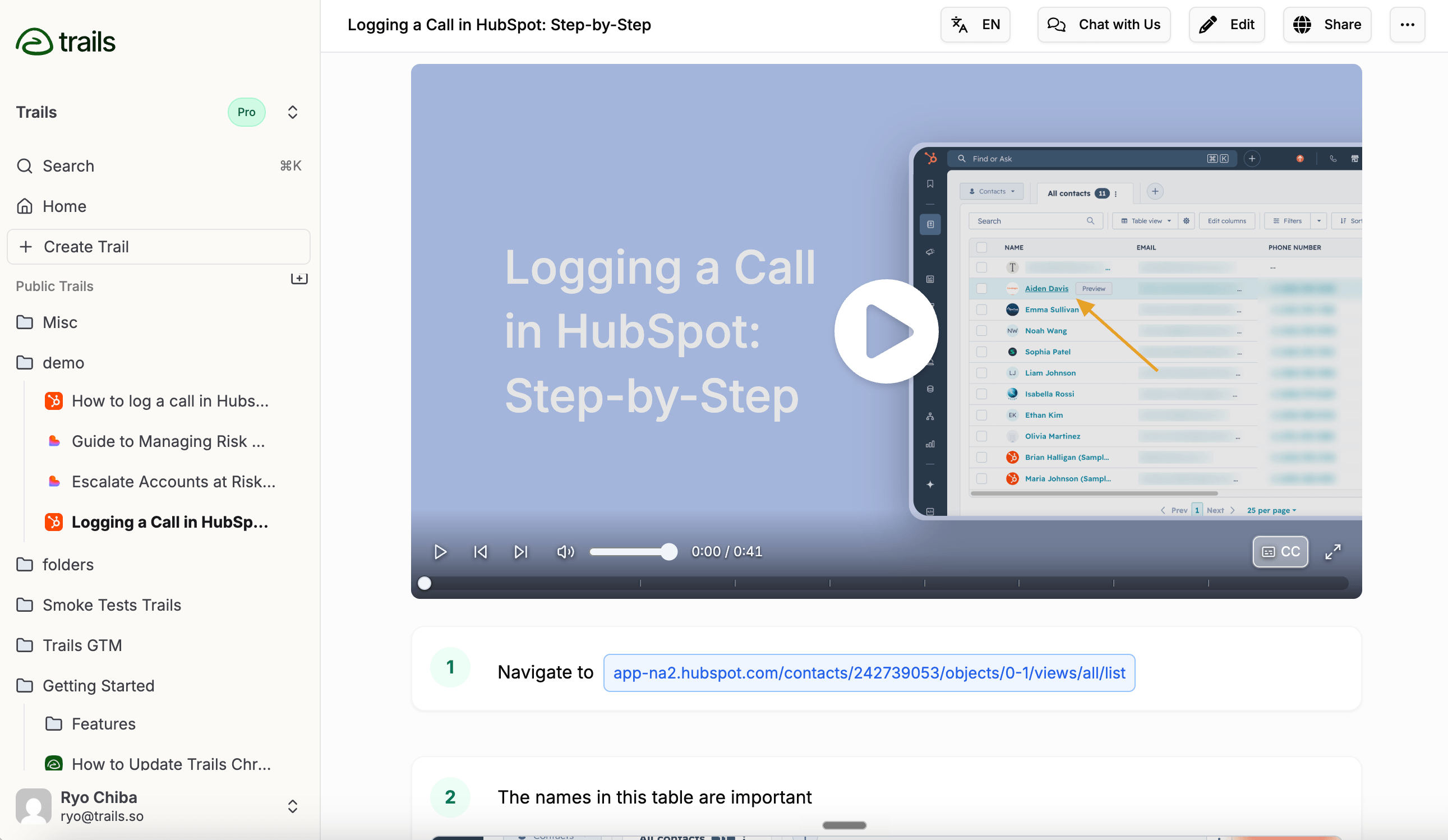
SuiteDash + Trails is our pick when documentation needs to become part of client delivery, not just another guide library.
SuiteDash handles the client side: white-label client portals, dashboards, onboarding, files, projects, invoices, support tickets, secure messaging, LMS, community, and resource pages. Trails handles the documentation work. You capture a process once, and it becomes both a step-by-step guide and an AI-narrated video. Edit the guide text and the video regenerates, so you never re-record when the process changes.
The pairing matters because making a resource and delivering a resource are different jobs. Tango helps employees follow steps inside software. SuiteDash + Trails turns the same process knowledge into resources that live where clients and staff already work.
The SuiteDash + Trails partner page describes a native Trails Block inside the SuiteDash Content Block Editor. In practice, that means a Trails guide can be embedded into client onboarding pages, internal dashboards, LMS courses, public pages, project and task pages, and other portal content without sending anyone to a separate documentation destination.
For the SuiteDash buyer, this is the practical win. Record the portal walkthrough once, and put it on every new client's onboarding page. Record the billing edge case once, and attach it to the internal task. Record the weekly reporting process once, and add it to the staff dashboard. The guide and video sit where people actually need them.
The economics fit the same buyer. SuiteDash uses flat-rate pricing with unlimited staff and clients across plans. The SuiteDash pricing page lists Start at $19/month, Thrive at $49/month, and Pinnacle at $99/month. The Trails partner offer is separate from SuiteDash, but it follows the same unlimited-user philosophy. The partner page lists Trails Business at $40/month for SuiteDash users, with unlimited users, AI videos, translations, and priority support.
This setup isn't for everyone. SuiteDash isn't a lightweight capture tool, and it takes real setup because it's a broad client operations platform. Trails is also a separate service, not something included automatically with every SuiteDash subscription. And neither product pins prompts inside third-party software the way Tango's Guide Me does. If in-app guidance for internal tools is the whole job, Tango is still the better fit.
But if clients keep asking the same onboarding questions, staff shadow the owner for weeks, and process knowledge lives in people's heads, SuiteDash + Trails solves more of the real problem. It gives you the resource center and the capture engine in one system.
How SuiteDash + Trails replaces a Tango workflow
A Tango workflow usually ends as a guide link or an in-app prompt. The SuiteDash version ends inside the operating system your clients and staff already use. The practical question isn't only "Can we capture the steps?" It's "Can we put the finished resource beside the work?"
Client onboarding portal tour
Record the first-login flow once in Trails, clean up the written steps, generate the narrated video, then embed both in the SuiteDash onboarding page. The guide can sit beside intake forms, file requests, invoices, project status, secure messages, and the client document portal. That gives a new client one place to learn the portal and finish the work, instead of a separate Tango link to remember.
Internal SOP dashboard
For staff and contractors, the same captured process can live in a SuiteDash dashboard, project page, or task. A billing edge case, a weekly reporting routine, or a support-ticket handoff becomes a maintained SOP attached to the exact area of the business where people need it. SuiteDash owns the access, context, and client operations layer; Trails owns the fast capture and guide/video editing layer.
LMS training module
If the workflow needs to become repeatable training, put the Trails guide and video inside a SuiteDash LMS course or resource center. The learner gets the step-by-step reference and the narrated walkthrough in one place, while the team keeps one source to update. For teams choosing between Trails and Tango as capture tools, the Trails vs Tango comparison covers that narrower product decision.
That split is why this page is different from a general Tango alternatives list. SuiteDash should own the client-portal and service-delivery problem. Trails should own the broader guide and video documentation comparison. The SuiteDash + Trails partner page is the handoff between those two jobs.
Scribe
Best for: enterprise workflow intelligence and automation discovery
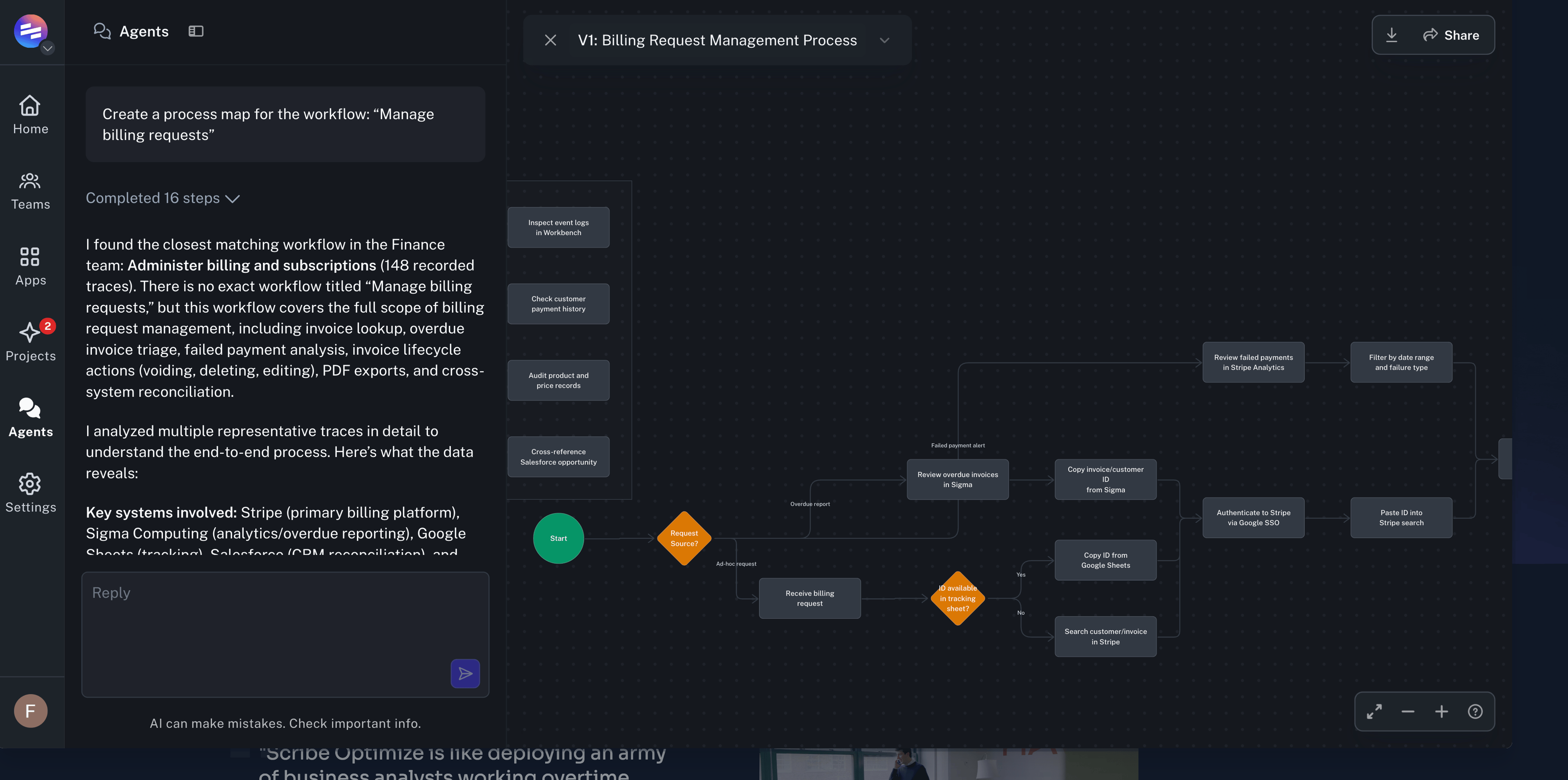
Scribe is no longer just a Tango-style guide creator. With Scribe Optimize, it's chasing a bigger enterprise problem: showing operations and IT leaders how work actually happens, then flagging which workflows are worth automating.
That changes the buying conversation. Tango is strongest when someone wants guidance while working through a process. Scribe Optimize aims higher, capturing activity across approved apps and turning it into process maps, bottleneck analysis, and automation business cases. For an enterprise under pressure to prove where AI will pay off, that's a compelling pitch.
Scribe still has its original capture product, with step-by-step guides, Pages, embeds across tools like Confluence and SharePoint, and lightweight in-context help through Guide Me. For the direct capture-tool decision, the Scribe vs Tango comparison breaks down that split in more detail.
The tradeoff for service businesses is fit. A small firm documenting client onboarding doesn't need workflow mining or an enterprise AI layer. It needs to capture a process, clean it up, and put it where clients and staff will find it. Scribe isn't a client portal, and its center of gravity is moving away from that buyer.
Guidde
Best for: video-first documentation with AI narration
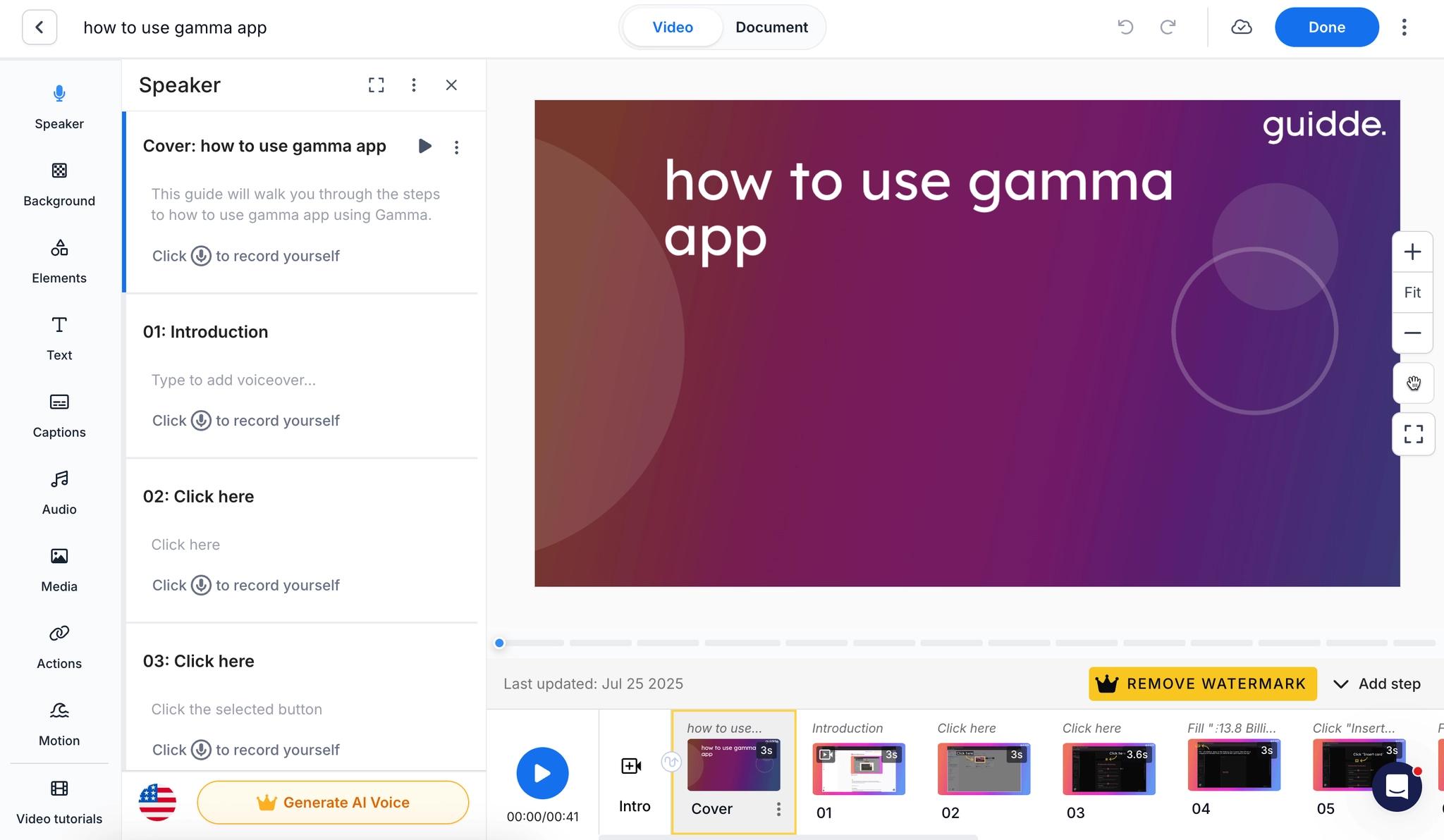
Guidde is the choice when the deliverable should feel like a narrated video, not a screenshot guide. It records a workflow, builds structured steps, adds callouts and AI voiceover, then exports or embeds across help centers and training systems.
It beats Tango for teams that care about video polish, voice libraries, translation, and customer-facing presentation. The Guidde pricing page shows a free plan, Pro at $29 per creator monthly or $19 annually, Business at $59 monthly or $39 annually, and custom Enterprise pricing. Note that translation, SSO, PII redaction, and content review sit in Enterprise. For the narrower creation versus delivery tradeoff, see the Tango vs Guidde comparison.
For service businesses, the question is where the finished video goes. Guidde can produce strong training assets, but it doesn't run your client portal, projects, billing, support, or onboarding system. You still need a place to organize the client experience, and the most valuable features sit above the self-serve plans.
Iorad
Best for: interactive tutorials and learner practice
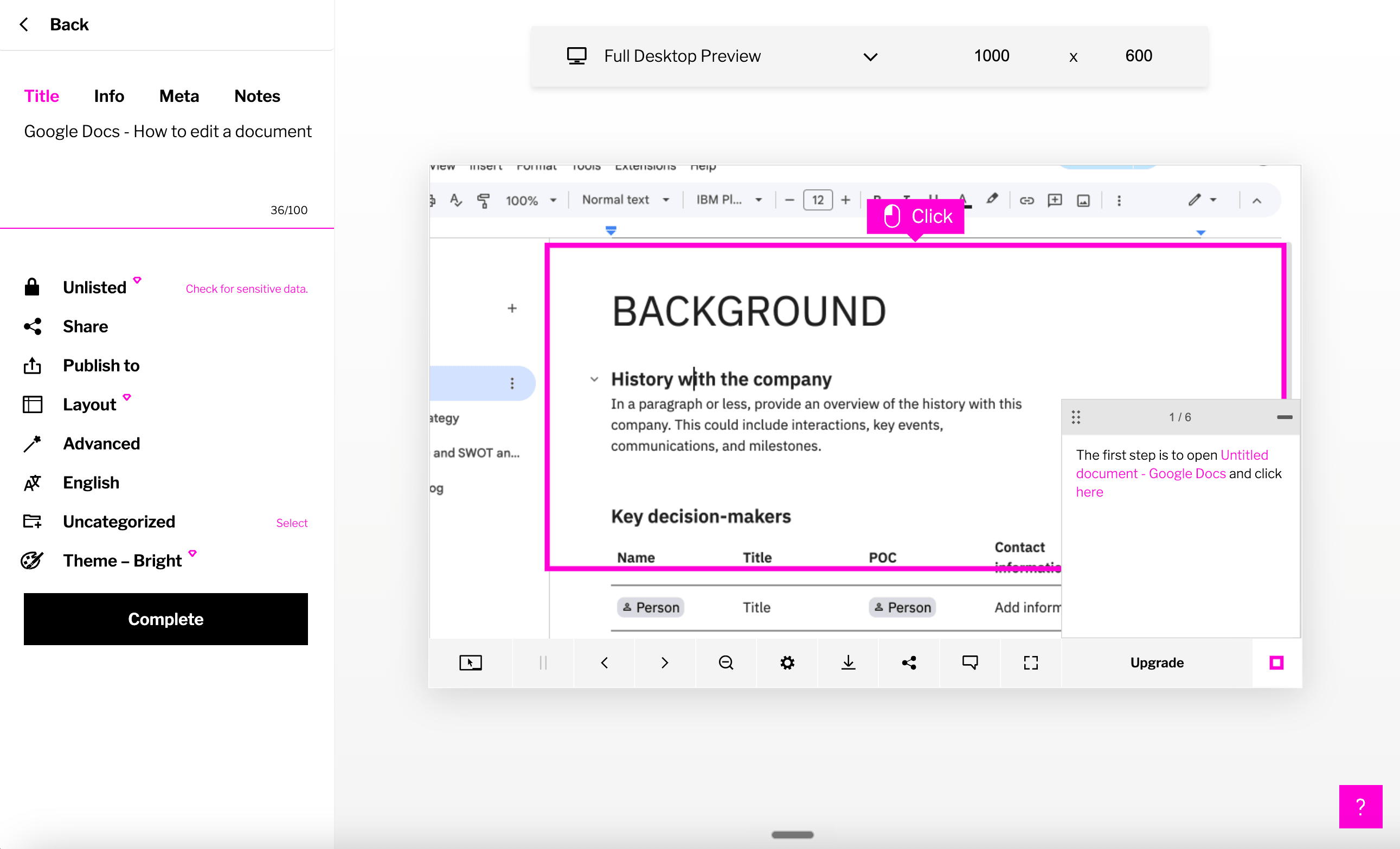
Iorad wins on learner interactivity. A single capture can become several modes, from Try It and Watch It to a live Do It walkthrough, which makes it more training-oriented than Tango. A learner can practice a safe version of the workflow before doing it for real, which matters when mistakes are costly.
It also goes deeper on L&D integrations than most capture tools, with tutorial libraries, data masking, analytics, SCORM support, and translation into 100-plus languages on higher plans.
The catch is price, and it's steep. The Iorad pricing page lists Individual at $200/month and Team at $500/month, with unlimited learners across plans.
For a small service business, that's hard to justify unless interactive practice is central to your training program. If the goal is client onboarding guides, SOPs, and reusable portal resources, SuiteDash + Trails is the more practical buy.
Loom
Best for: quick async explanations
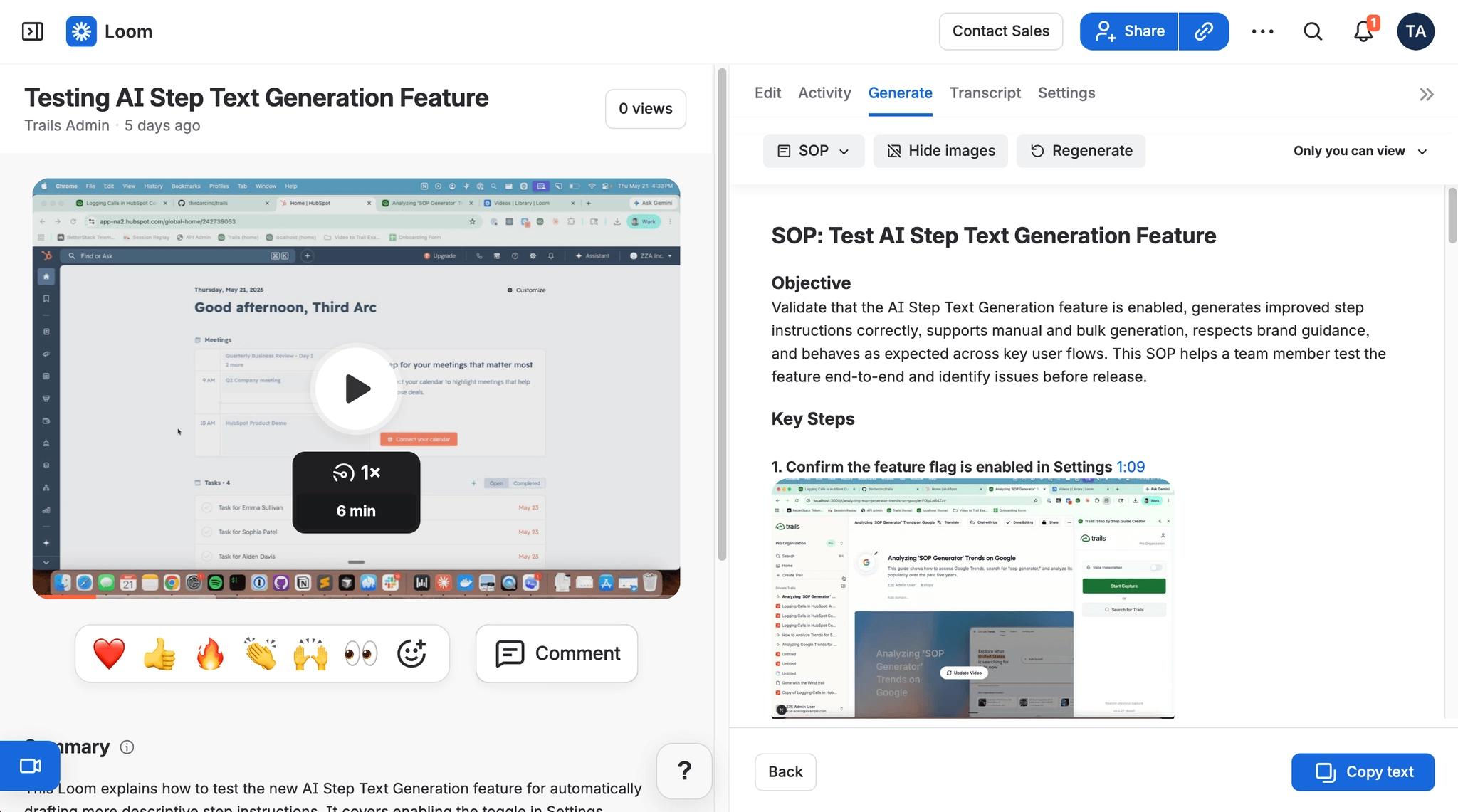
Loom isn't a one-to-one Tango replacement, and we didn't judge it as one. It's better when the value is your voice, your face, and the context around the process. For a quick customer reply, a bug explanation, a handoff, or a lightweight walkthrough, Loom is often faster than building a formal guide. The Tango vs Loom comparison is the cleaner read if you're choosing between in-app guidance and async video.
It has also grown beyond simple recording. The Loom pricing page lists a free Starter plan with 25 recordings and a 5-minute cap, Business at $18 per user per month, and Business + AI at $24, with AI features for titles, summaries, chapters, and video-to-text artifacts like SOP drafts.
The weakness is maintenance. Video is hard to scan and impossible to update. When a process changes, you usually re-record or accept that part of the video is stale.
That matters for SOPs and client training. A Loom answers today's question quickly, but it gets weaker as a long-term resource center asset unless someone actively manages the library.
Trainual
Best for: internal SOP and training management
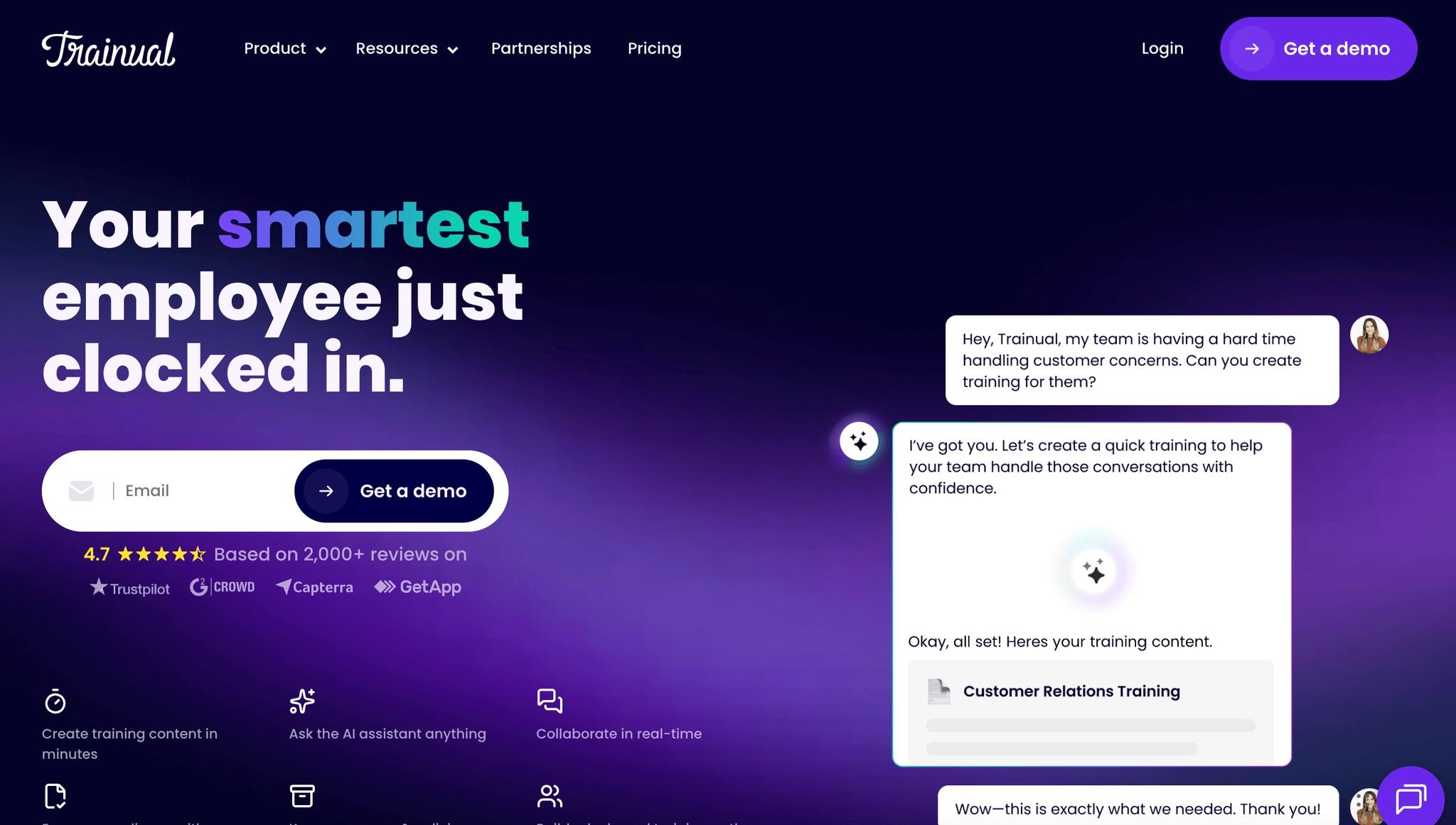
Trainual is the tool to consider when documentation needs accountability. It's built around company knowledge, role-based training, assignments, quizzes, completion tracking, and structured onboarding.
For internal teams, that structure pays off. A growing agency, consultancy, or operations team can use Trainual to make sure employees actually complete policies, procedures, and role-specific training, rather than just having access to them.
The Trainual pricing page is quote-driven, which we always find a little frustrating. It shows Core, Pro, Premium, and Enterprise plans, with higher tiers adding training paths, video hosting, e-signatures, org charts, version history, custom branding, custom domain, SSO, and more.
The tradeoff is capture speed and client delivery. Trainual can manage training well, but it isn't a real-time process capture tool the way Tango or Trails is. It also doesn't replace a client portal for files, invoices, tickets, onboarding pages, and project status.
The bottom line
Tango tries to be two things at once: quick documentation and in-app process adoption. That's a strength when your employees need guidance inside live software, and a mismatch when the people who need the documentation are your clients.
Choose Scribe if enterprise workflow intelligence is the priority. Choose Guidde if polished video is the priority. Choose Iorad if interactive practice is the priority. Choose Loom if speed and personal context matter most. Choose Trainual if internal training accountability is the priority.
And choose SuiteDash + Trails if you want the whole setup: SuiteDash as the branded portal and resource center, Trails as the SOP capture and training-content engine. That combination is built for the service-business problem Tango doesn't try to solve, which is turning the processes in your head into resources your clients and staff can actually use, inside the system they already log into.
Frequently asked questions
What is the best alternative to Tango?
It depends on what you're replacing. For service businesses that need SOPs, client onboarding guides, and training videos inside a branded portal, SuiteDash + Trails is the strongest setup. Choose Scribe for enterprise workflow intelligence, Guidde for video-first training content, and Trainual for structured onboarding and SOP management.
Is there a free version of Tango?
Yes. Tango's pricing page lists a Free plan with 5 shared workflows, browser capture, link and embed sharing, and up to 10 users per workspace. Teams that need unlimited workflows, exports, branding, desktop capture, or video embeds should compare the Pro and Enterprise plans.
Is there a better app than Tango?
There can be, depending on the job. Tango is strong for workflow capture and in-app guidance for employees. SuiteDash + Trails is a better fit when documentation needs to live inside a branded client portal, Guidde is stronger for polished narrated video, and Iorad is stronger for interactive practice.
Does Tango work for client-facing documentation?
Tango can share and embed guides, but its guidance features are built for employees working inside internal software. Service businesses that need client onboarding pages, resource centers, and training videos usually pair a capture tool like Trails with a client portal like SuiteDash so the documentation lives where clients already work.