Scribe is good at the thing that made it popular. You click through a process, and it turns your work into a clean screenshot guide. If all you ever need is the occasional internal how-to, it may be the only documentation tool you buy.
But when we documented a real business workflow, a different problem kept surfacing. The guide has to live somewhere clients and staff will actually use it. That might be a branded portal, an onboarding page, an LMS course, or a support article. And with Scribe, the answer to that wasn't so simple.
The quick answer
- SuiteDash + Trails: Our pick for service businesses that want a branded client portal, a resource center, and fast SOP capture without scattering docs across yet another tool.
- Tango: The one to get when employees need guidance inside the software they're already using.
- Guidde: The best choice for polished, AI-narrated video documentation.
- Iorad: Worth the money when learners need to practice a workflow, not just watch it.
- Loom: The fastest way to explain something when personality and context matter more than step precision.
- Trainual: The pick for internal SOP and training management with assignments and accountability.
- Folge: A solid budget option for offline screenshot guides with a one-time license.
How we evaluated
We put every tool through the same real-world job: documenting client onboarding. A new client needs to complete intake, upload files, find project status, learn the portal, and ask for support. That workflow demands more than capture speed. It needs a clear guide, a usable video, easy updates, branding, secure sharing, and a sensible home inside the client experience. Any tool that nailed the screenshots but left the guide stranded in a separate library lost points with us.
One thing to know before we go deeper: SuiteDash and Trails have a partnership, so this guide has a point of view. We've tried to earn your trust the only way we know how, by being specific about where the fit is strong and where it isn't. SuiteDash + Trails isn't the right answer for someone who just wants a free screenshot guide. It makes the most sense when documentation has to become part of a repeatable system.
How we chose what to test
We focused on tools that help teams capture, share, or manage process documentation. That includes step-by-step guide builders, video documentation tools, tutorial platforms, and the training systems that keep showing up in Scribe alternative searches.
We included SuiteDash + Trails because a business buyer is rarely asking only "How do I make the guide?" They're also asking "Where does this guide go so clients, staff, and contractors can use it without creating more admin work?" SuiteDash is where the resource lives. Trails is how the resource gets made.
We left out general wikis and full LMS platforms unless they solved a Scribe-adjacent job. We also passed on product adoption tools such as UserGuiding. Those are built mainly for software companies guiding users inside their own product, not for businesses building SOPs, client onboarding, and support resources.
Why do customers look for Scribe alternatives?
Reason #1: The price scales quickly as you add more users
Scribe has a per-seat pricing model that scales quickly as you add more users. The Scribe pricing page lists Pro Team at $17 per seat monthly, or $15 per seat annually, with a 5-seat minimum.
That may be fine for individuals or large enterprises. But it can feel like a lot of money for a use case where one or two people create the guides but many staff, contractors, or clients need to use them. Our gripe isn't just the monthly cost. It's the shape of the billing model.
Reason #2: A guide isn't the same thing as a resource center
Scribe can share and embed guides, and that helps. But a business often needs the guide to sit beside the rest of the client or customer relationship: files, invoices, support tickets, project status, messages, forms, courses, and onboarding steps.
When the guide is just another link, clients still ask where to find it. Staff still paste it into tasks by hand. Updates still depend on someone remembering every place the guide has been shared. This is where a portal earns its keep.
Reason #3: Screenshot guides don't always train well
Scribe is strongest as a visual written guide. That format works when someone wants to scan step 6 and move on. It's weaker when the audience needs to watch the process first, hear narration, or train across languages.
For client onboarding, employee training, and support deflection, format matters more than people expect. Some learners want the written steps. Others want the video. The best setup gives them both without making the creator record, edit, write, and maintain separate assets.
Reason #4: Scribe is moving toward Workflow AI
Scribe now positions itself around Workflow AI, Scribe Optimize, workflow mining, and automation recommendations. That direction makes sense for enterprise teams trying to understand how work happens across departments.
But for a typical business it can be more product than the job requires. If the immediate need is to document onboarding, train staff, and answer client questions inside a branded portal, the question isn't "Where should we automate?" It's "Can someone follow this process without asking the owner?"
What buyers check before switching from Scribe
The useful objections show up before the product demo. Review sites, community threads, and pricing pages tend to circle the same questions: what can we export, who has to pay, where does the guide live, and how much control do we have once the guide is shared?
- Export formats: buyers often ask whether they can get PDF, Markdown, HTML, Word, PowerPoint, or image files out of the tool.
- Viewer economics: one or two people may create docs, but many staff, clients, or contractors may need to view them.
- Privacy and security: sensitive screenshots, portal access, MFA, SSO, and permission controls matter once documentation leaves a private workspace.
- Update workflow: the best tool depends on whether a process can be fixed step by step, regenerated as video, or replaced with a new recording.
- Delivery surface: some teams need a link, some need an in-app prompt, and service businesses often need the guide embedded in onboarding, support, or project pages.
That's why this list includes different kinds of Scribe alternatives instead of only screenshot-guide clones. Some buyers need a free or desktop tool. Some need video. Some need in-app prompts. For typical businesses, the higher-leverage question is whether the documentation can become part of client delivery.
SuiteDash + Trails
Best for: branded client portals plus fast SOP and training creation
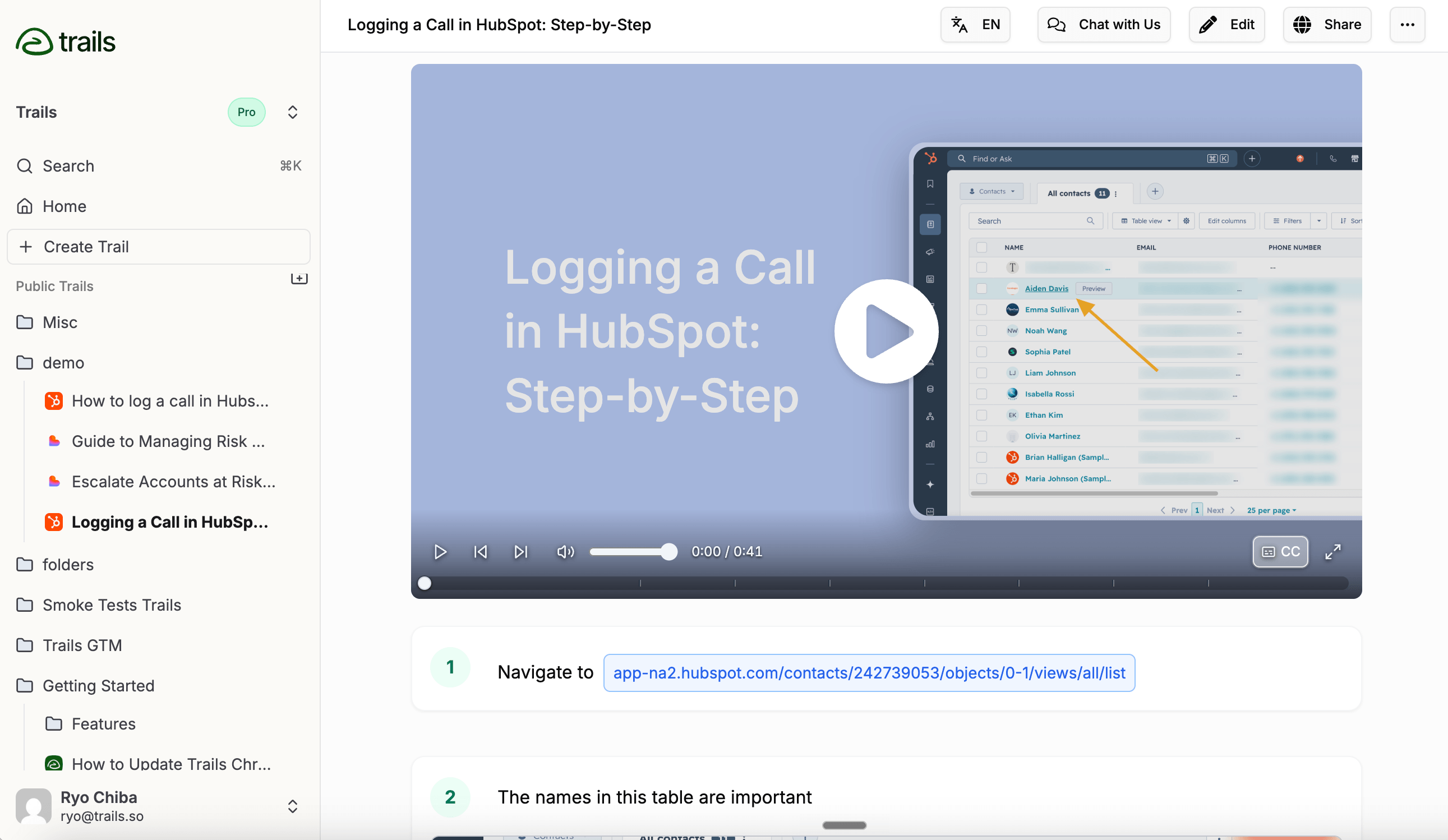
SuiteDash + Trails is our pick when documentation needs to become part of client delivery, not just another guide library.
SuiteDash handles the client side: white-label portals, dashboards, onboarding, files, projects, invoices, support tickets, secure messaging, LMS, community, and resource pages. Trails handles the documentation work. You capture a process once, and it becomes both a step-by-step guide and an AI-narrated video.
The pairing matters because making a resource and delivering a resource are different jobs. Trails helps you create it. SuiteDash gives it a home inside the client or staff experience. For the focused capture-tool comparison, read Trails vs Scribe.
The SuiteDash + Trails partner page describes a native Trails Block inside the SuiteDash Content Block Editor. In practice, that means a Trails guide can be embedded into client onboarding pages, internal dashboards, LMS courses, public pages, project and task pages, and other portal content without sending anyone to a separate documentation destination.
The economics fit the same buyer. SuiteDash uses flat-rate pricing with unlimited staff and clients across plans. The SuiteDash pricing page lists Start at $19/month, Thrive at $49/month, and Pinnacle at $99/month. The Trails partner offer is separate from SuiteDash, but it follows the same unlimited-user philosophy. The partner page lists Trails Business at $40/month for SuiteDash users, with unlimited users, AI videos, translations, and priority support.
This setup isn't for everyone. SuiteDash isn't a lightweight screenshot tool, and it takes real setup because it's a broad client operations platform. Trails is also a separate service, not something included automatically with every SuiteDash subscription. If you only need to document one browser workflow and send a link, Scribe or Folge will be easier to justify.
For a broader Trails-hosted roundup that isn't written for the SuiteDash portal use case, read the Trails guide to Scribe alternatives.
But if clients keep asking the same onboarding questions, staff shadow the owner for weeks, and process knowledge lives in people's heads, SuiteDash + Trails solves more of the real problem. It gives you the resource center and the capture engine in one system.
Tango
Best for: in-app workflow guidance
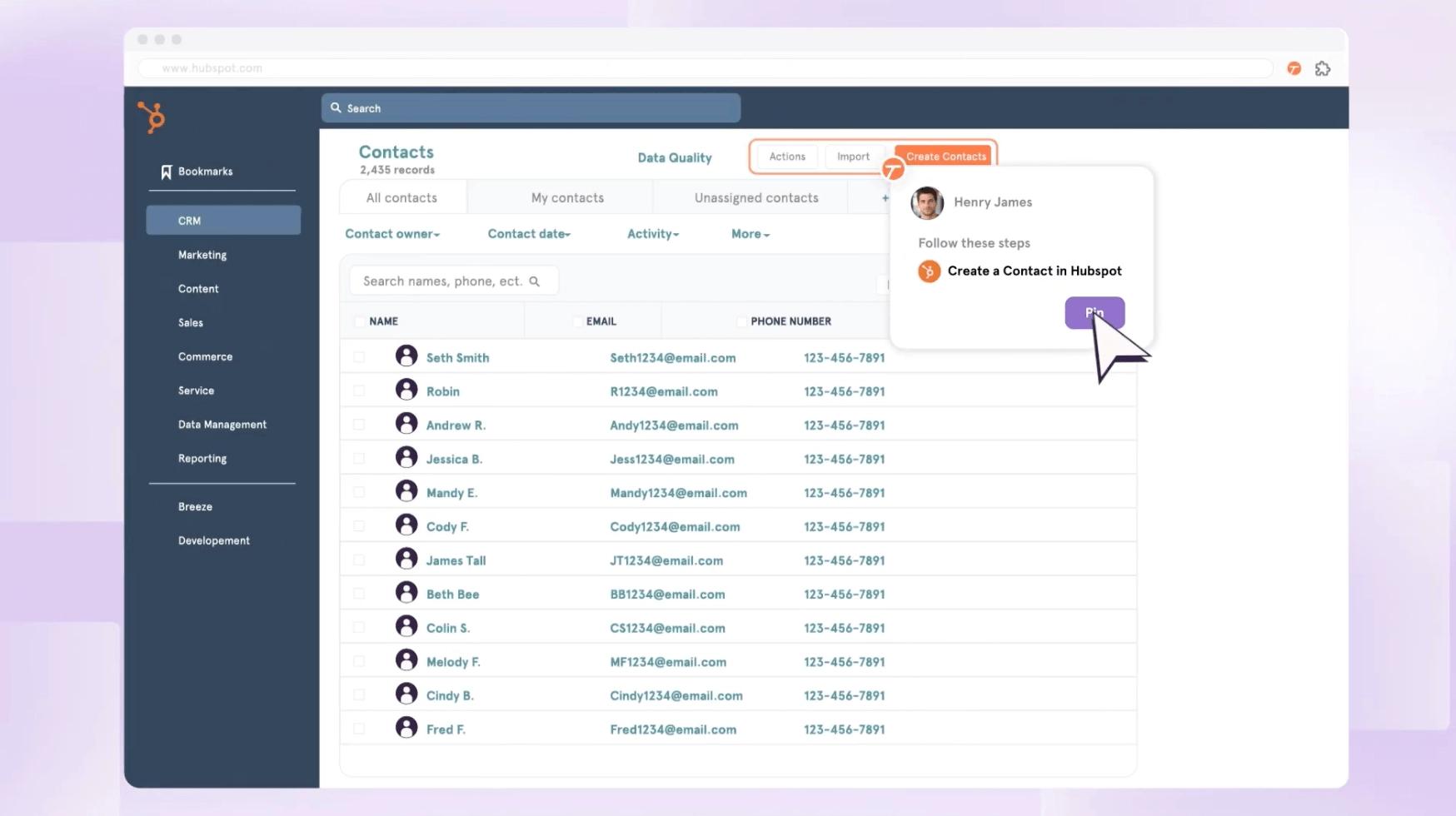
Tango is the strongest Scribe alternative we found for one specific problem: software adoption. It captures a workflow and turns it into a step-by-step guide, then pushes that guidance closer to the tools employees actually use.
That makes sense for internal operations, IT, and enablement teams rolling out software. If staff keep asking where to click inside a CRM, ERP, or back-office tool, Tango's in-app guidance will serve you better than a static guide buried in a wiki.
The Tango pricing page lists a free plan and Pro pricing that starts at $15 per user per month annually for teams of three or more, or $20 monthly. Workspaces with one or two users are priced higher, and Tango's help center says every user in a Pro workspace needs a Pro subscription.
The tradeoff for service businesses is delivery. Tango helps people follow internal software workflows, but it isn't a client portal, resource center, billing hub, or LMS. If your docs need to live inside the client relationship, Tango solves only part of the problem.
For the direct documentation-versus-in-app-guidance decision, read Scribe vs Tango.
If you're specifically evaluating Tango instead of Scribe, the Trails guide to Tango alternatives covers that search in more depth.
Guidde
Best for: polished AI-narrated video documentation
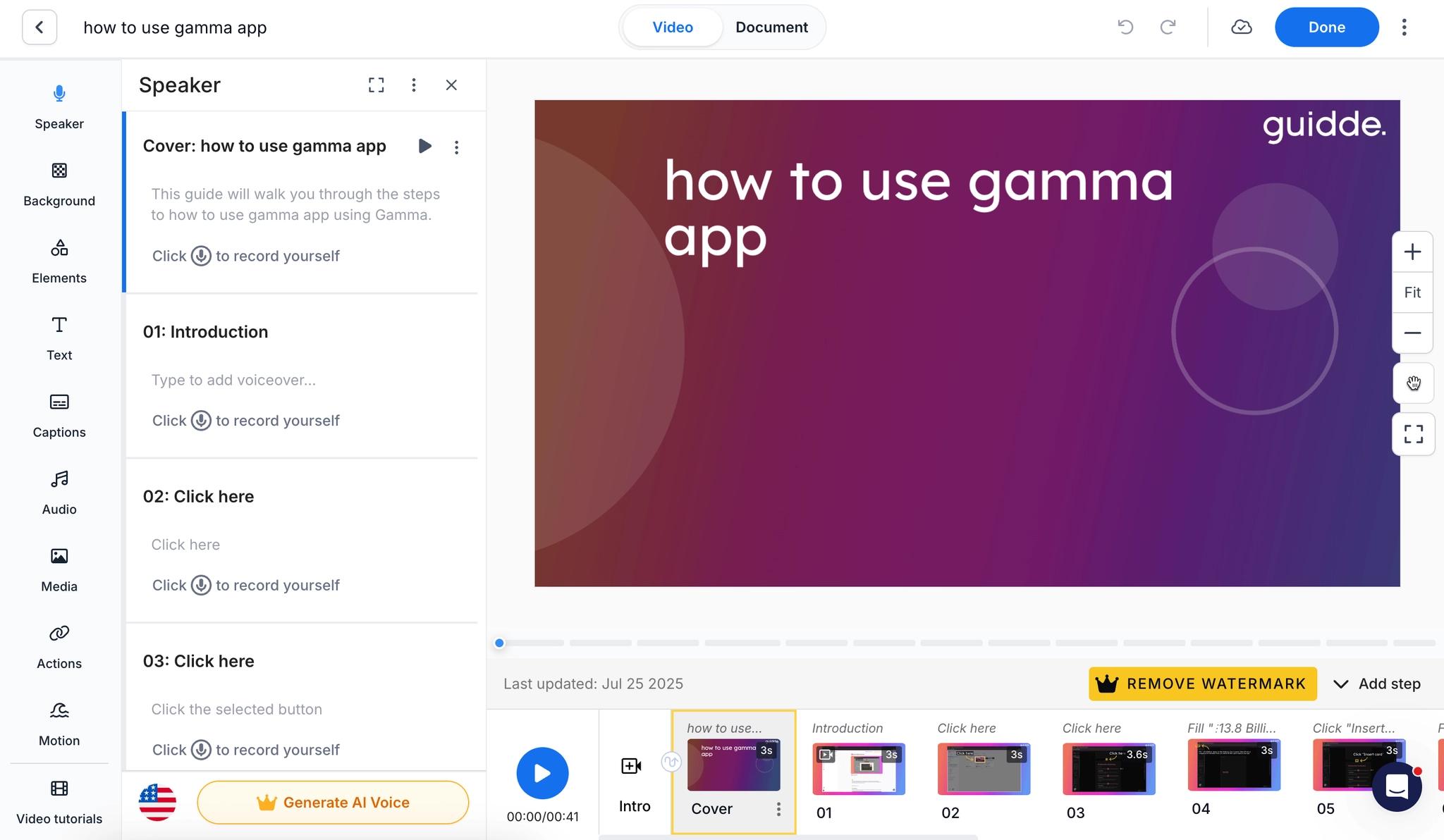
If video polish is what you're after, Guidde is the clearest Scribe alternative. It records workflows, adds AI narration and captions, supports brand controls, and produces finished walkthroughs for onboarding, support, and customer education.
Next to Scribe, Guidde leans harder into video, and it shows. That helps when a customer or employee needs to watch the process rather than scan it. It also gives teams more control over voiceover, subtitles, and presentation than most tools in this category.
The Guidde pricing page shows a free plan, Pro at $29 per creator monthly or $19 annually, Business at $59 monthly or $39 annually, and custom Enterprise pricing. Note that translation, SSO, PII redaction, and content review sit in Enterprise.
For SuiteDash-style buyers, the question is where the finished video goes. Guidde can produce strong training assets, but it doesn't run your client portal, projects, billing, support, or onboarding system. You still need a place to organize the client experience.
If the shortlist is down to video polish versus screenshot-based guides, read Guidde vs Scribe.
Iorad
Best for: interactive tutorials and learner practice
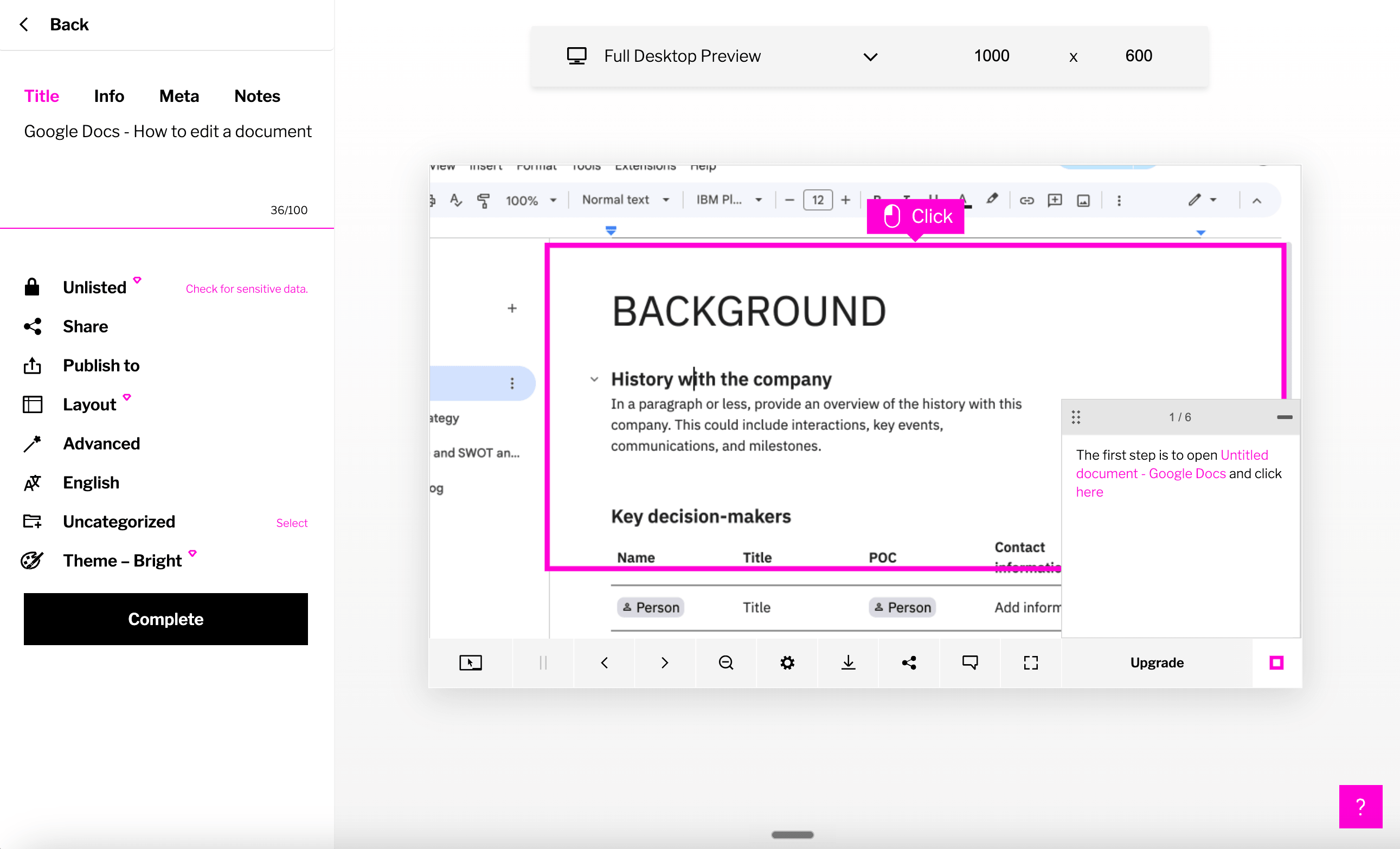
Iorad is built around the learner, and that focus sets it apart. A captured process can become an interactive tutorial, so the learner practices the workflow instead of only reading or watching it.
That makes Iorad genuinely useful for formal training teams, IT training, customer education, and situations where mistakes are costly. Scribe shows someone what to do. Iorad can ask them to click through the process themselves.
The cost reflects that training orientation, and it's steep. The Iorad pricing page lists Individual at $200/month and Team at $500/month, with unlimited learners across plans.
For a service business, that's hard to justify unless interactive practice is central to the training program. If the goal is client onboarding guides, SOPs, and reusable portal resources, SuiteDash + Trails is the more practical buy.
Loom
Best for: quick async explanations
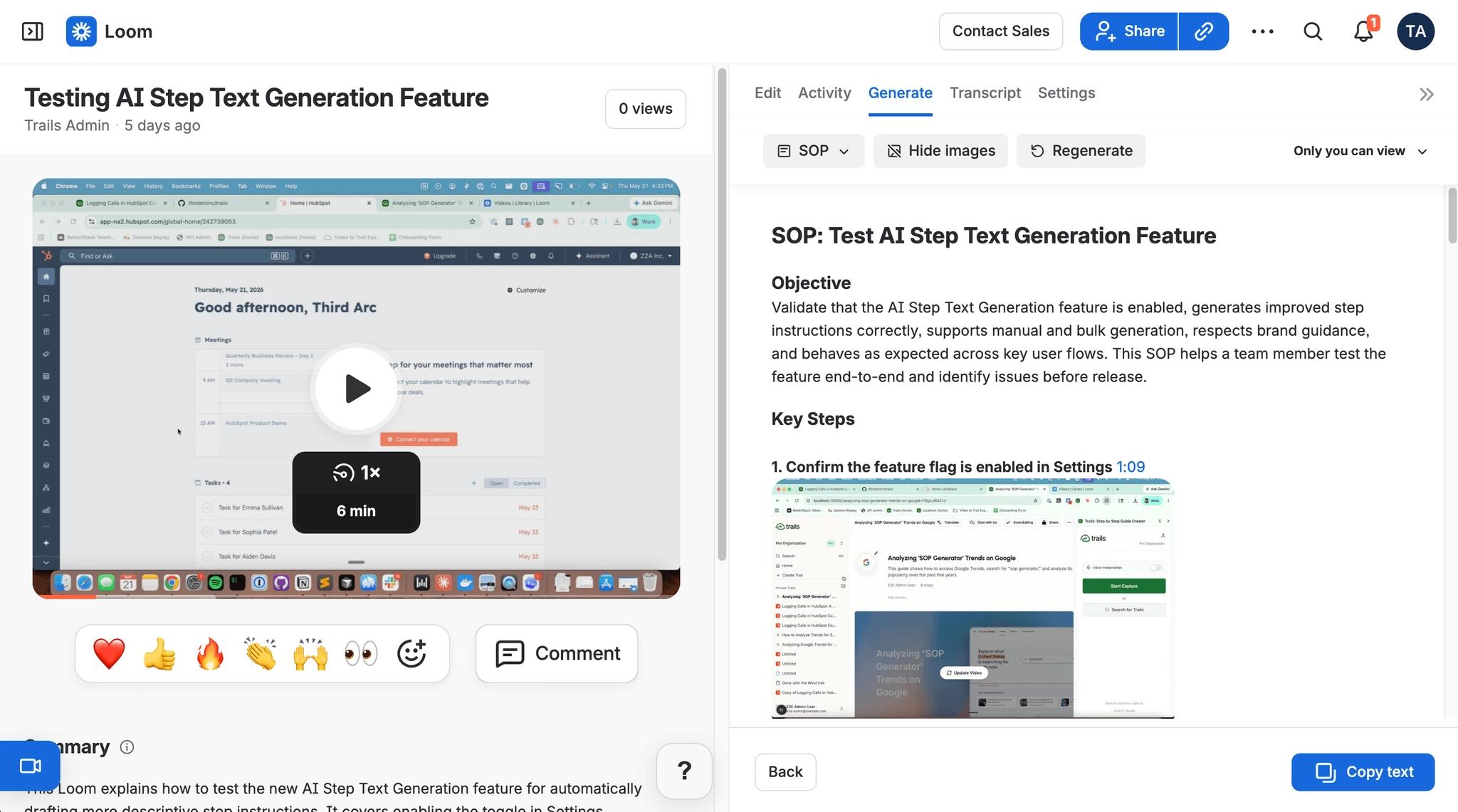
Loom isn't a Scribe clone. It's better when the value is your voice, your face, and the context around the process. For a quick customer reply, a bug explanation, a handoff, or a lightweight walkthrough, Loom is often faster than building a formal guide.
It has also grown beyond simple recording. The Loom pricing page lists Business at $18 per user per month and Business + AI at $24, with AI features for titles, summaries, chapters, editing, meeting notes, and video-to-text automation.
The weakness is maintenance. Video is hard to scan and hard to update one step at a time. When a process changes, you usually re-record or accept that part of the video is stale.
That matters for SOPs and client training. A Loom answers today's question quickly, but it gets weaker as a long-term resource center asset unless someone actively manages the library.
For the direct choice between async video and step-by-step guide capture, read Scribe vs Loom.
Trainual
Best for: internal SOP and training management
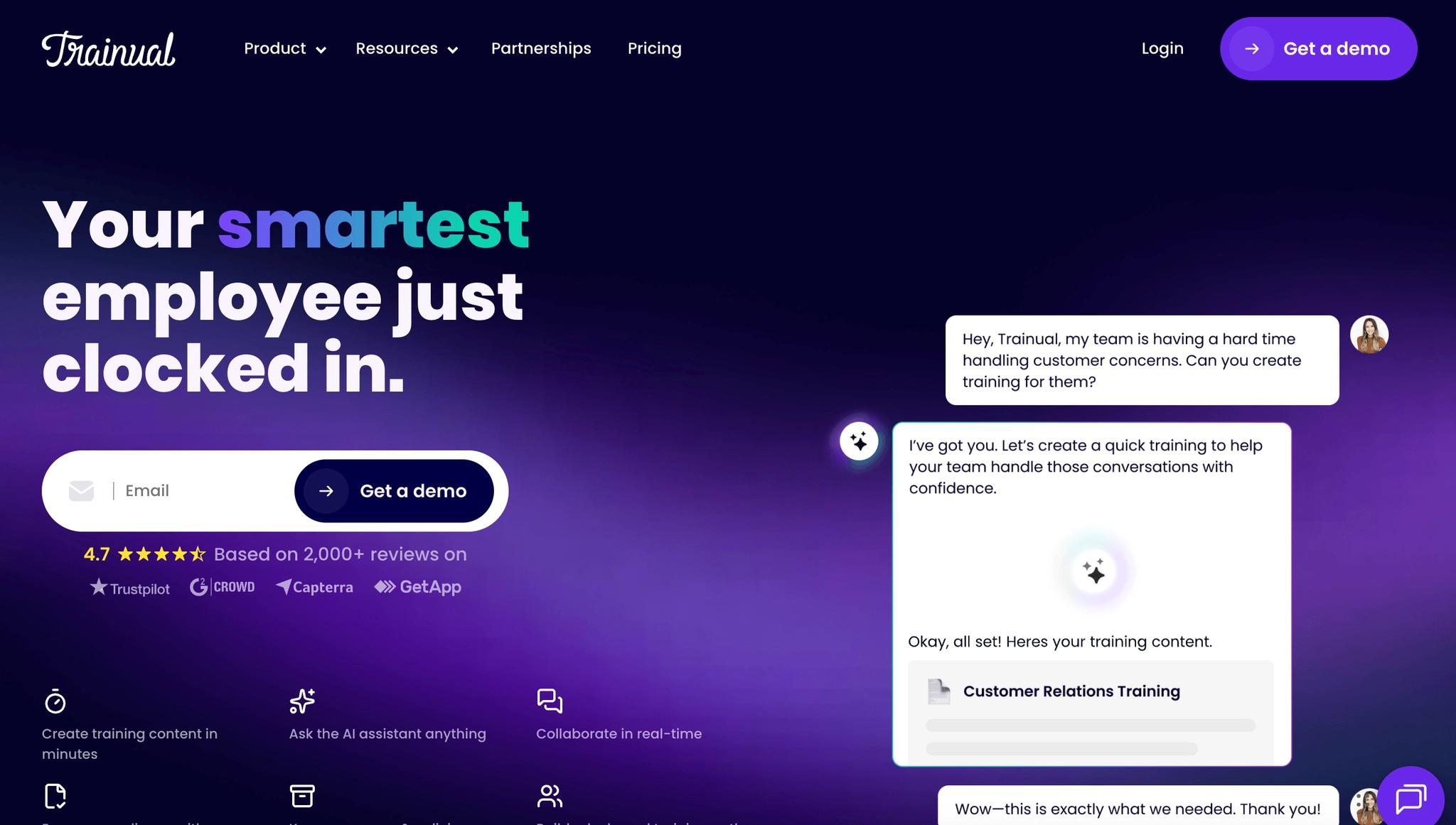
Trainual is the tool to consider when documentation needs accountability. It's built around company knowledge, role-based training, assignments, completion tracking, and structured onboarding.
For internal teams, that structure pays off. A growing agency, consultancy, or operations team can use Trainual to make sure employees actually complete policies, procedures, and role-specific training, rather than just having access to them.
The Trainual pricing page is quote-driven, which we always find a little frustrating. It shows Core, Pro, Premium, and Enterprise plans, with higher tiers adding training paths, video hosting, e-signatures, org charts, version history, custom branding, custom domain, SSO, and more.
The tradeoff is capture speed and client delivery. Trainual can manage training well, but it isn't a real-time process capture tool the way Scribe or Trails is. It also doesn't replace a client portal for files, invoices, tickets, onboarding pages, and project status.
Folge
Best for: offline screenshot guides with a one-time license
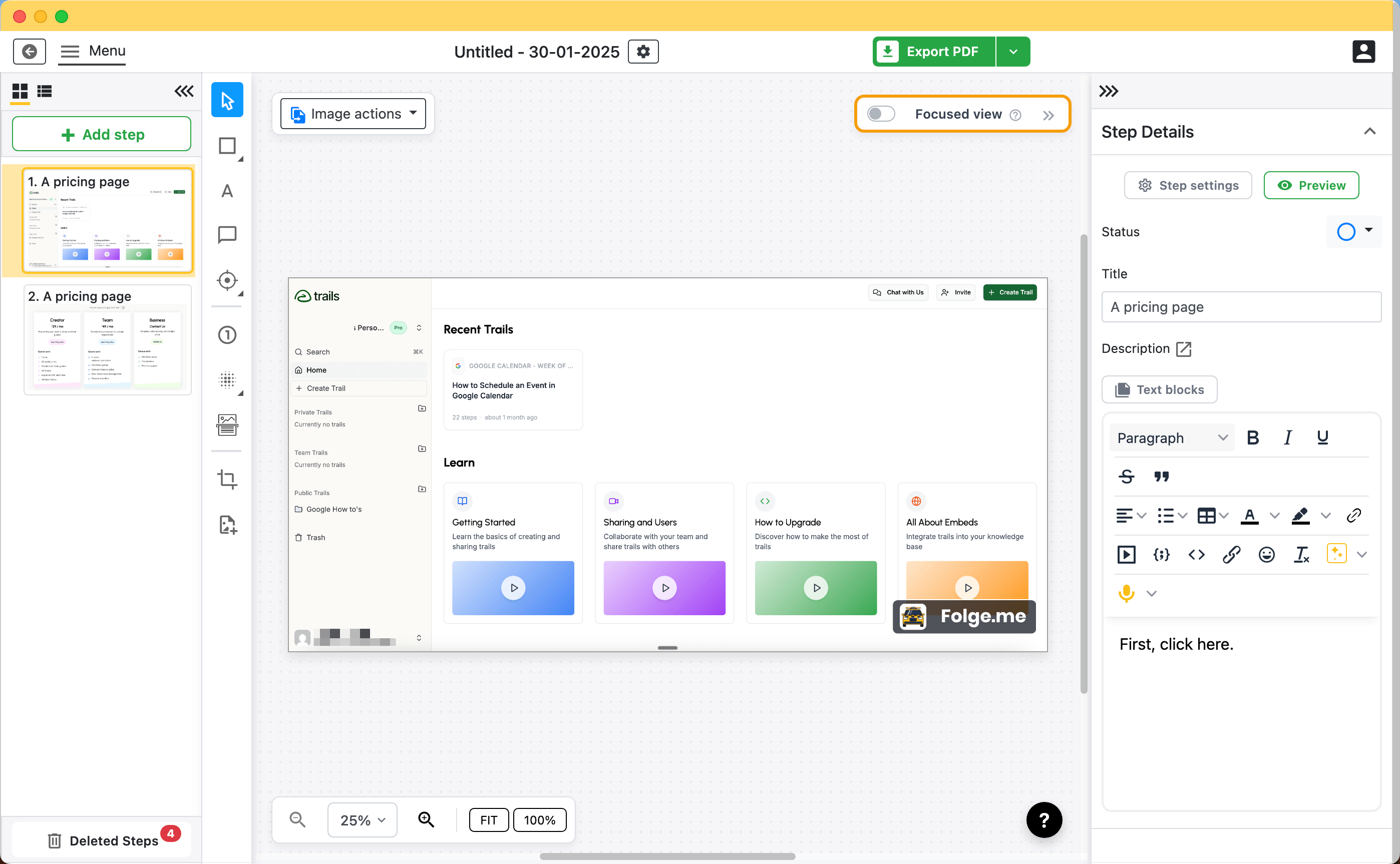
Folge is the budget pick for people who want private, offline documentation without another subscription. It's a native Mac and Windows app that captures screenshots as you click, lets you annotate and reorder steps, and exports to common formats.
The Folge buy page lists a free version, a Personal license at $89 once, and a Business license at $155 per seat. It stores everything locally, which will appeal to IT admins, consultants, and privacy-conscious teams.
The tradeoff is collaboration and delivery. Offline files are harder to share, keep current, permission, and embed into a live client experience. That's fine for one person making a manual. It breaks down when a service business needs one current resource across staff, clients, onboarding, and support.
Other Scribe alternatives we considered
These tools can be relevant for long-tail searches such as free Scribe alternatives, desktop Scribe alternatives, open-source Scribe alternatives, or Scribehow competitors. We didn't make them primary picks because each one solves a narrower job than the main list above.
- MagicHow: Worth a look for lightweight process documentation when you want a Scribe-style guide builder with a smaller tool footprint.
- Waybook: Relevant when the real job is building an SOP library and playbook, not only capturing screenshots.
- Process Street: Better understood as checklist and workflow management than a direct screenshot-guide replacement.
- Snagit: Useful for screen capture and annotation, but it doesn't replace a workflow documentation library on its own.
- Supademo: A good fit when the deliverable is an interactive product demo or customer walkthrough.
- Document360: More of a knowledge base platform; pair it with a capture tool if the bottleneck is making the guides.
The bottom line
Scribe is still a strong tool for fast screenshot guides. If that's the whole job, you may not need to switch, and we mean that.
The decision changes when documentation becomes part of client delivery. A service business doesn't just need to capture steps. It needs to answer client questions, train staff, cut down on repeated walkthroughs, and keep resources inside the branded system clients already use.
Choose Tango if internal app guidance is the priority. Choose Guidde if polished video is the priority. Choose Iorad if interactive practice is the priority. Choose Loom if speed and personal context matter most. Choose Trainual if internal training accountability is the priority. Choose Folge if offline, one-time-purchase screenshot guides are enough.
And choose SuiteDash + Trails if you want the whole setup: SuiteDash as the branded portal and resource center, Trails as the SOP capture and training-content engine. That combination is built for the business problem Scribe doesn't try to solve on its own, which is turning the processes in your head into resources your clients and staff can actually use.
Frequently asked questions
What is the best Scribe alternative for client onboarding?
SuiteDash + Trails is the best fit when the guide needs to become part of client onboarding. Trails creates the written guide and AI-narrated video, while SuiteDash gives that resource a home inside onboarding pages, dashboards, projects, tasks, LMS courses, and support workflows.
What is the best free Scribe alternative?
It depends on the output. Scribe's free plan may still be enough for occasional browser-based guides. Folge is useful for free or low-cost offline screenshot documentation. Loom can be enough for quick video explanations. The tradeoff is that free tools usually give up portal delivery, team permissions, polished video, or long-term update workflows.
What is the best desktop Scribe alternative?
Folge is the clearest desktop-first Scribe alternative because it runs locally on Mac and Windows and exports to common document formats. Use it when privacy, offline capture, and one-time pricing matter more than collaboration, live embeds, or a client portal.
Is there an open-source Scribe alternative?
There are open-source screen recording and documentation building blocks, but they usually aren't one-to-one Scribe replacements for browser capture, hosted sharing, permissions, and maintained process libraries. If open-source is the constraint, separate the jobs: capture locally, export the guide, then publish the finished resource somewhere clients or staff can reliably find it.
Is SuiteDash a direct replacement for Scribe?
No. SuiteDash is a client portal and business operations platform; it isn't a screenshot recorder. The direct capture replacement in this setup is Trails. SuiteDash + Trails works as a Scribe alternative when the real need is creating SOPs and delivering them inside a branded client or staff experience.