
Scribe Alternatives: Which Process Documentation Tool Should Your Team Use?





Scribe is good at turning a workflow into a step-by-step screenshot guide quickly. If your main job is capturing a browser or desktop process and sharing a clean visual reference, Scribe is still one of the fastest tools in the category.
The issue is fit. Some teams need video, others need in-app guidance, or they just want a cheaper way to make offline documentation. In this guide we'll walk through the top Scribe alternatives and when each one is the right fit.
The quick answer
- Trails: Best for guide + video documentation from one workflow capture.
- Tango: Best for in-app workflow guidance after the guide is created.
- Guidde: Best for polished AI-narrated video documentation.
- Iorad: Best for interactive tutorials and learner practice modes.
- Loom: Best for quick async video explanations.
- Trainual: Best for SOP and training management.
- Folge: Best for offline, one-time-purchase screenshot guides.
How we evaluated
To compare these tools, we used a 12-step customer onboarding workflow as the test case: open the product, configure a setting, add a user, explain one permission decision, and publish the result for a teammate or customer. We looked at creation speed, editing burden, screenshot clarity, video quality, branding, sharing, updateability, and pricing at team scale for 5, 10, and 25 users.
We make Trails, so this guide has a point of view. We tried to make it useful by being specific about where Trails is and isn't the right fit. If another tool is better for your situation, we'll say that plainly.
How we chose what to test
We focused on tools that help teams capture and share process documentation. That means step-by-step guide tools, video documentation tools, lightweight tutorial builders, and training platforms that commonly show up in Scribe alternative searches. We did not treat general wikis, full LMS platforms, or product analytics tools as direct replacements unless they solved a real Scribe-adjacent job.
Tools made the list when they appeared repeatedly in alternative articles or user comparisons, served the same buyer persona as Scribe, or had enough review and pricing data to evaluate fairly. The final list covers the main forks buyers face: screenshot-first docs, video-first training, in-app guidance, interactive learning, async video, formal SOP training, and offline documentation.
We considered Whale and UserGuiding but left them out of the main reviews. Whale is a strong SOP and training hub, but Trainual is the more common formal training comparison for this search. UserGuiding is better understood as a product adoption tool for software companies, not a direct process documentation replacement for teams making internal SOPs and customer walkthroughs.
Why do customers look for Scribe alternatives?
Scribe gets the core capture workflow right. It removes the manual screenshot, paste, annotate, and write cycle that makes process documentation painful. People usually look elsewhere because their situation needs a different format, a different pricing model, or more control as their documentation library grows.
Based on Scribe's pricing page, public review summaries, Reddit discussions, and internal competitive research, the most common reasons are:
Reason #1: The team price can jump before the team is ready
Scribe's free plan is useful for basic browser-based guides, but paid team use changes the math. On the current Scribe pricing page, Pro Team starts at 5 seats and is listed at $17 per seat monthly, while the annual toggle shows $15 per seat. Scribe also states that all members of a Pro Team need Pro seats, so teams can't mix Basic and Pro users inside the same team.
That hurts small teams, consultants, and departments where only one or two people create guides but many people need to view them. It's less about Scribe being overpriced in every case and more about the buying shape. The minimum and all-team billing model can force a team to pay before usage is broad enough to justify it.
Reason #2: Screenshot guides are not always enough
Scribe is strongest when the output should be a written visual guide. That falls short when the audience needs a narrated walkthrough, a training video, or a more engaging customer education asset. Scribe has a movie-style format, but the core product is still screenshot-and-text documentation.
This is the main reason teams compare Scribe with Trails, Guidde, and Loom. The question is not "which tool captures steps fastest?" It is "what format will people actually use later?" If new hires, customers, or field teams prefer video, a screenshot guide may not carry the whole job.
Reason #3: Scribe is moving upmarket into workflow automation
Scribe is no longer positioning itself as only a fast process documentation tool. Its recent messaging puts more weight on Scribe Optimize, workflow mining, automation recommendations, ROI business cases, and AI transformation. That is useful for large enterprises trying to decide where to automate work, but it can feel like extra platform weight for teams that only need to create clear docs and training content.
A small ops, CS, or enablement team may not need process maps, passive workflow mining, business-case generation, or an enterprise AI context layer. They may just need to capture a workflow, clean it up, and give teammates or customers something they can follow. When Scribe's story shifts toward large-scale workflow intelligence, buyers with simpler documentation needs naturally compare tools that stay closer to the job.
This does not make Optimize a weakness. It changes the fit. If the buyer is looking for enterprise workflow automation strategy, Scribe's direction makes sense. If the buyer is looking for faster training content, a lighter tool can feel more honest, less complex, and easier to justify.
Trails
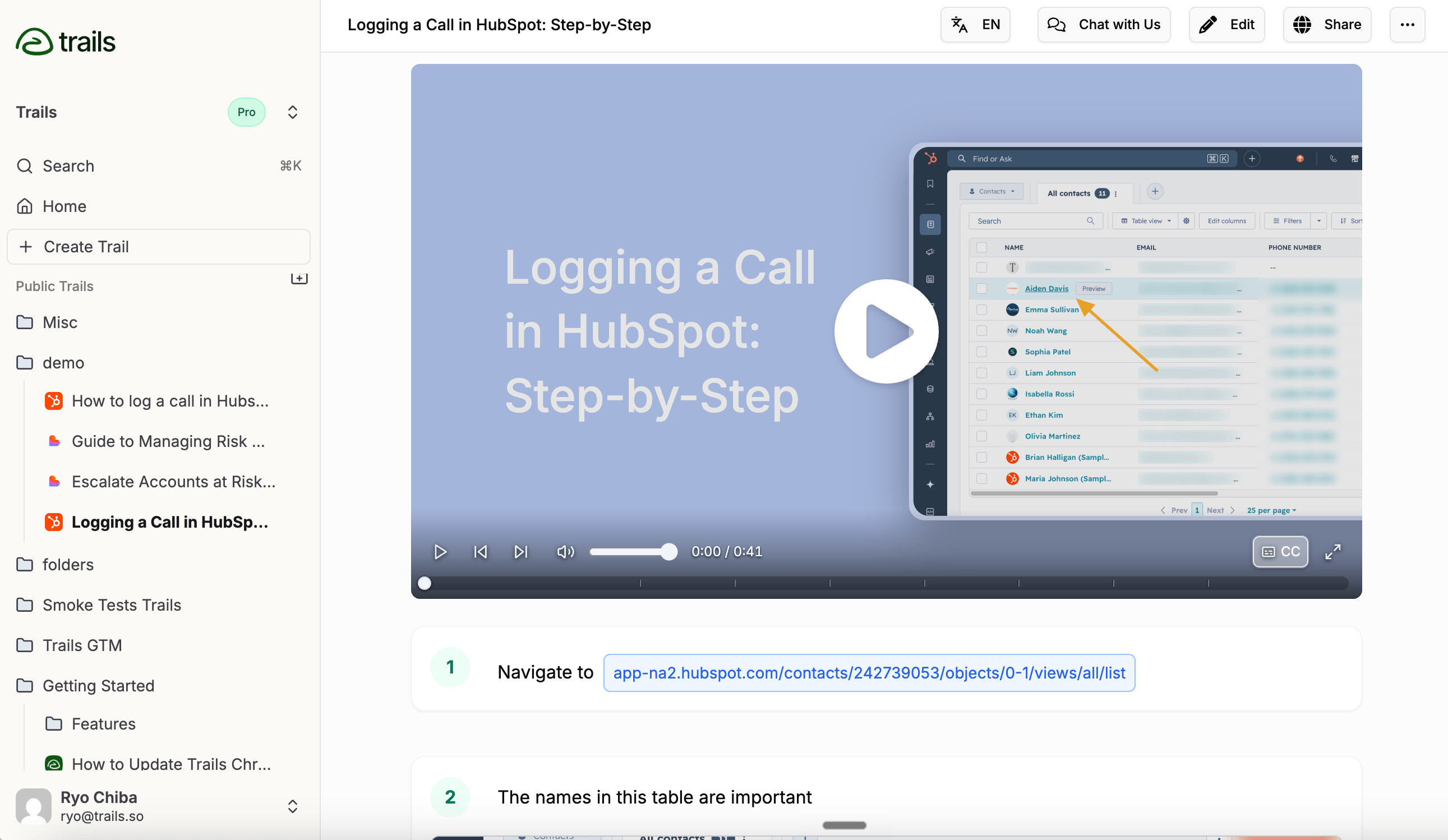
Best for: guide + video documentation
Choose Trails when the documentation needs to do more than sit in a knowledge base. One workflow capture becomes a written step-by-step guide and an AI-narrated training video. Edit the guide text and the video can be regenerated from the updated script, so you don't have to re-record every time the process changes. For the focused two-tool decision, read the Trails vs Scribe comparison.
That matters for customer success, enablement, education, and operations teams that create repeatable training. A screenshot guide is useful for the person who wants to scan step 6. A narrated video is useful for the person who wants to watch the process once before doing it. Trails gives both audiences one current source.
Trails also supports browser and desktop capture, voice transcription, blur for sensitive information, PDF/HTML/Markdown export, video embed, MP4 export, and video-to-guide conversion. The live Trails pricing page lists Creator at $29 per month, Team at $49 per month for 5 users with additional users at $10 per month, and Business as contact-us pricing with unlimited users, translations, and priority support.
Trails is not trying to be a full enterprise DAP or LMS. It does not have Scribe Optimize, Tango's in-app guidance, Trainual's quizzes and completion tracking, or SSO/SCIM depth for enterprise rollouts. Its best fit is a team that needs to create and update customer or internal training content fast.
Choose Trails if: You want one capture to produce both a written guide and a narrated training video. It's the clearest fit when processes change often and you don't want to rebuild video training every time a step changes.
Skip Trails if: You only need a quick free screenshot guide once in a while. Scribe's Basic plan or Folge's free desktop app may be enough. Also skip it if you need in-app overlays, formal quizzes, certifications, or a mature enterprise governance stack.
Tango
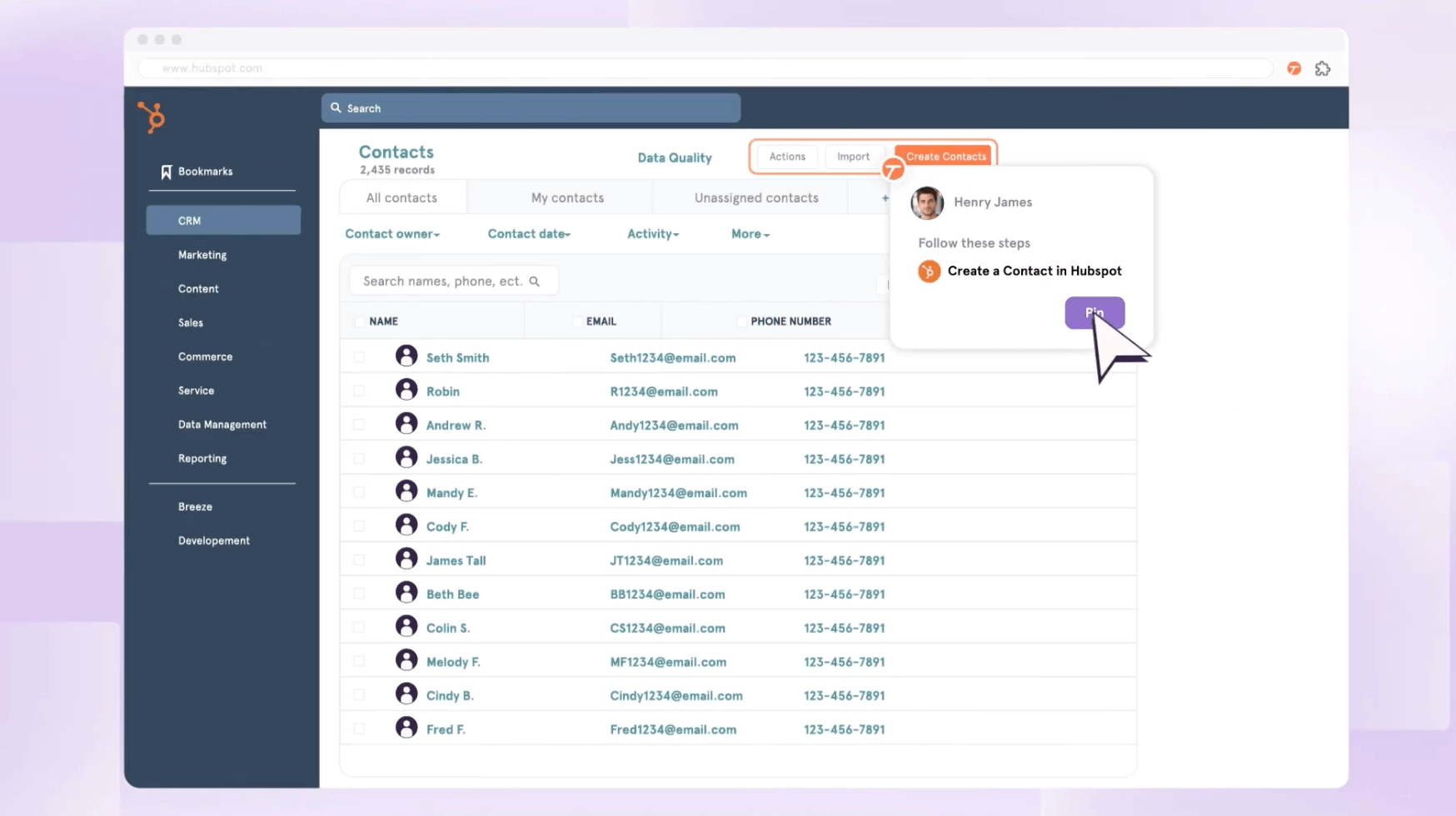
Best for: in-app workflow guidance
Tango is the best Scribe alternative when the problem is not only creating documentation, but getting people to follow it inside the tools where they work. Like Scribe, Tango captures a workflow and turns it into a step-by-step guide. Its stronger differentiator is what happens after capture: Guide Me, Nuggets, and enterprise workflow features that bring guidance into the application.
That makes Tango a natural fit for operations, IT, enablement, and change-management teams rolling out CRMs, ERPs, HRIS systems, or other internal software. If people keep asking "where do I click?" while they are already inside the app, Tango is closer to the answer than a static guide library. The Scribe vs Tango comparison goes deeper on that reference-library versus in-app-guidance tradeoff.
Pricing is per workspace seat. Tango's help center says that from March 24, 2026, Pro workspaces with 1-2 members cost $22 per user per month on annual billing or $26 monthly, while workspaces with 3 or more members cost $15 annually or $20 monthly. All users in a Pro workspace need Pro subscriptions.
The tradeoff is packaging. Tango's most distinctive guidance and automation features are pushed toward Enterprise. If you only need fast documentation, Pro may feel like paying for a broader vision you don't fully use. If you need polished video training, Guidde or Trails may be a cleaner fit.
Choose Tango if: Your team needs documentation to appear in the flow of work. It wins when adoption, reminders, and in-app help are more important than polished training videos.
Skip Tango if: You only need written guides or reusable training content. For quick screenshot docs, Scribe is simpler. For guide plus video output, Trails is more direct.
Guidde
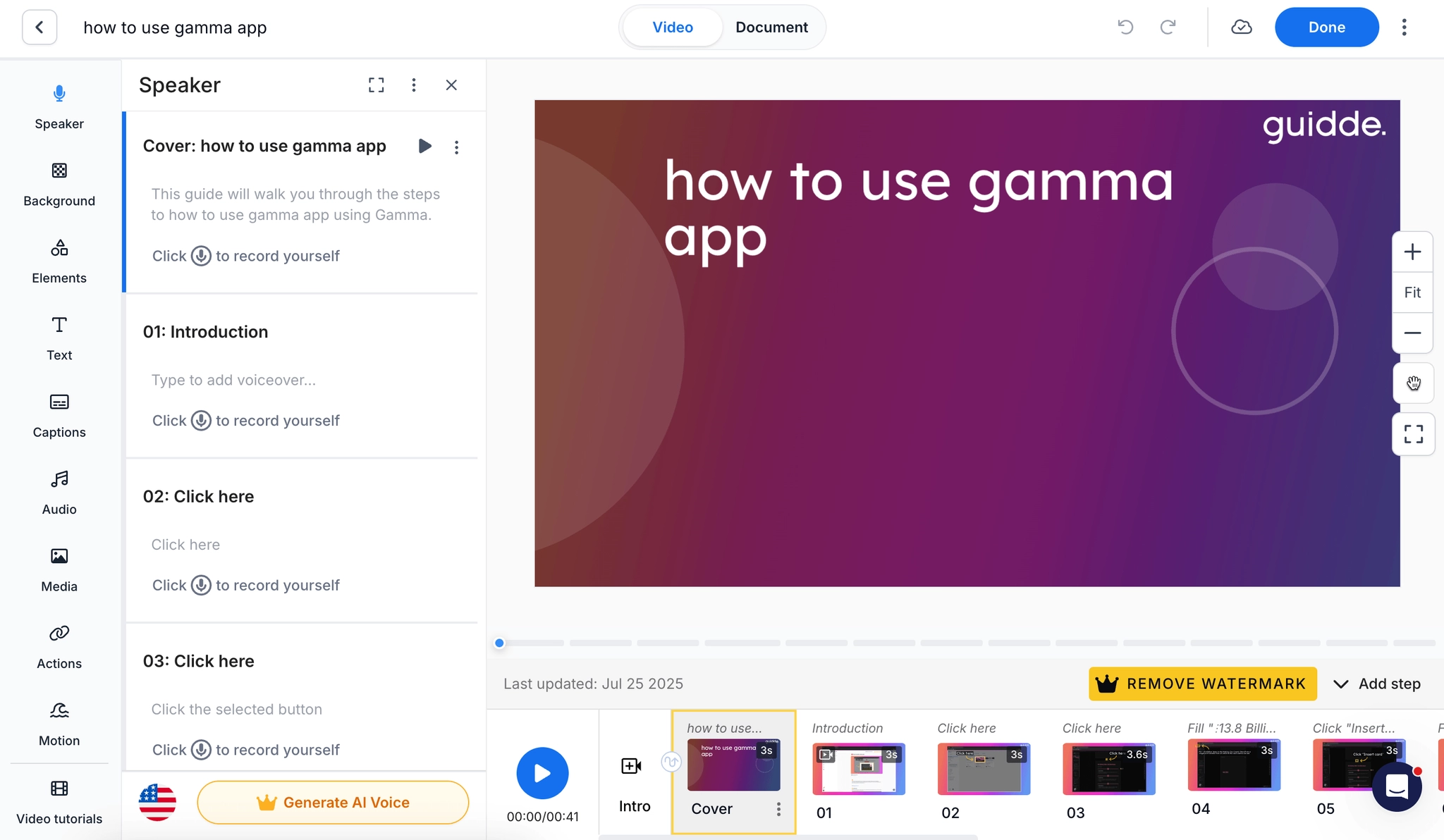
Best for: polished AI-narrated video documentation
Guidde is the strongest fit when the finished asset needs to feel like video training, not just a captured process. It records workflows, adds AI narration, supports captions, offers brand controls, and exports content into formats that work for training, onboarding, and customer education.
Compared with Scribe, Guidde leans harder into media polish. It's useful for teams that want product walkthroughs, customer-facing help, multilingual education, or internal training that needs more polish than screenshots in sequence. Guidde also has a Broadcast product for delivering guidance inside software, though that side is more enterprise and quote-based. If those are the two tools on your shortlist, see Guidde vs Scribe.
Guidde's current pricing page shows Free, Pro, Business, and Enterprise. Pro is listed at $29 per creator monthly or $19 annually. Business is $59 per creator monthly or $39 annually, with up to 5 creators billed per creator. Enterprise adds multilingual translation, PII redaction, SSO, content review, and other controls.
The tradeoff is complexity and price. Guidde's video editor gives teams more control, but it can be more than you need for simple SOPs. Some of the most valuable enterprise features, especially translation and governance, sit above the self-serve plans.
Choose Guidde if: You need customer-ready or employee-ready video documentation with AI voiceover, captions, brand control, and export options. It shines when the output needs to teach, not just reference.
Skip Guidde if: You want the simplest possible screenshot guide or a low-cost tool for a few internal SOPs. Scribe, Folge, or Trails may get you to a useful result faster with less editor overhead.
Iorad
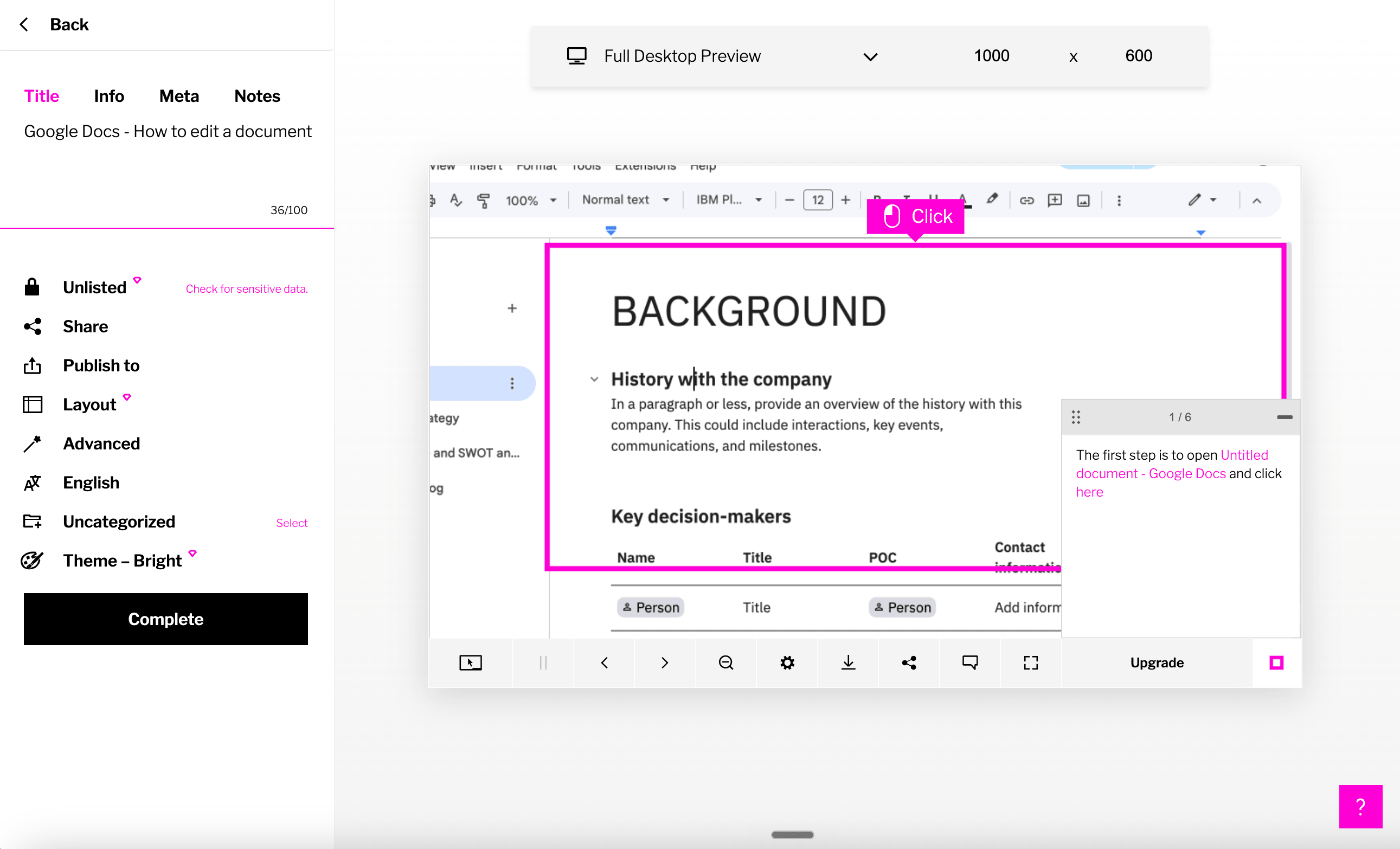
Best for: interactive tutorials and learner practice
Iorad is different from most Scribe alternatives because it is learner-first. One captured workflow can become multiple tutorial modes, including interactive practice, watch mode, view mode, print mode, and in-app guidance on higher tiers. That makes it more compelling for L&D, customer education, and IT training teams than for a solo operator making quick internal docs.
The key difference is the learner experience. Scribe shows someone what to do. Iorad can let the learner click through a safe guided version of the process, which is more useful when the cost of doing the workflow wrong is high.
The downside is price. Iorad's pricing page lists Individual at $200 per month for one creator and Team at $500 per month, with Enterprise as a custom tier. It also states that all plans include unlimited learners, so the model is clearly aimed at teams with enough training volume to justify the creator cost.
Iorad also has stronger LMS and enterprise integration depth than lightweight capture tools, including SCORM and many help-center or training integrations on higher plans. But if you don't need interactive learning modes, that depth can feel expensive.
Choose Iorad if: Your audience needs to practice a workflow, not just read or watch it. It is a good fit for formal training teams that care about learner modes, LMS delivery, and interactive tutorials.
Skip Iorad if: You mainly need fast SOP capture for a small team. The starting price is high compared with Scribe, Tango, Trails, Guidde, and Folge.
Loom
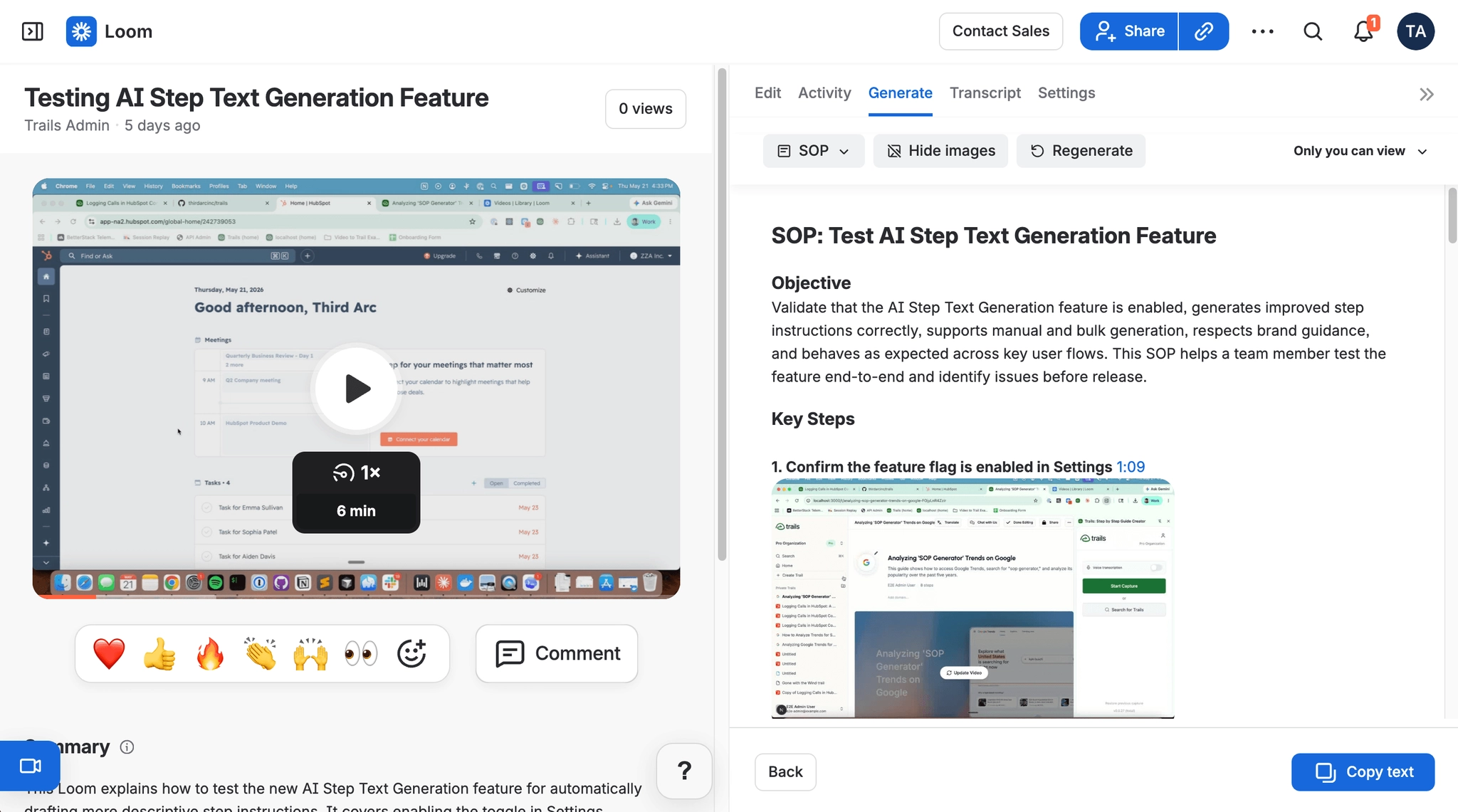
Best for: async video explanation
Loom is not a direct Scribe clone. It is a better alternative when the value of the original walkthrough is your voice, your face, and the context around the process. If a teammate needs a quick explanation, a customer needs a personalized walkthrough, or an engineer needs a visual bug report, Loom is often faster than building a structured guide. For the direct format choice, read Scribe vs Loom.
Loom has also moved beyond basic recording. It now includes meeting recording, AI titles and summaries, transcript-based editing on higher plans, and workflows that can turn a video into a first-draft document or ticket. That makes it more useful than a plain screen recorder, especially for teams already using Atlassian products.
The live Loom pricing page lists Starter as free with 25 recordings and a 5-minute recording limit, Business at $18 per user per month, Business + AI at $24 per user per month, and Enterprise as custom pricing.
The tradeoff is maintenance. Video is harder to scan, harder to update one step at a time, and weaker as a long-term knowledge base artifact. If a workflow changes, you usually re-record or rely on AI to create a separate text draft. That is different from a structured guide where individual steps can be edited directly.
Choose Loom if: You need quick async explanations, customer replies, bug reports, or walkthroughs where voice and context matter more than step precision.
Skip Loom if: You need searchable, skimmable, maintained process documentation. Pick Scribe for screenshot guides, Trails for guide plus video, or Trainual for assigned training.
Trainual
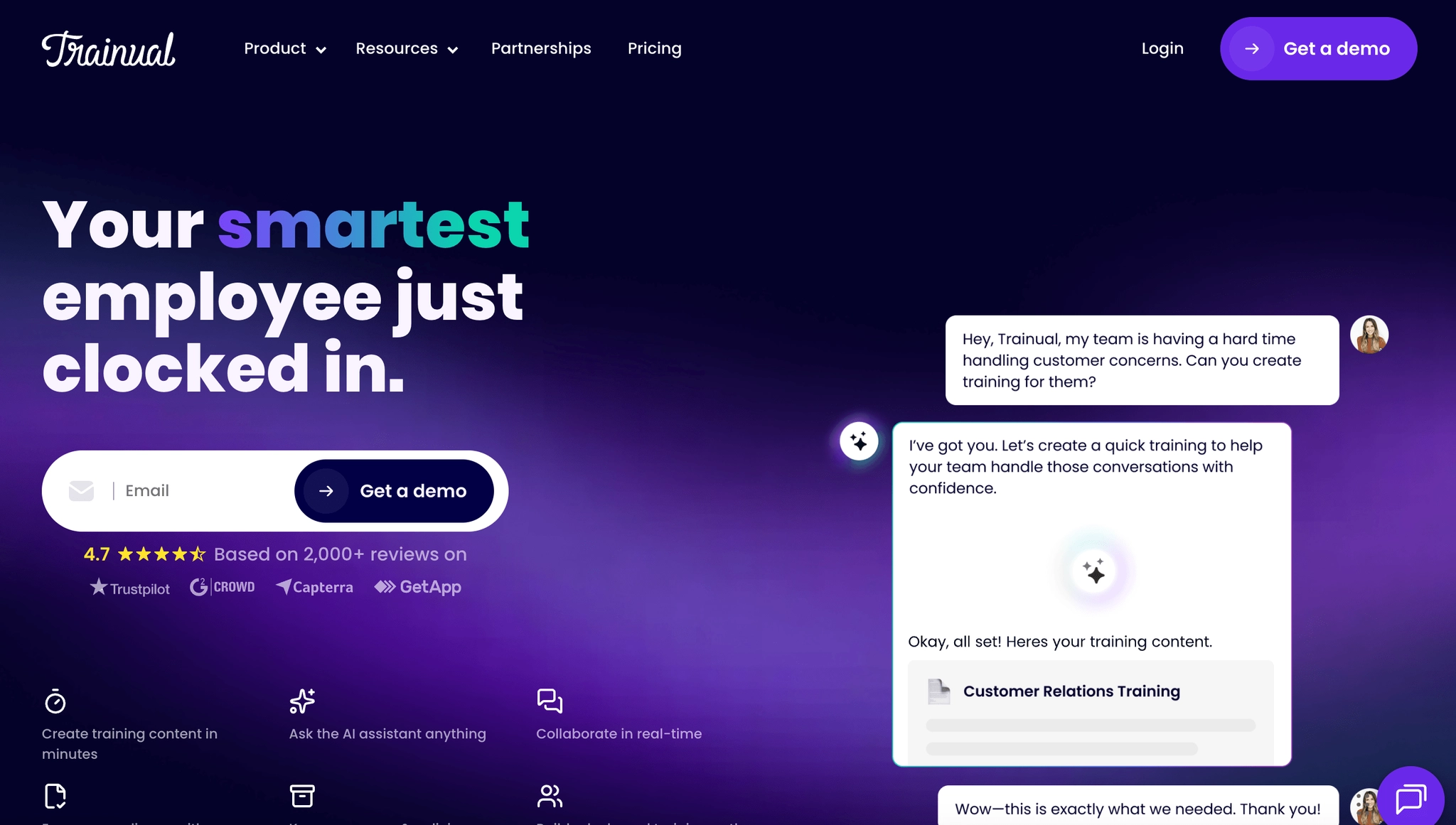
Best for: SOP and training management
Trainual is the right Scribe alternative when the real problem is not capture speed. It is training accountability. It combines documentation, onboarding paths, role-based assignments, testing, tracking, e-signatures on higher plans, org structure, and HRIS integrations.
That makes Trainual a better fit for HR, operations, franchise, and SMB leadership teams that need to prove people completed training. Scribe can help create a process guide. Trainual is built to turn documented knowledge into assigned training that managers can track.
Trainual's current pricing page is quote-driven, with Core, Pro, Premium, and Enterprise plans shown but no public dollar price listed. The page does state that a one-time $1,000 implementation fee applies. Third-party pricing references should be treated carefully because Trainual's public packaging has changed.
The weakness is authoring speed. Trainual has AI-assisted documentation, templates, screen recording, video embedding, and a Chrome extension, but it is not primarily a real-time capture tool like Scribe or Trails. Creating a software workflow guide can still require more authoring and structuring than a capture-first product.
Choose Trainual if: You need onboarding paths, assignments, quizzes, policy acknowledgment, and manager visibility. It wins when documentation has to become an employee training system.
Skip Trainual if: You mainly need to capture software workflows quickly. Use Scribe, Trails, Tango, Guidde, Iorad, or Folge for faster process capture.
Folge
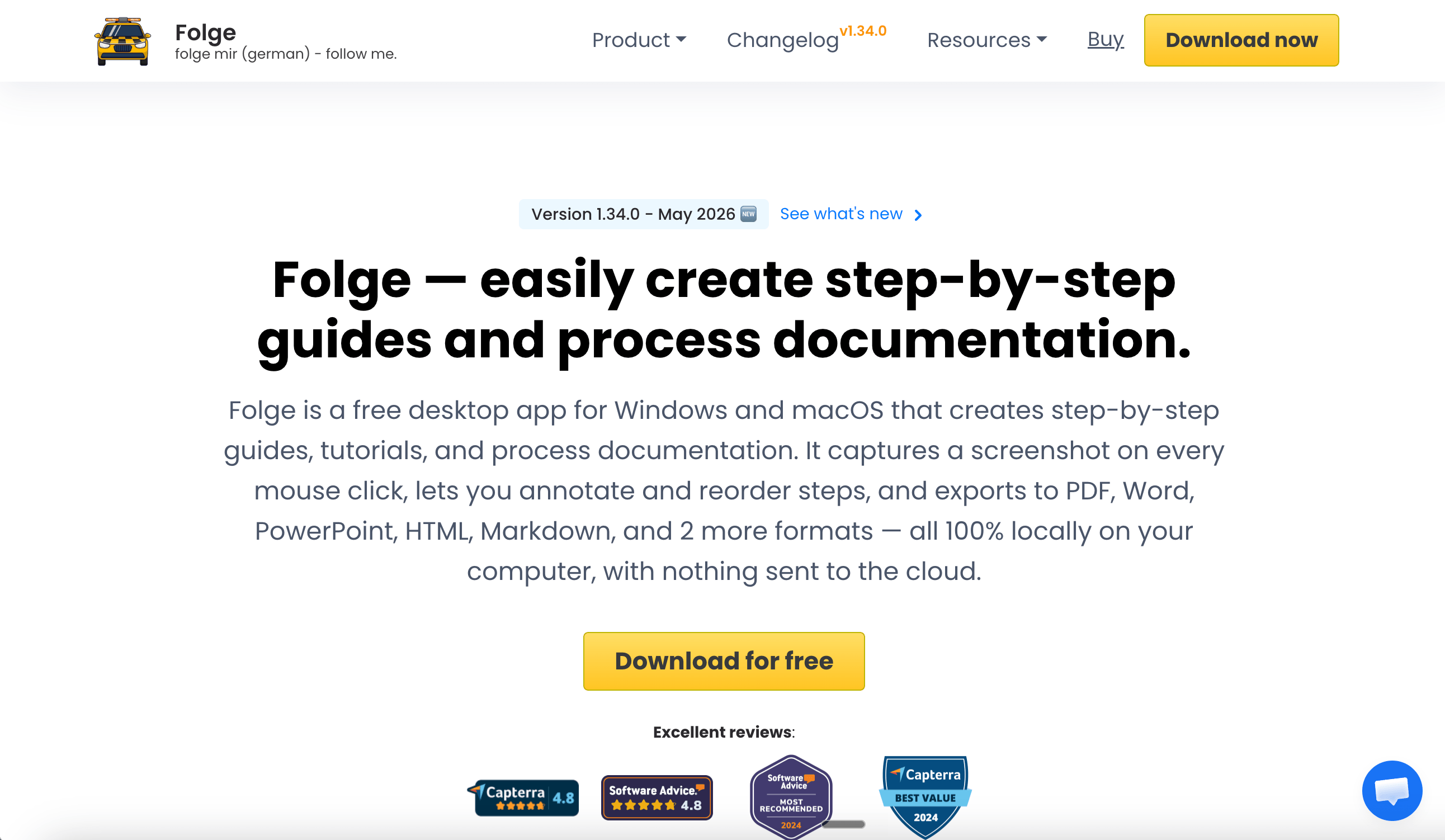
Best for: offline, one-time-purchase screenshot guides
Folge is the most practical Scribe alternative for people who do not want another subscription or cloud-based documentation system. It is a native Mac and Windows desktop app that captures screenshots as you click, lets you annotate and reorder steps, and exports to formats like PDF, Word, PowerPoint, HTML, Markdown, JSON, and image bundles.
The privacy and pricing model are the point. Folge stores information locally and is sold as a one-time license. Its buy page lists a free version for up to 5 guides, a Personal license at $89 one-time, and a Business license at $155 per seat one-time. The Business license includes both Mac and Windows, Confluence and Hudu export, user management, transferable licenses, and priority support.
Folge is strongest for technical writers, IT admins, consultants, educators, and privacy-conscious teams documenting desktop or browser workflows. It also fits people who liked older desktop tools such as Microsoft Steps Recorder and want a modern replacement.
However, being offline focused has tradeoffs. Because the documents live as local files rather than cloud-hosted content, teams also give up a lot of the workflow around modern documentation: easy sharing, real-time collaboration, access management, embeddable content, and synced updates wherever the guide is published. For enablement, customer education, or any team that needs one live version of a process across multiple surfaces, it may be too limited.
Choose Folge if: You need private, offline screenshot documentation with broad export options and a one-time price. It is especially strong for individual creators and IT teams that cannot upload sensitive screenshots to cloud tools.
Skip Folge if: You need video, AI narration, translation, team workspaces, access controls, collaborative editing, or embedded content that stays in sync. Trails, Guidde, Trainual, or Tango are better fits for those jobs.
The bottom line
Scribe's biggest mismatch is not that it fails at process documentation. It is very good at the fast screenshot-guide job. The mismatch appears when the buyer needs a different output, a different delivery model, or a different way to scale documentation across a team.
If you liked Scribe because it creates screenshot guides fast, choose Tango when the next step is in-app guidance, or Folge when you want an offline one-time purchase. If you liked the idea of visual walkthroughs but need richer media, choose Guidde for polished AI-narrated videos or Loom for quick async explanations. If the job is formal employee training with assignments and tracking, choose Trainual.
If you need documentation to function as training content, choose Trails. The useful difference is not a longer feature list. It is the workflow: capture once, get a written guide and a narrated video, then update the guide when the process changes instead of rebuilding everything from scratch.